Quick answer
You can replace the Lycra back panel on any Arc-style backpack in about 15 minutes using basic tools, and older Arc models can be retrofitted with the same replacement panel for a refreshed trampoline feel.
Why replace or retrofit your back panel?
Over time, the Lycra mesh on your backpack's back panel can stretch, tear, or simply lose its snug fit. Replacing it restores the trampoline effect that keeps air flowing between your back and the pack, which improves comfort on long hikes.
If you own an older Arc backpack, the replacement Lycra back panel is designed as a retrofit, so you can upgrade an older pack without buying a new one. This is a cost-effective way to extend the life of a pack you already trust.
Tools and preparation
Before you start, gather a Phillips-head screwdriver (or the tool that came with your pack), a clean workspace, and the replacement Lycra back panel. Check the current panel for how it attaches—most Arc packs use small screws or clips that are easy to remove.
Lay the backpack on a flat surface so the back panel is accessible. Take a photo of the current setup before removing anything; this helps you remember the order of parts during reassembly.
Step-by-step replacement process
- Remove the old back panel: Unscrew or unclip the fasteners holding the current Lycra panel in place. Gently pull the panel away from the frame, noting how it wraps around the frame edges. Common mistake: forcing the panel off can tear the mesh or damage the frame; if it resists, check for hidden screws or clips. Keep all screws and clips in a small container so none get lost.
- Clean and inspect the frame: Wipe down the exposed frame to remove dirt and grit. Check for any sharp edges or damage that could snag the new panel. Common mistake: skipping this step can cause premature wear on the new Lycra mesh. If you find rough spots, smooth them with fine sandpaper before proceeding.
- Align the new Lycra panel: Position the replacement panel so it sits evenly across the frame, with the mesh taut but not stretched. Ensure the air gap is maintained—the panel should bow slightly away from the frame. Common mistake: misaligning the panel can cause bunching or reduce the trampoline effect. Double-check that the panel is centered before securing any fasteners.
- Secure the panel: Reattach all screws or clips, working from one side to the other to keep tension even. Tighten just until snug—over-tightening can strip threads or deform the frame. Common mistake: uneven tightening can cause the panel to sit crooked. Test the panel by pressing gently; it should feel springy and return to shape.
- Test the fit and adjust: Place the backpack on and adjust the shoulder straps. Walk around to ensure the panel feels comfortable and the air gap is maintained. Common mistake: ignoring discomfort now can lead to hot spots on the trail. If the panel feels loose, re-tighten the fasteners; if it feels too tight, loosen slightly and re-align.
Product facts
-
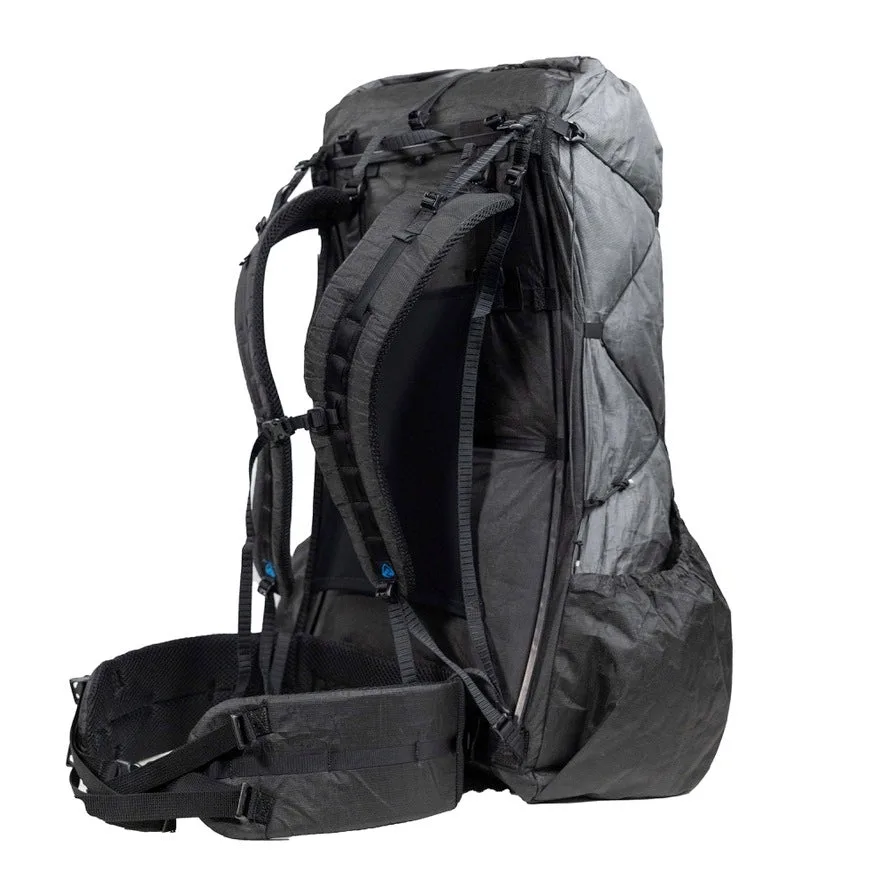
Replacement Lycra Back Panel: This replacement Lycra back panel is designed for all current Arc-style backpacks and also fits older Arc models as a retrofit. You can refresh an older pack or fix a worn panel without buying a new backpack, saving money and reducing waste.
Replacement Lycra Back Panel