Quick answer
Replace worn front body pillars on your HP141 or HP141S by removing the old posts and installing genuine 14280B replacements. The swap takes about 10 minutes with basic tools.
Why use genuine 14280B pillars
Genuine BEZGAR 14280B front body pillars are designed specifically for the HP141 and HP141S chassis. They match the original mounting points and post height, so your body shell sits correctly without extra shims or trimming. Aftermarket posts often require modification or cause poor alignment.
Step-by-step replacement
- Remove the body shell and old pillars: Take off the RC car body shell. Unscrew the two screws holding each front body pillar to the chassis. Gently pull the pillar out of its slot. Common mistake: twisting the pillar can break the plastic tab. Pull straight out.
- Prepare the new 14280B pillar: Check that the new pillar matches the old one in length and tab position. No trimming needed for genuine parts. Insert the pillar into the chassis slot until it clicks into place. Checkpoint: the tab must seat fully; a gap means the pillar is not locked.
- Secure and reattach the body: Reinstall the two mounting screws. Do not overtighten – snug is enough. Place the body shell over the pillars and push down until the body clips engage. Common mistake: overtightening can strip the plastic threads. Stop when you feel resistance.
Parts you need
-
Front Body Pillars(14280B) for HP141/HP141S: Genuine BEZGAR spare part for HP141 and HP141S, part number 14280B, 100% applicable to specified models. Using the exact OEM part guarantees the body posts fit without forcing, preventing cracked pillars or stripped screw holes.
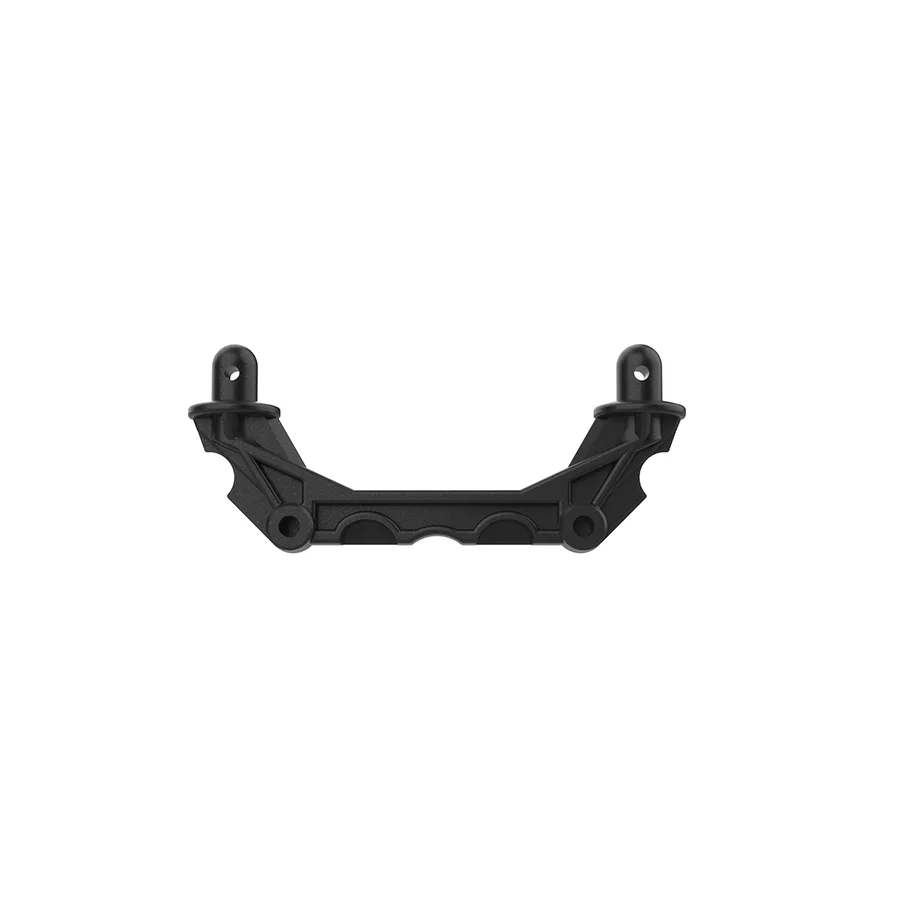
Front Body Pillars(14280B) for HP141/HP141S