Quick Answer
To replace the rear brake hub on your Volcano Monster Kickboard, remove the rear wheel, detach the old hub, install the new hub, and reassemble the wheel with proper alignment.
Why the Brake Hub Matters
The rear brake hub is the component that connects the brake mechanism to the rear wheel. When it wears out, braking becomes less effective, and you may hear grinding or feel a loss of stopping power. Replacing it restores reliable braking and prevents further damage to the wheel or brake pads.
This guide focuses on the Volcano Monster Kickboard, a model designed for heavier riders and rougher use. Because of that, the brake hub endures more stress than on lighter scooters, so regular inspection is worth adding to your maintenance routine.
Common Mistakes to Avoid
One frequent error is not checking the brake hub for wear before assuming the brake pads are the problem. A worn hub can make new pads ineffective, wasting time and money. Another mistake is over-tightening the axle nut, which can bind the wheel and cause the hub to overheat. Always follow the torque specs in your scooter manual.
Also, be careful not to lose the small washers and spacers when removing the wheel. They are essential for proper alignment and brake function.
Step-by-Step Replacement Guide
- Gather tools and safety gear: You'll need a wrench or socket set, a screwdriver, and possibly a rubber mallet. Wear safety glasses and work on a stable surface. Ensure the scooter is turned off and the brake is not engaged. Check that you have the correct replacement hub (part 1671) before starting.
- Remove the rear wheel: Loosen the axle nut on the rear wheel using the appropriate wrench. Slide the wheel off the axle, being careful not to lose any washers or spacers. If the wheel is stuck, gently tap it with a rubber mallet. Keep all small parts in a container to avoid losing them.
- Detach the old brake hub: Inspect how the brake hub is attached—it may be secured by screws or a retaining ring. Remove these fasteners and slide the old hub off the axle. Note the orientation and any spacers for reassembly. Take a photo before removal to help with reinstallation.
- Install the new brake hub: Slide the new hub onto the axle in the correct orientation, aligning it with the brake mechanism. Replace any spacers and secure it with the original screws or retaining ring. Ensure it rotates freely without binding. Check that the hub spins smoothly before proceeding.
- Reassemble the rear wheel: Place the wheel back onto the axle, ensuring the hub engages properly with the brake. Reinstall washers and spacers in the correct order, then tighten the axle nut to the manufacturer's torque specification. Do not over-tighten. Spin the wheel by hand to confirm it moves freely and the brake engages correctly.
- Test the brake: Before riding, press the brake lever to ensure it engages the hub and stops the wheel. Take a short test ride at low speed to confirm braking performance. If the brake feels spongy or ineffective, re-check the hub alignment and axle nut tightness. If braking still feels off, inspect the brake pads for wear.
Replacement Part
-
Parts: Rear Brake Hub for Volcano Monster Kickboard: The Rear Brake Hub is a genuine Micro Kickboard replacement part for the Volcano Monster Kickboard, part number 1671. Using the correct OEM part ensures a precise fit and reliable braking performance, avoiding compatibility issues with aftermarket parts.
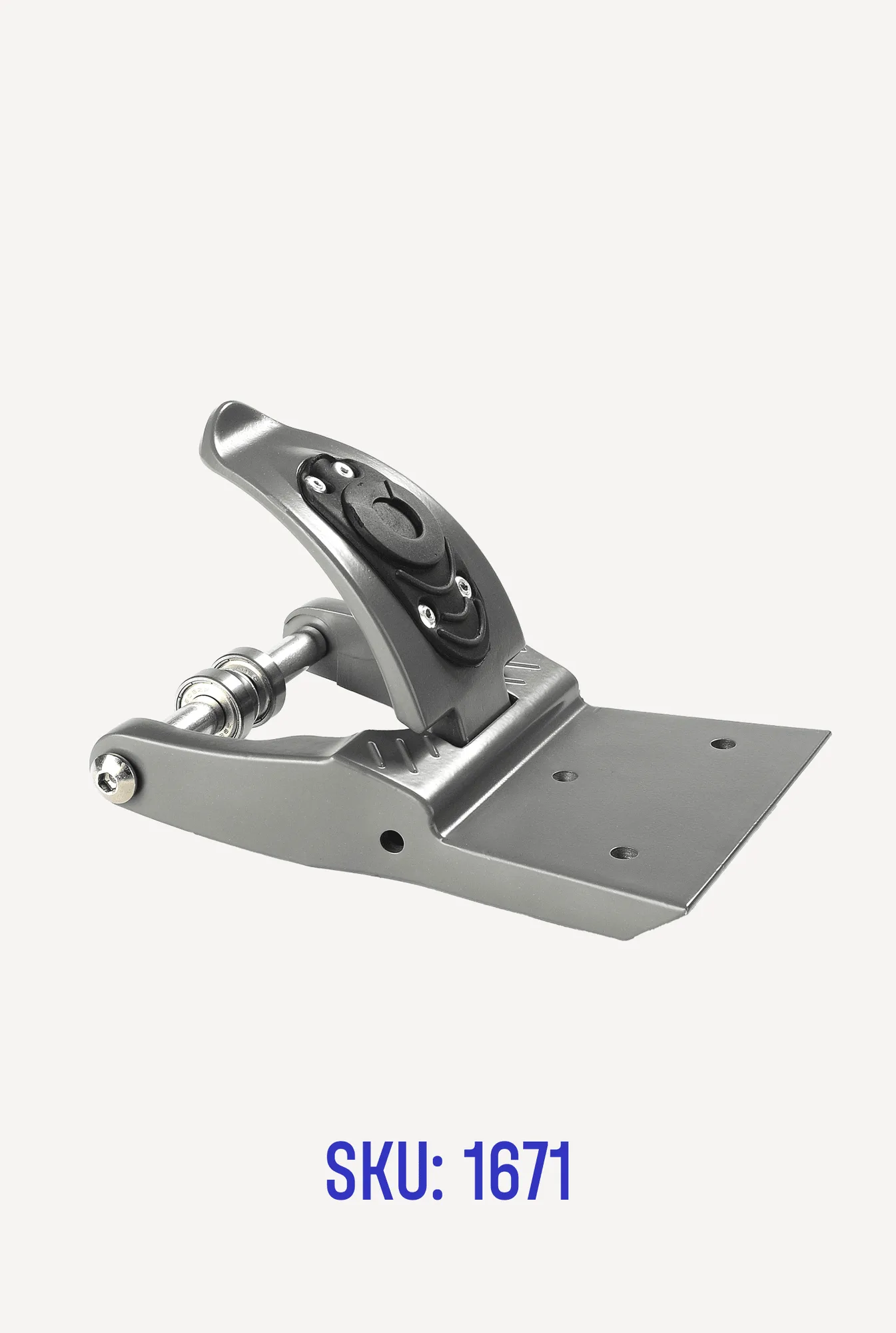
Parts: Rear Brake Hub for Volcano Monster Kickboard