Quick Answer
To replace the Redcat RER13335 pinion gear, remove the motor, slide off the old gear, press on the new 11-tooth steel gear, and set the gear mesh before tightening the motor mount.
Why the RER13335 is a Common Replacement
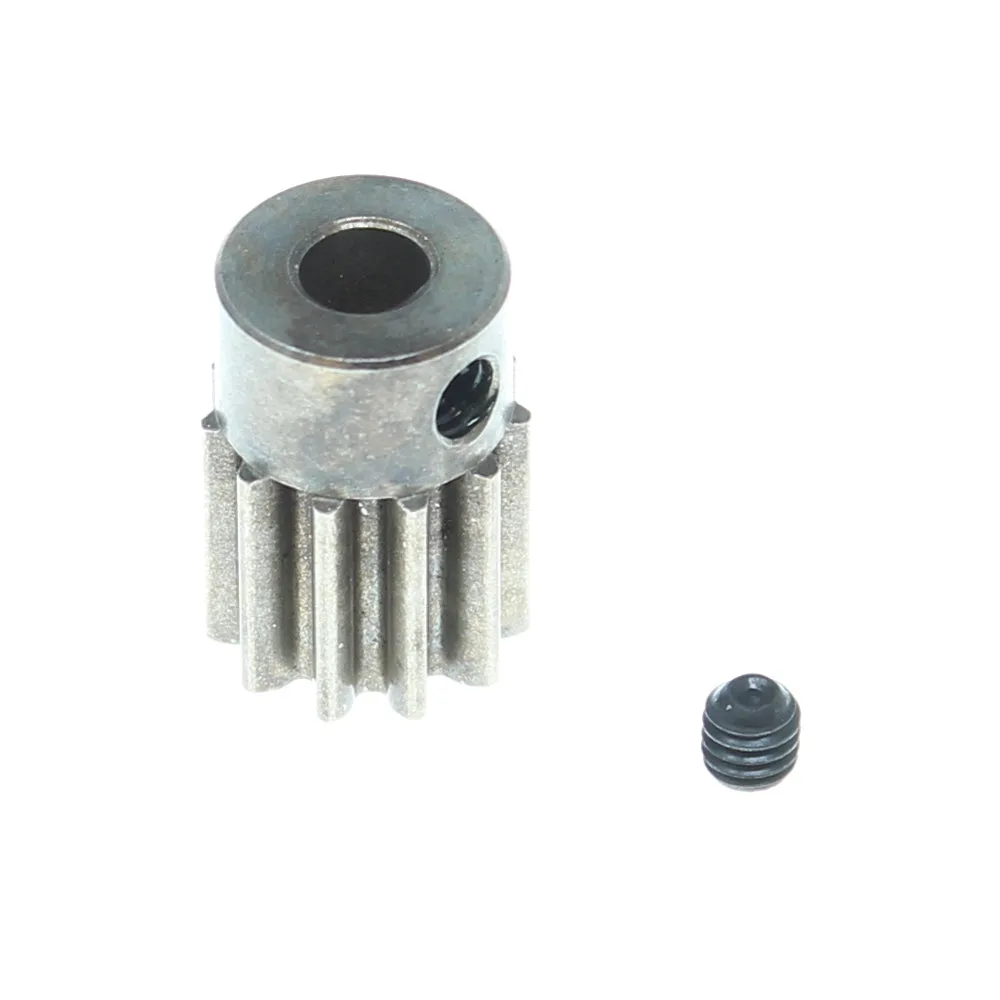
The RER13335 is a steel 11-tooth pinion gear with a Mod1 tooth profile, designed as a hop-up and spare part for the KAIJU and KAIJU EXT vehicles. Because it is steel, it resists wear better than stock plastic gears, but it can still wear out or get damaged in a crash.
If you notice a whining noise, poor acceleration, or the motor spinning without moving the wheels, the pinion gear is often the culprit. Replacing it promptly prevents further damage to the spur gear and drivetrain.
Tools and Setup You Will Need
Before starting, gather a 2.0mm hex wrench, a 1.5mm hex wrench, a pinion puller or small flathead screwdriver, and a threadlocker. You will also need a clean workspace and the RER13335 replacement gear.
The RER13335 comes as a single piece, so you do not need to buy a set. Make sure the vehicle is powered off and the battery disconnected before working on the drivetrain.
Step-by-Step Replacement Process
- Disconnect power and remove the motor cover: Turn off the vehicle and disconnect the battery. Remove the motor cover or skid plate to access the motor and pinion gear. Keep the screws in a safe place. Check that the motor is cool before handling to avoid burns.
- Loosen the motor mount screws: Use a 2.0mm hex wrench to loosen the motor mount screws just enough to slide the motor. Do not remove them completely yet. Keep the screws in the mount to avoid losing them.
- Slide the motor back to release gear mesh: Push the motor toward the rear of the vehicle to separate the pinion from the spur gear. This gives you room to remove the pinion. If the pinion is stuck, do not force it—use a pinion puller to avoid bending the motor shaft.
- Remove the old pinion gear: Loosen the set screw on the pinion with a 1.5mm hex wrench. If the gear is tight, use a pinion puller or gently pry with a flathead screwdriver. Slide the gear off the motor shaft. Inspect the old gear for worn or chipped teeth to confirm the cause of failure.
- Install the new RER13335 pinion gear: Align the new 11-tooth gear on the motor shaft so the set screw sits on the flat spot of the shaft. Slide it on until it is flush with the end of the shaft, then tighten the set screw with threadlocker. Ensure the gear is not too far in or out—the set screw must contact the flat spot to prevent slipping.
- Set the gear mesh: Slide the motor forward so the pinion teeth mesh with the spur gear. There should be a small gap—about the thickness of a piece of paper—between the teeth. Tighten the motor mount screws while holding the mesh. Too tight a mesh causes binding; too loose causes noise and wear. Recheck after tightening.
- Reassemble and test: Reinstall the motor cover or skid plate, reconnect the battery, and power on the vehicle. Spin the wheels by hand to check for smooth rotation, then do a slow test run. Listen for unusual whine or grinding—if present, recheck the mesh and set screw.
Product Facts
-
RER13335: The RER13335 is an 11-tooth pinion gear made of steel with a Mod1 tooth profile, supplied as a single piece. Steel construction provides durability, but the Mod1 profile means it must match your spur gear's pitch—check compatibility before installation.
RER13335