Quick Answer
To replace a router bit bearing, remove the old bearing using a bearing puller or a small punch, match the inside diameter and outside diameter to your bit's shank and desired cut depth, and press the new bearing into place with a vise or arbor press.
Why Replace a Router Bit Bearing?
A worn or seized bearing can cause burning, tear-out, and inaccurate cuts. It also puts extra load on the router motor. Replacing the bearing is cheaper than buying a new bit and keeps your existing bits working like new.
Bearings wear out over time due to dust, heat, and side loads. If the bearing feels rough, wobbles, or doesn't spin freely, it's time for a replacement.
Choosing the Right Replacement Bearing
Router bit bearings are defined by two dimensions: inside diameter (ID) and outside diameter (OD). The ID must match your bit's shank diameter (typically 1/4" or 1/2"). The OD determines the cut depth relative to the bearing's position.
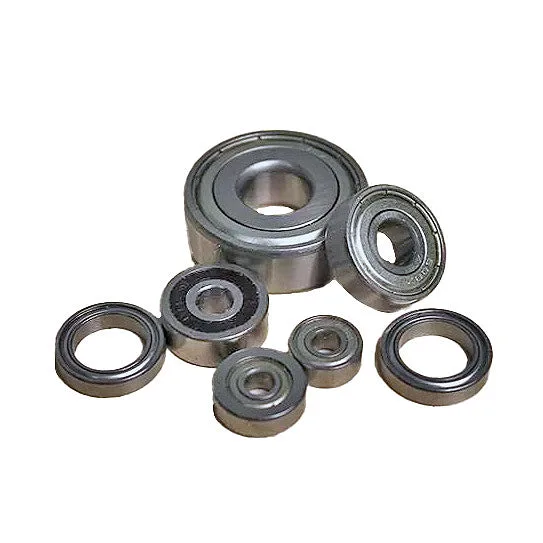
Infinity Tools Replacement Router Bit Bearings are double shielded for high-RPM use and come in multiple ID/OD combinations. Check your old bearing's markings or measure it with a caliper before ordering.
Step-by-Step: How to Replace a Router Bit Bearing
- 1. Remove the Old Bearing: Use a bearing puller if available, or place the bit in a vise and tap the bearing off with a small punch and hammer. Work evenly around the bearing to avoid bending the arbor. Common mistake: prying the bearing off with a screwdriver can damage the bit shank. Always use a puller or punch.
- 2. Clean the Bit Arbor: Wipe the arbor clean of dust, rust, or old grease. A light coat of machine oil can help the new bearing slide on smoothly. Checkpoint: make sure the arbor is free of burrs. A rough arbor will damage the new bearing's inner race.
- 3. Match the Replacement Bearing: Confirm the inside diameter matches your bit shank (1/4" or 1/2") and the outside diameter matches the old bearing or your desired cut depth. Use a caliper for accuracy. Common mistake: assuming all 1/4" bearings are identical. Some are meant for 1/4" shank but have different OD. Always measure.
- 4. Press the New Bearing On: Align the bearing squarely on the arbor and press it down with a vise or arbor press. Apply pressure only to the inner race (the ring closest to the arbor) to avoid damaging the bearing. Checkpoint: if the bearing is tight, do not hammer it directly. Use a socket that fits the inner race as a driver.
- 5. Test the Bearing: Spin the bearing by hand. It should rotate smoothly with no wobble or roughness. If it feels tight or gritty, remove it and check for debris or a misaligned press. Final check: install the bit in the router and run it at low speed for a few seconds. Listen for unusual noise before full-speed use.
Product Fact
-
Infinity Tools Replacement Router Bit Bearings: Infinity Tools Replacement Router Bit Bearings are double shielded and designed for high RPM operation. Double shielding protects the bearing from dust and debris, extending its life in shop environments where fine wood dust is common.
Infinity Tools Replacement Router Bit Bearings