Quick answer
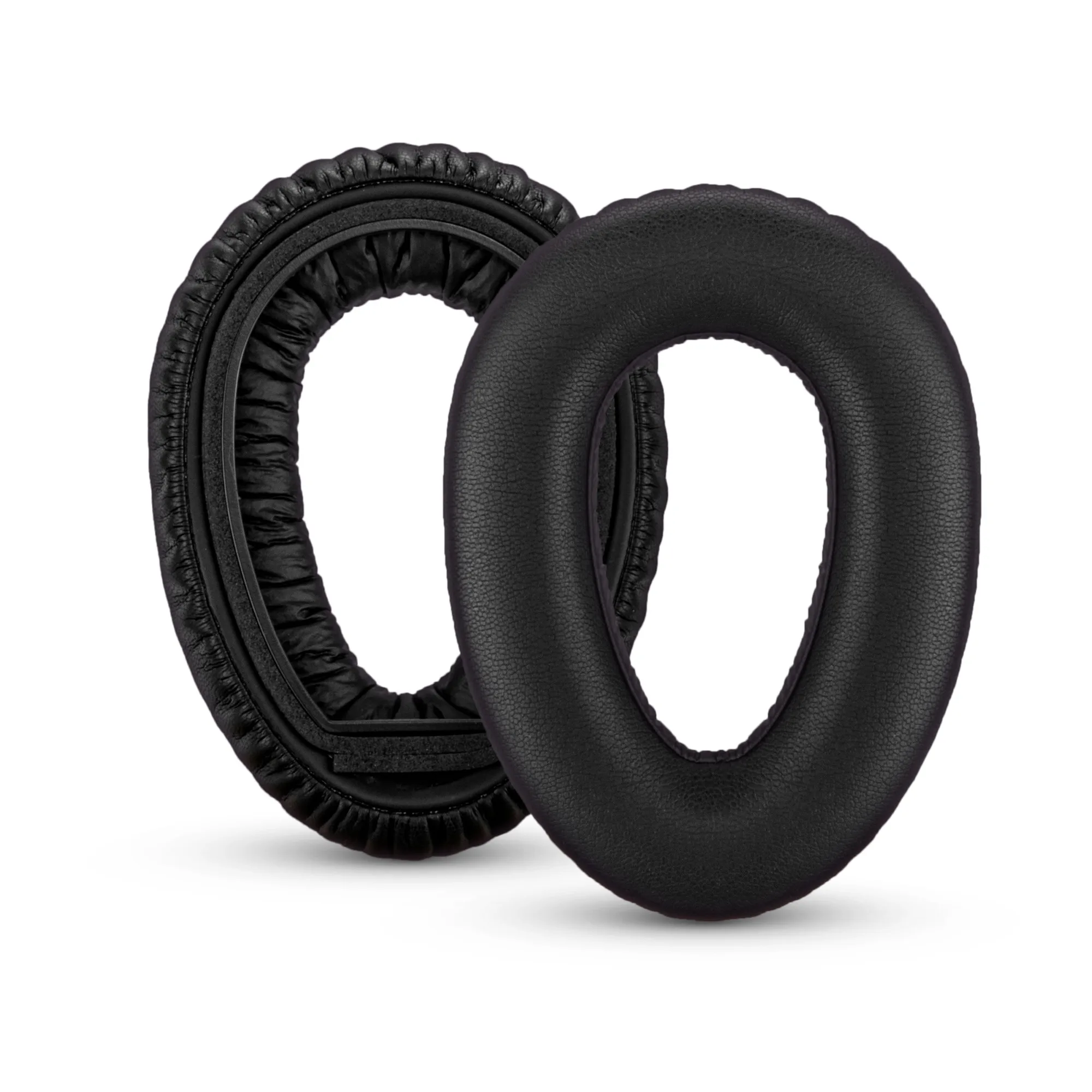
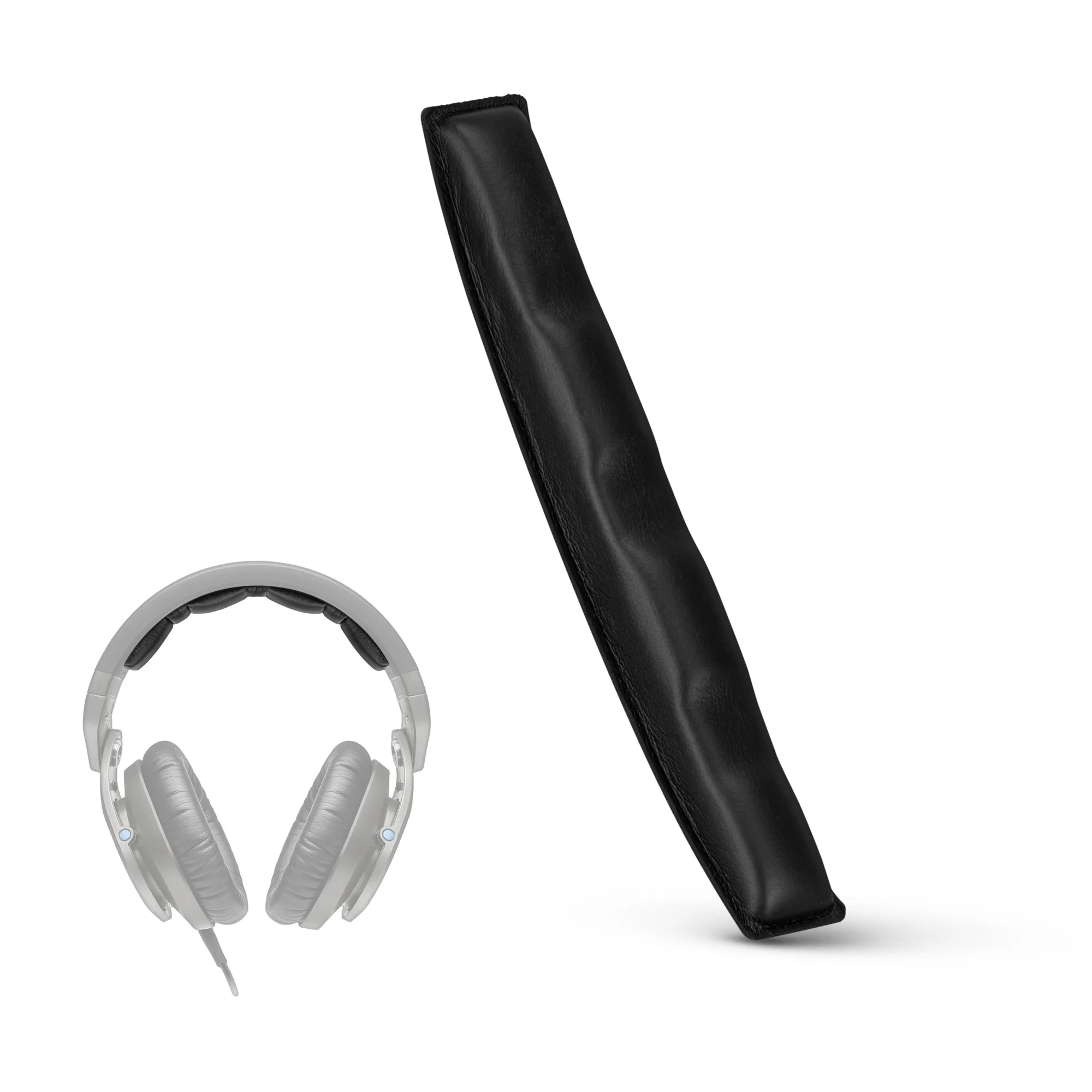
To replace the headband and earpads on your Sennheiser HD8, HD8 DJ, HD8 MIX, or HD6, first confirm your exact model, then work slowly with a plastic pry tool to avoid cracking plastic. The Brainwavz Replacement Headband for SENNHEISER HD8, HD8 DJ, HD8 MIX & HD6 (product ID 1705606) is a direct-fit option for those models. If your earpads are also worn, the Brainwavz Replacement Earpads for Sennheiser PXC480, PXC550, PXC 550-II, MB660 UC, MB 660 MC (product ID 1706914) fit those specific headsets, not the HD8 series, so check compatibility before ordering.
Why the HD8 headband and earpads wear out
The headband and earpads on the Sennheiser HD8 family take the brunt of daily use. The PU leather covering on the headband can flake or crack over time, and the memory foam inside the earpads compresses, reducing both comfort and noise isolation. Replacing these parts is far cheaper than buying a new pair of headphones and takes about 15–20 minutes with basic tools.
Tools and parts you need
Gather a small Phillips-head screwdriver, a plastic pry tool or guitar pick, a clean cloth, and your replacement parts. For the headband, the Brainwavz Replacement Headband for SENNHEISER HD8, HD8 DJ, HD8 MIX & HD6 (product ID 1705606) is designed specifically for those models. For earpads, if you own a Sennheiser PXC480, PXC550, PXC 550-II, MB660 UC, or MB 660 MC, the Brainwavz Replacement Earpads for those models (product ID 1706914) are a direct fit. Note that these earpads will not fit the HD8 series; for HD8 earpads, check the specific product listing for your model.
Step-by-step: replacing the headband
Follow these steps carefully. Each step includes a common mistake to avoid.
Step-by-step: replacing the earpads
These steps apply to compatible earpad models. Always verify your headphone model before starting.
Installation steps
- Remove the old headband: Use a plastic pry tool to gently detach the headband from the earcup hinges. Work slowly around the edges to avoid cracking the plastic. Checkpoint: The headband should pop off without excessive force.
- Clean the mounting area: Wipe away any adhesive residue or dust with a dry cloth. A clean surface helps the new headband sit flush. Checkpoint: No sticky residue remains.
- Install the new headband: Align the new headband with the hinge slots and press firmly until it clicks into place. Do not force it; if it doesn't fit, you may have the wrong model. Checkpoint: The headband is secure and does not wobble.
- Remove the old earpads: Peel the earpad away from the earcup, starting from the inner edge. If glued, use a plastic pry tool to gently lift it. Checkpoint: The earcup surface is free of old foam or adhesive.
- Install the new earpads: Stretch the new earpad over the earcup rim, working around the edge until it sits evenly. Ensure the seam is not pinched. Checkpoint: The earpad is snug and evenly seated.
- Test comfort and sound: Put on the headphones and adjust the headband. Listen for any rattles or imbalance. If something feels off, recheck the seating. Checkpoint: No gaps or loose parts; sound is balanced.
Product facts
- Replacement Headband for SENNHEISER HD8, HD8 DJ,HD8 MIX & HD6 Headphones - Soft PU Leather & Memory Foam Cushion Pad: Compatible with Sennheiser HD8, HD8 DJ, HD8 MIX & HD6 Headsets. It will not fit any other brands or models. Ensures a proper fit and safe installation; using an incompatible headband can damage your headphones.
- Replacement Earpads for Sennheiser PXC480, PXC550, PXC 550-II, MB660 UC, MB 660 MC Headphones, Soft PU Leather Cushions, Easy & Quick Installation: Compatible with Sennheiser PXC480, PXC550, PXC 550-II, PXC550 Wireless, MB660 UC, MB 660 MC Headphones. They will not fit any other brands, models or headsets. Prevents buying the wrong earpads; these are not for the HD8 series.