Why the Essentials Kit Changes Your Roasting Routine
The Wonder Oven Pro Essentials Kit gives you extra inserts for your Wonder Oven® Pro, making it easier to double recipes or cook multiple dishes at once. If you often roast vegetables, proteins, or side dishes, having a second insert means you can prepare a full meal without waiting for one batch to finish.
This kit is designed as a practical add-on. It includes additional inserts that fit the Wonder Oven® Pro, so you can expand what you cook in a single session. No extra gadgets or complicated setup—just straightforward extras that help you get more from your appliance.
What the Kit Includes
-
Wonder Oven Pro Essentials Kit: The Wonder Oven Pro Essentials Kit includes additional inserts for the Wonder Oven® Pro, ideal for doubling recipes. Having a second insert lets you roast two different items at the same temperature, saving time and energy.
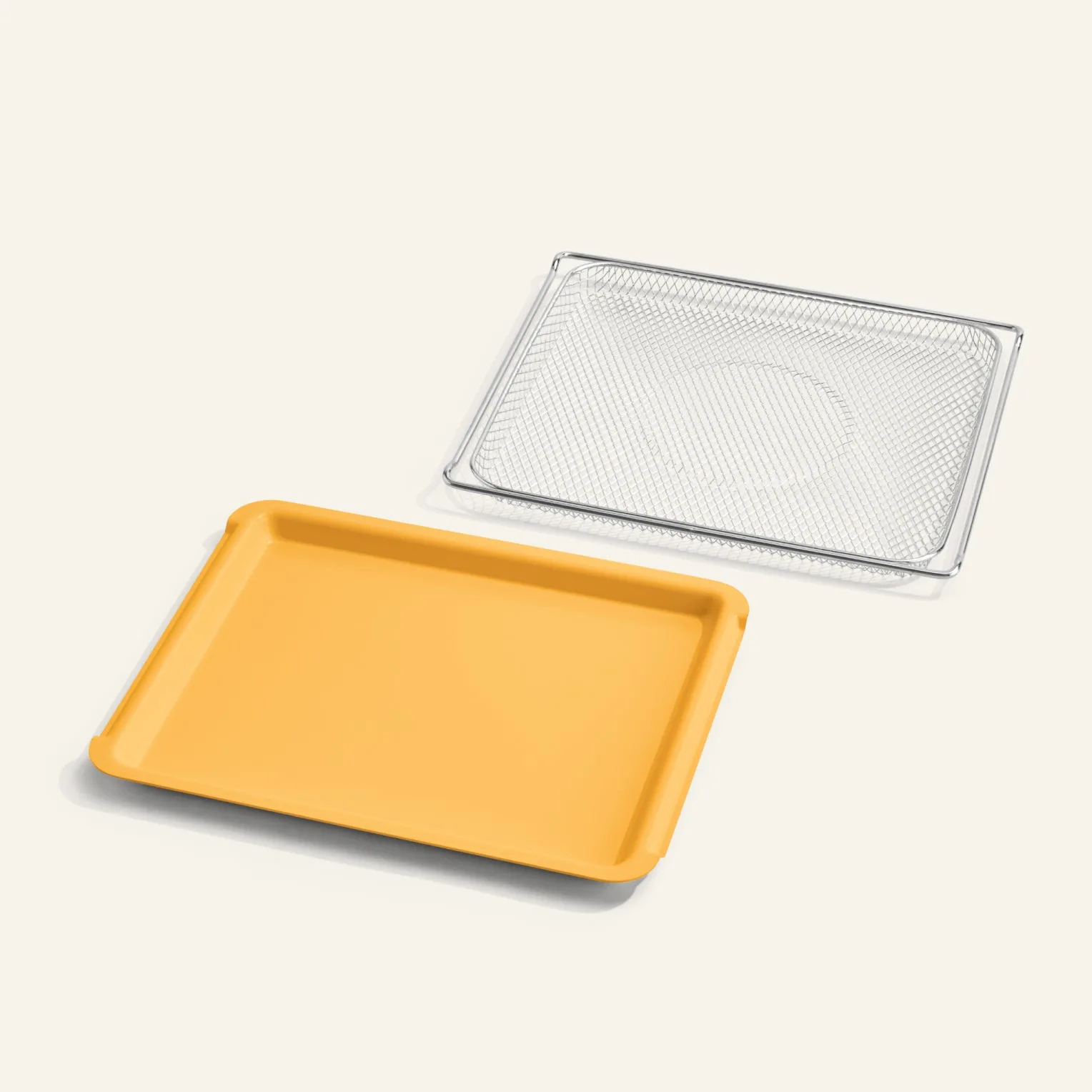
Wonder Oven Pro Essentials Kit
-
Wonder Oven Pro Essentials Kit: Available in four colors: Char, Blue Salt, Egg Yolk, and Cream. You can match the inserts to your kitchen style or the color of your Wonder Oven® Pro.
-
Wonder Oven Pro Essentials Kit: Backed by a 1-year warranty. The warranty provides peace of mind for regular use.
Using the Extra Inserts for Roasting
The steps below assume you already have a Wonder Oven® Pro and the Essentials Kit inserts. Always follow your appliance's instructions for preheating and cooking times.
- 1. Prepare your ingredients: Season your vegetables, meat, or fish as you normally would. Since you have two inserts, you can prep two separate dishes—for example, roasted broccoli in one and chicken thighs in the other.
- 2. Arrange in the inserts: Place the ingredients in each insert in a single layer for even roasting. Avoid overcrowding; leave space between pieces so hot air circulates.
- 3. Position in the oven: Insert both racks (if your model supports two) or place one insert on the rack and the other on the oven floor, depending on your recipe. Check your Wonder Oven® Pro manual for optimal placement.
- 4. Roast and rotate: Set the temperature and timer. Halfway through, swap the positions of the inserts if needed to ensure even browning. Use oven mitts—the inserts get hot.
- 5. Serve and clean: Remove the inserts and let them cool. Wash according to the care instructions provided with your Wonder Oven® Pro. The inserts are designed for easy cleaning.
Tips for Best Results
Because the Essentials Kit is designed for the Wonder Oven® Pro, the inserts fit securely and distribute heat consistently. Here are a few practical pointers:
– Match cooking times: Roast items that need similar temperatures and durations together. For example, root vegetables and chicken both do well at 400°F (actual temperature based on your recipe).
– Use the second insert for sides: While your main dish roasts, use the extra insert for a vegetable side or roasted potatoes. This turns one oven cycle into a full meal.
– Experiment with batch sizes: The inserts are sized for the Wonder Oven® Pro, so they hold a reasonable portion for 2–4 people. Doubling a recipe is straightforward—just split the batch between two inserts.
The kit is a simple way to expand your oven's capacity without buying a separate appliance. It's especially useful for meal prep or when entertaining.
What the Supplied Information Does Not Confirm
The catalog does not specify maximum load limits, exact dimensions of the inserts, or specific roasting temperatures and times for different foods. For best results, refer to your Wonder Oven® Pro user manual and standard roasting guidelines for the ingredients you're cooking.
The inserts are compatible with the Wonder Oven® Pro only. They are not confirmed to fit other ovens or appliances.