Quick answer
To scan an amiibo on Nintendo Switch, open the game's amiibo menu (usually from the main menu or pause screen), then hold the figure flat against the NFC touchpoint on the right Joy-Con or Pro Controller until the game confirms the read. Each game decides what that figure unlocks, so the same amiibo can give a costume in one title and a weapon or daily item in another. Always check the in-game prompt before tapping, because scanning at the wrong moment often does nothing.
What amiibo actually unlock on Switch
Amiibo rewards are game-specific. In The Legend of Zelda: Breath of the Wild, most Zelda-series figures drop a chest with a weapon, shield, or rare armor piece, and the Wolf Link amiibo can summon a companion wolf. In Super Smash Bros. Ultimate, any fighter amiibo can be trained as a Figure Player that levels up and learns from your habits. In Animal Crossing: New Horizons, scanning a villager amiibo invites that character to your campsite, while special characters like Isabelle unlock poster items. Mario Kart 8 Deluxe uses amiibo to unlock Mii racing suits, and Super Mario Odyssey gives you a costume hint or a free Power Moon location.
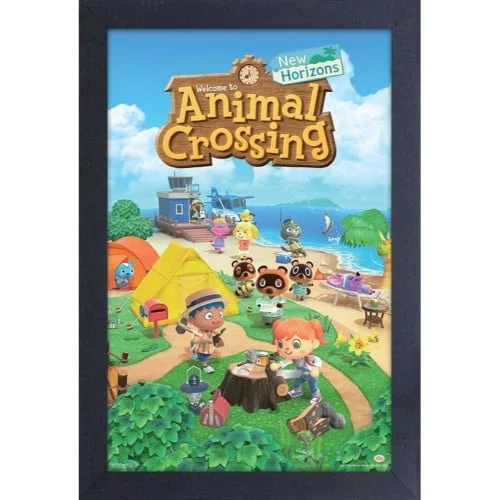
Animal Crossing: New Horizons
The key takeaway: there is no single 'best' amiibo for Switch. The right figure depends on which game you play most. If you own several titles, a broadly compatible figure like Mario or Link tends to see more use than a niche character. If you only play one game, buy the amiibo that matches it directly.
- Zelda series: chests with weapons, armor, or Wolf Link companion in Breath of the Wild and Tears of the Kingdom.
- Smash Bros. series: trainable Figure Players that persist and improve over time.
- Animal Crossing series: campsite invitations and special posters in New Horizons.
- Mario series: Mii racing suits in Mario Kart 8 Deluxe and costume hints in Odyssey.
How to scan an amiibo on Switch: step-by-step
The scanning process is simple, but the timing and the controller you use matter. Follow these steps in order and you will avoid the most common failures.
Amiibo scanning steps that actually work
- Open the in-game amiibo menu first: Most Switch games hide the amiibo reader behind a menu option. In Breath of the Wild, pause and select the amiibo rune. In Smash Bros. Ultimate, go to Games & More and choose amiibo. In Mario Kart 8 Deluxe, pick amiibo from the main menu. If you tap the figure before the game is listening, nothing happens. Checkpoint: the game should show a prompt like 'Hold the amiibo to the NFC touchpoint' before you tap.
- Hold the amiibo flat on the right Joy-Con or Pro Controller: The NFC reader is inside the right Joy-Con's analog stick and on the center of the Pro Controller. Lay the figure flat against the stick or the controller's logo, not on the screen. If you are in handheld mode, detach the right Joy-Con and place the amiibo directly on the stick. Keep it there for two to three seconds. Common mistake: holding the amiibo against the Switch screen. The screen has no NFC reader.
- Wait for the confirmation before removing the figure: The game will beep, flash, or show an on-screen confirmation when the read succeeds. Only then lift the amiibo. If nothing happens after five seconds, remove it, check that you are in the correct menu, and try again. Do not tap repeatedly in frustration; that can confuse the game's read state. Checkpoint: a clear success message or animation should appear. If not, re-enter the amiibo menu and retry.
- Check the daily or one-time reward rules: Many games limit amiibo use. Breath of the Wild allows one amiibo scan per figure per day. Animal Crossing: New Horizons lets you invite one campsite villager per day. Smash Bros. Figure Players can be scanned repeatedly but only one at a time. Scanning the same figure twice in a row often returns a 'already used today' message. Plan your scans around daily resets if you are farming specific items.
- Try a different controller if the scan keeps failing: If the right Joy-Con is not reading, test with a Pro Controller or a different right Joy-Con. A weak battery, a third-party controller without NFC, or a damaged analog stick can all block the read. The Switch's NFC reader is only in first-party right Joy-Cons and Pro Controllers. If both controllers fail, the issue is likely the game menu or the figure, not the console.
Amiibo-friendly Wii and retro picks
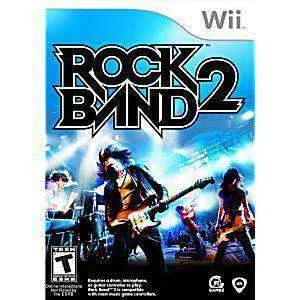
- Rock Band 2 (Game only) - Wii Game: Rock Band 2 (Game only) - Wii Game is fully tested and guaranteed to work, backed by a 90-day no-questions-asked returns policy. If you are building a Wii music setup alongside your Switch, this is a low-risk way to add a tested disc that is ready to play.