Quick answer
Setting up a Teris carbon fiber tripod kit involves extending the legs, leveling the bowl head, and securing your camera with the flap lock quick release plate. The process is nearly identical for the TS150CF-Q and TCE-CF PLUS models, though their payload capacities differ.
Why the bowl size matters
The Teris TS150CF-Q uses a 100mm bowl head, while the TCE-CF PLUS uses a 75mm bowl. The larger 100mm bowl is standard on professional cinema sets and provides more stability for heavy rigs. The 75mm bowl is lighter and levels faster, making it ideal for run-and-gun or smaller camera setups. Choose the kit that matches your typical payload: the TS150CF-Q for fully built cinema cameras (up to 20kg), and the TCE-CF PLUS for mirrorless or compact cinema bodies (up to 7kg).
Understanding the flap lock quick release
The TS150CF-Q features a flap lock quick release plate. This design allows you to slide the plate in and lock it with a single lever action, which is faster than traditional screw-style plates. Make sure the plate is fully seated before locking—partial engagement can cause the camera to shift. The TCE-CF PLUS uses a standard 75mm bowl head without a flap lock, so you'll need to secure the plate with a screw knob.
How to set up your Teris carbon fiber tripod kit
- Extend the legs: Unlock the leg clamps and extend each leg to your desired height. Start with the thickest section first to maintain stability. Lock each clamp securely. Common mistake: extending the thinnest section first can make the tripod top-heavy. Always extend from the thickest to thinnest section.
- Level the bowl head: Loosen the bowl lock knob, tilt the head until the built-in bubble level shows it's centered, then retighten the knob. For the 100mm bowl (TS150CF-Q), this step is critical for smooth pan and tilt movements. Checkpoint: if the bubble level is not visible, use a separate hot-shoe level. An unlevel head will cause uneven horizon lines.
- Attach the quick release plate: Slide the plate into the bowl head until it clicks or locks. For the TS150CF-Q, flip the flap lock lever down to secure. For the TCE-CF PLUS, tighten the screw knob firmly. Common mistake: not fully seating the plate can cause it to slip. Always test the lock by gently pulling the plate before mounting the camera.
- Mount the camera: Screw the camera's base into the quick release plate using the 1/4-20 or 3/8-16 screw (check your camera's thread size). Tighten until snug, but avoid over-tightening. Checkpoint: after mounting, try tilting the camera slightly to confirm the plate is locked. A loose plate can damage the camera or lens.
- Adjust the pan and tilt drag: Use the drag knobs on the bowl head to set the resistance for pan and tilt movements. Start with a medium setting and adjust based on your lens weight and shooting style. Common mistake: setting drag too tight can cause jerky movements; too loose can let the camera flop. Adjust incrementally.
Product facts
-
Teris TS150CF-Q Carbon Fiber Tripod Kit 20kg (44lb) Capacity 100mm Bowl Head with Flap Lock Quick Release: The Teris TS150CF-Q is a carbon fiber tripod kit rated to 20kg (44lb) with a 100mm bowl head and a flap-lock quick release plate. This capacity handles a fully built cinema camera with lens, matte box, follow focus, monitor, and battery, making it a reliable choice for professional shoots.
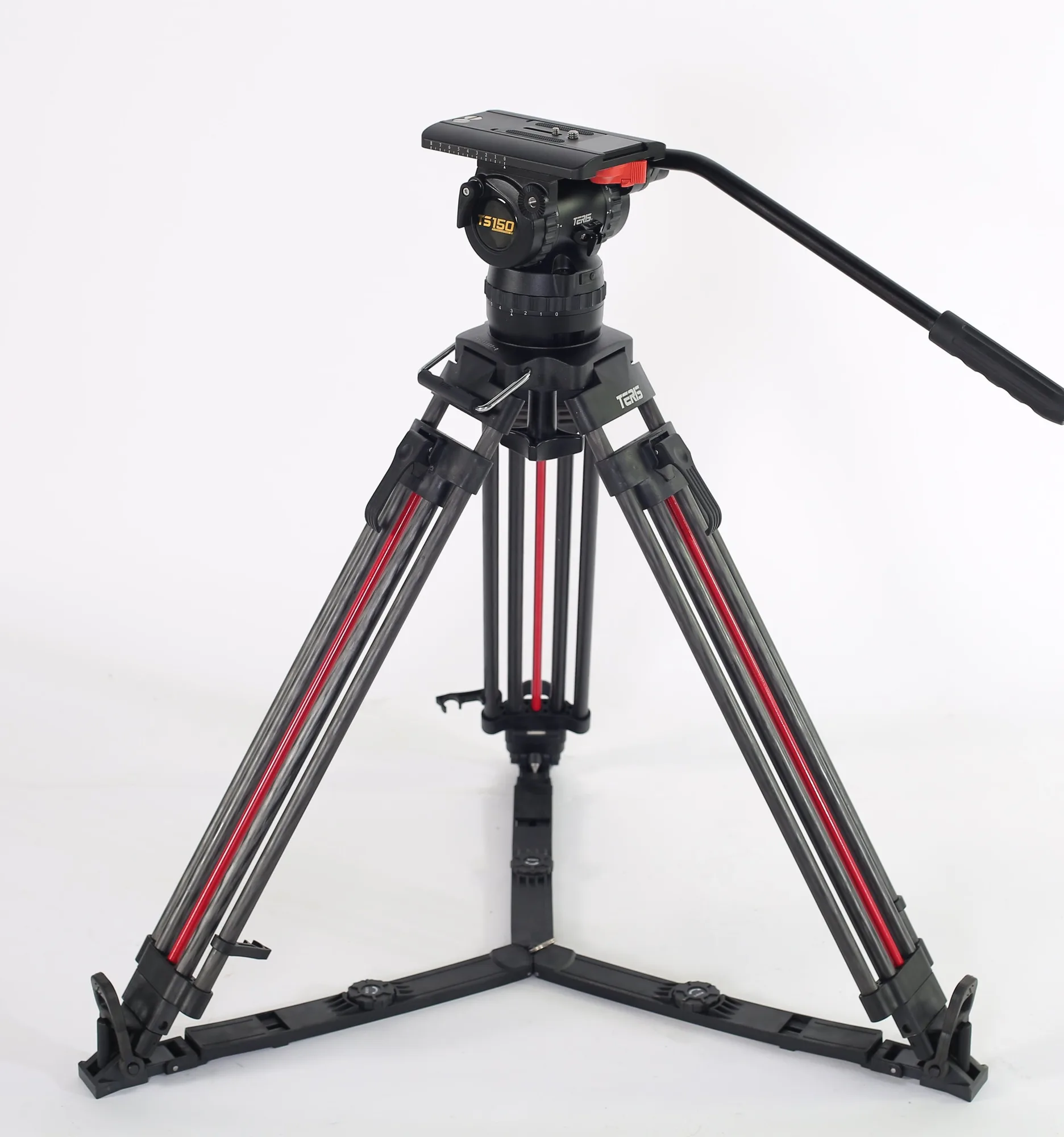
Teris TS150CF-Q Carbon Fiber Tripod Kit 20kg (44lb) Capacity 100mm Bowl Head with Flap Lock Quick Release
-
Teris TCE-CF PLUS Carbon Fiber Tripod Kit 7kg (15lb) Capacity 75mm Bowl Head: The Teris TCE-CF PLUS is a carbon fiber tripod kit rated to 7kg (15lb) with a 75mm bowl head. This lighter kit is ideal for mirrorless or compact cinema cameras with a small monitor and mic, offering faster leveling and easier portability.
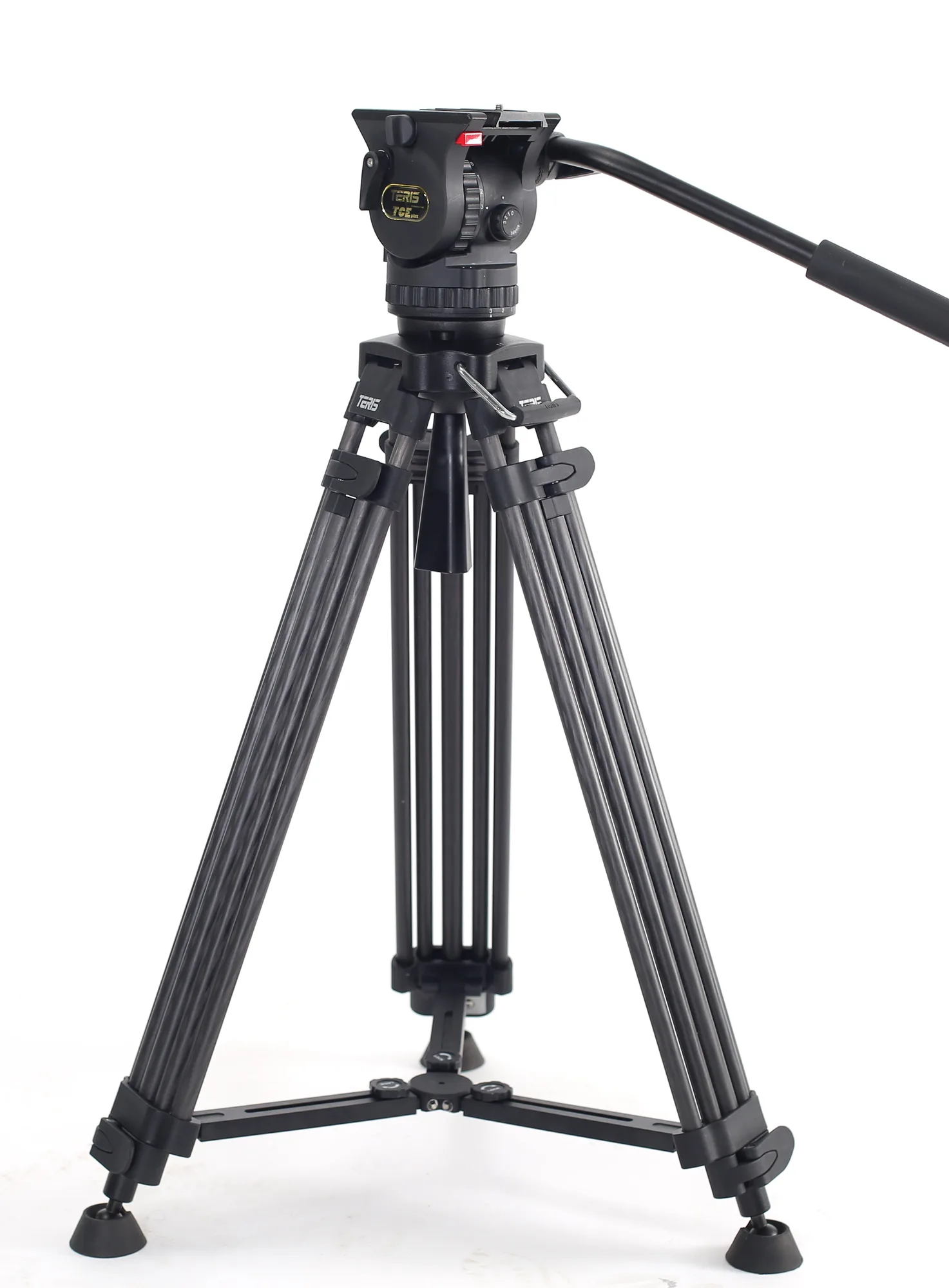
Teris TCE-CF PLUS Carbon Fiber Tripod Kit 7kg (15lb) Capacity 75mm Bowl Head