What the EDGE Pro Spare Kit Includes
The EDGE Pro Spare Kit is designed for users who have lost a metal ring, disc, or plate from their original EDGE Pro setup, or who want to add magnetic mounting to an additional device. The kit contains 2 metal plates, 2 metal rings, 2 metal discs, 2 nano suction layers for the plate, 2 nano suction layers for the disc, and a plate remover. This gives you enough parts to set up two separate devices—or replace lost components on one device while keeping spares.
Kit Contents at a Glance
-
EDGE® Pro Spare Kit - MagSafe phone & tablet adapters: 2x Metal plate, 2x Metal ring, 2x Metal disc, 2x Nano suction layer (plate), 2x Nano suction layer (disc), Plate remover You have enough components to mount two devices (phone and tablet, for example) or to keep a spare set for travel or replacement.
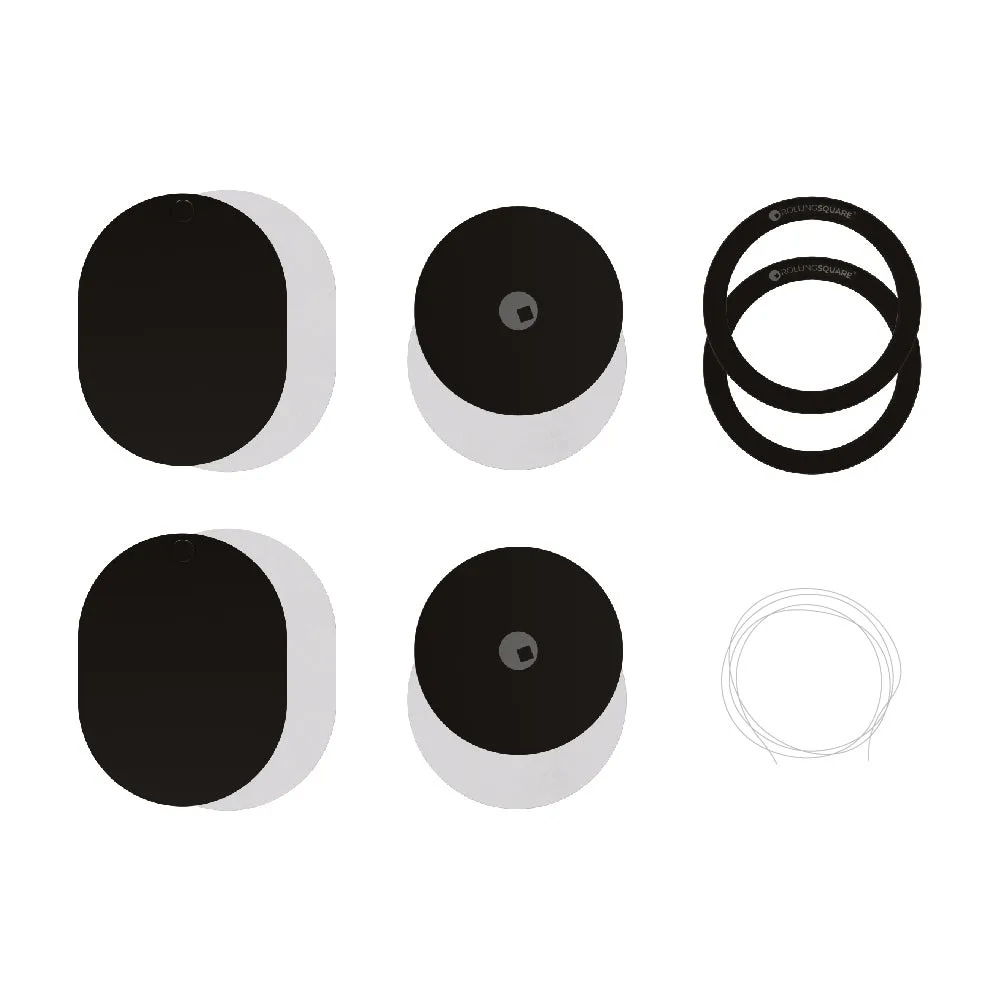
EDGE® Pro Spare Kit - MagSafe phone & tablet adapters
Step-by-Step Setup for a Phone or Tablet
Start by choosing the right metal component for your device. The metal plate works best for flat, non-MagSafe cases or tablets. The metal ring fits around the camera bump on most phones. The metal disc is a smaller option for compact devices or keychains. Clean the surface where you will attach the metal part with a dry, lint-free cloth to ensure good adhesion.
Peel the backing from the nano suction layer that matches your chosen component. Attach the nano suction layer to the back of the metal plate or disc, then press the assembly firmly onto your device. For the metal ring, apply it directly to the back of your phone or case, centering it around the camera bump. Let it sit for a few minutes before mounting to allow the adhesive to bond.
Use the plate remover to lift and reposition any component if you make a mistake. The nano suction layers are reusable, but the adhesive on the metal ring is more permanent. Test the magnetic hold with your EDGE Pro mount before relying on it during use.
- Choose the right metal part: Plate for flat surfaces, ring for phones with camera bumps, disc for small devices or keychains.
- Attach the nano suction layer: Peel and stick the matching nano suction layer to the metal plate or disc, then press onto the device.
- Apply the metal ring: Center it around the camera lens on the back of your phone or case for a flush fit.
- Use the plate remover if needed: Lift and reposition components that are not aligned before the adhesive sets permanently.
Tips for a Secure Mount on Multiple Devices
If you are setting up both a phone and a tablet, use the metal plate on the tablet (it provides a larger magnetic surface) and the metal ring on the phone. The nano suction layers add grip and prevent slipping on smooth surfaces like glass or plastic. For devices with textured backs, the adhesive of the metal ring may not stick as well—test it on a small area first. The kit is designed for use with EDGE Pro mounts, so compatibility with third-party magnetic accessories is not guaranteed by the manufacturer.