What You Need Before You Start
Setting up the Teradek Bolt 6 LT 750 kit is straightforward once you understand a few key decisions. This kit includes a transmitter and receiver pair with permanently integrated internal antennas, 3G-SDI and HDMI ports, and a rated line-of-sight range of up to 750 feet. Before you power anything on, confirm that your camera and monitor accept the same video format and cable type (SDI or HDMI). The transmitter supports HDMI up to 4K30 and professional 3G-SDI formats, so matching your source and display is essential for a clean signal.
Step-by-Step Setup
Follow these steps to get your Bolt 6 LT 750 pair working on set.
- 1. Mount the transmitter and receiver: Attach the transmitter to your camera rig using the included Gold Mount or V-Mount plate (depending on your kit variant). Mount the receiver near your monitor or director station. Because the antennas are internal, keep both units vertical and ensure the antenna areas (the top and sides of the housing) are not blocked by metal or dense materials.
- 2. Connect cables: Use a quality SDI or HDMI cable to connect your camera's output to the transmitter's input. Connect the receiver's output to your monitor's input using the same cable type. Verify that both cables are securely locked and that the video format matches the supported resolution (e.g., 1080p or 4K30 over HDMI, 3G-SDI for professional formats).
- 3. Power the units: Apply DC power between 6 and 28V to both the transmitter and receiver. Use compatible batteries or a regulated power supply. The units will power on and begin searching for each other.
- 4. Pair the transmitter and receiver: The Bolt 6 LT 750 pair should link automatically out of the box. If they do not, press the pairing button on the receiver (consult the manufacturer's quick start guide for exact button location). The link status will be indicated by the front-panel LEDs.
- 5. Select the radio band: The kit operates on both 5GHz and 6GHz bands. In regions where 6GHz is available (including Canada), use it when 5GHz channels are congested. The band selection is made via the menu or DIP switches on the device.
- 6. Verify video and range: Check that your monitor displays a clean image with no breakup. Walk to the farthest planned camera position to confirm the link holds. Remember that walls, people, vehicles, and other RF sources can reduce the practical range from the rated 750ft line of sight.
Setup Evidence
-
Teradek Bolt 6 LT 750 3G-SDI/HDMI Transmitter/Receiver Kit with Internal Antennas: The Teradek Bolt 6 LT 750 kit is a zero-delay wireless video transmitter and receiver pair with internal antennas, 3G-SDI and HDMI connectivity, and a rated line-of-sight range up to 750ft. Confirms the kit's core capabilities and range, which determines how you plan your camera-to-monitor distance.
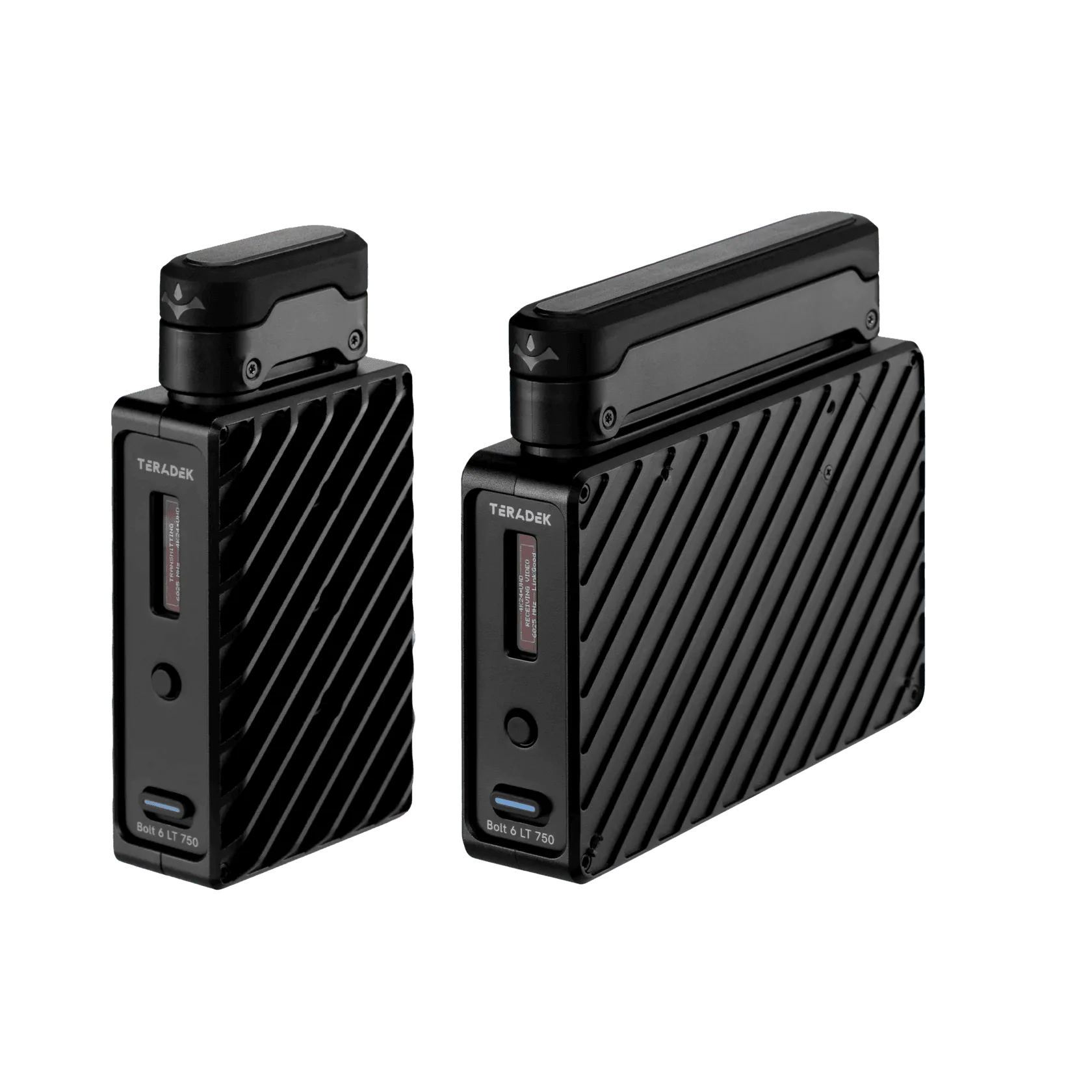
Teradek Bolt 6 LT 750 3G-SDI/HDMI Transmitter/Receiver Kit with Internal Antennas
-
Teradek Bolt 6 LT 750 3G-SDI/HDMI Transmitter/Receiver Kit with Internal Antennas: This kit uses permanently integrated antennas, so the transmitter and receiver should be kept vertical with the antenna areas clear. Antenna orientation is critical for maintaining signal strength; internal antennas cannot be repositioned.
-
Teradek Bolt 6 LT 750 3G-SDI/HDMI Transmitter/Receiver Kit with Internal Antennas: Power input: 6 to 28V DC You need a compatible power source (battery or adapter) within this voltage range for both units.
-
Teradek Bolt 6 LT 750 3G-SDI/HDMI Transmitter/Receiver Kit with Internal Antennas: The 750ft transmitter can multicast to as many as six compatible receivers, while AES-256 encryption protects the link. If you plan to send video to multiple monitors or a video village, the transmitter can feed up to six receivers, but all must be on the same band and compatible firmware.
Checklist Before the Shoot
Before you rely on the Bolt 6 LT 750 for a critical take, run through this quick checklist:
- Confirm that both units have the same firmware version (update via Teradek's app if needed).
- Match the video format and cable type between camera, transmitter, receiver, and monitor.
- Set the correct region and band (5GHz or 6GHz) for your location.
- Ensure the internal antenna areas are clear of obstructions.
- Test the link at the farthest planned distance and through any expected obstacles.
- Have a backup SDI or HDMI cable ready in case RF congestion makes a wired connection more reliable.
When to Choose a Different Setup
The Bolt 6 LT 750 is ideal for compact, short-to-medium-range monitoring. If your set requires longer range, consider the Bolt 6 LT 1500 or MAX systems. For setups where you need to reposition antennas for better line of sight, an external-antenna model gives more flexibility. And if RF interference is severe, a wired SDI path may be more dependable than wireless.