Quick answer
Use a visual timer to make elapsed time visible and concrete, then pair it with clear expectations and simple routines to teach time management effectively.
Why visual timers work for kids
Visual timers turn an abstract concept—time—into something children can see. The red disk shrinking as time passes helps kids grasp how much time is left without needing to read a clock. This reduces anxiety during transitions and keeps focus on the task at hand.
Unlike traditional timers that beep at the end, visual timers provide a constant, quiet cue. This is especially helpful for children who struggle with waiting or who feel stressed by sudden alarms.
Choosing the right visual timer
Consider the size and display when picking a timer. A larger timer like the 8" Time Timer® is easy to see from across the room, making it great for whole-class activities. A smaller, portable option like the Time Timer Digital® works well for individual desks or small groups.
Think about the time range you need. For short activities, a 60-minute timer may be enough; for longer work periods, a 90-minute model offers more flexibility. Also, check for features like a magnetic back for easy mounting on whiteboards or metal surfaces.
How to teach time management with visual timers: step-by-step
- Introduce the timer as a friendly tool: Show the timer to the class and explain that it helps them see how much time they have left. Set it for a short, fun activity (like a game) and point out how the red disk shrinks. This builds a positive association. Checkpoint: Make sure children understand that the timer is a helper, not a source of stress.
- Set clear expectations before starting: Before each activity, state what should be accomplished by the end of the timer. For example, "When the red is gone, we will have our backpacks on and be ready to line up." This links the visual cue to a specific outcome. Checkpoint: Repeat the expectation in simple words and ask a child to explain it back to ensure understanding.
- Use the timer consistently during transitions: Start the timer at the beginning of cleanup, lining up, or switching activities. Encourage children to watch the red disk as it counts down. Consistency helps children internalize the routine and reduces transition anxiety. Checkpoint: Keep the timer visible and in the same spot each time so children know where to look.
- Involve children in setting the timer: Let a child turn the dial or press the button to set the time. This gives them ownership and reinforces the concept of time. Ask questions like, "Do you think we need 5 or 10 minutes for this?" to develop time estimation skills. Checkpoint: Rotate the job so every child gets a turn and stays engaged.
- Reflect after the timer ends: When the timer goes off, briefly discuss how it went. Ask, "Did we finish in time? What helped? What could we do differently?" This reflection builds self-regulation and time awareness over time. Checkpoint: Keep reflections short and positive to maintain momentum.
Visual timers we recommend
-
8" Time Timer(R) 60 Minute Visual Timer: The 8" Time Timer® 60-Minute Visual Timer features a large, easy-to-read red disk that visually counts down as time passes. Its size and clear display make it ideal for whole-class use, so every child can see the remaining time at a glance.
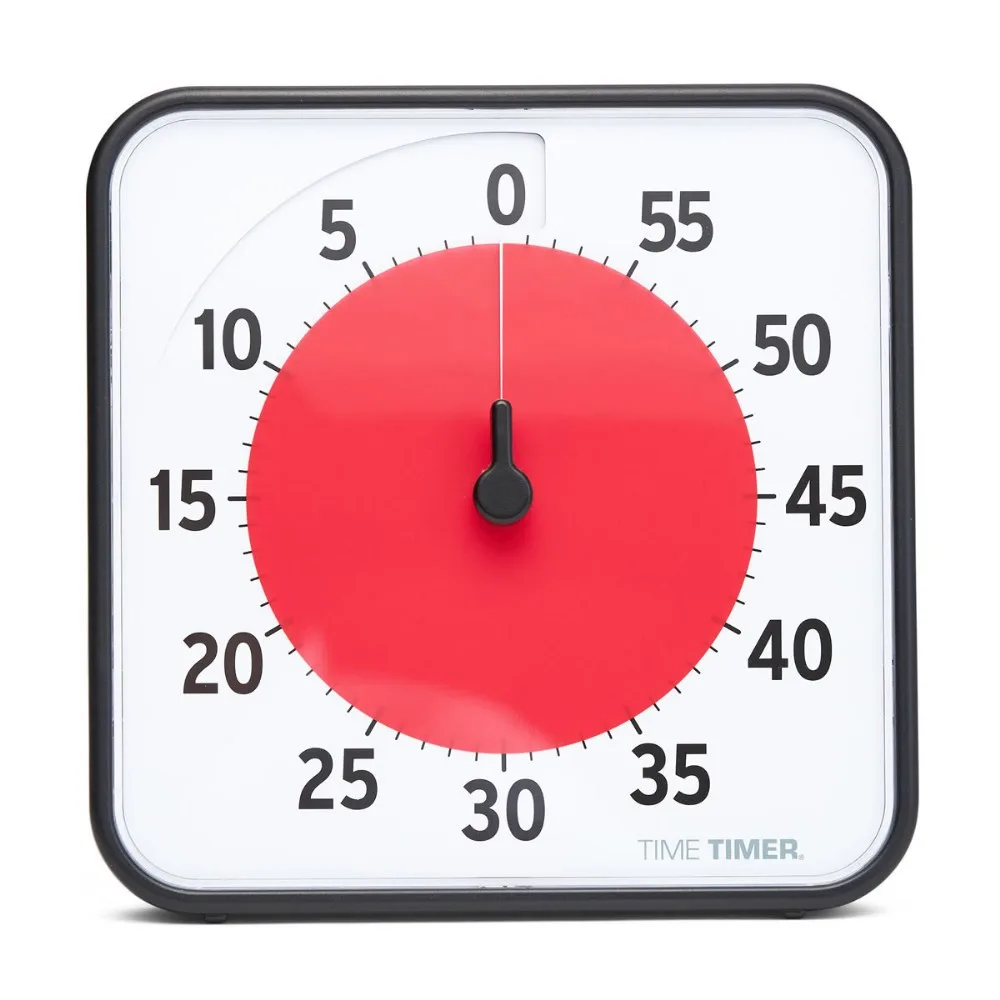
8" Time Timer(R) 60 Minute Visual Timer
-
Time Timer Digital (R) 90 Minute Visual Timer: The Time Timer Digital® 90 Minute Visual Timer has a digital display showing time remaining, digital tick marks, and a magnetic back for mounting. Its compact size and magnetic back make it perfect for individual or small-group use, and the quiet operation avoids distracting ticking.
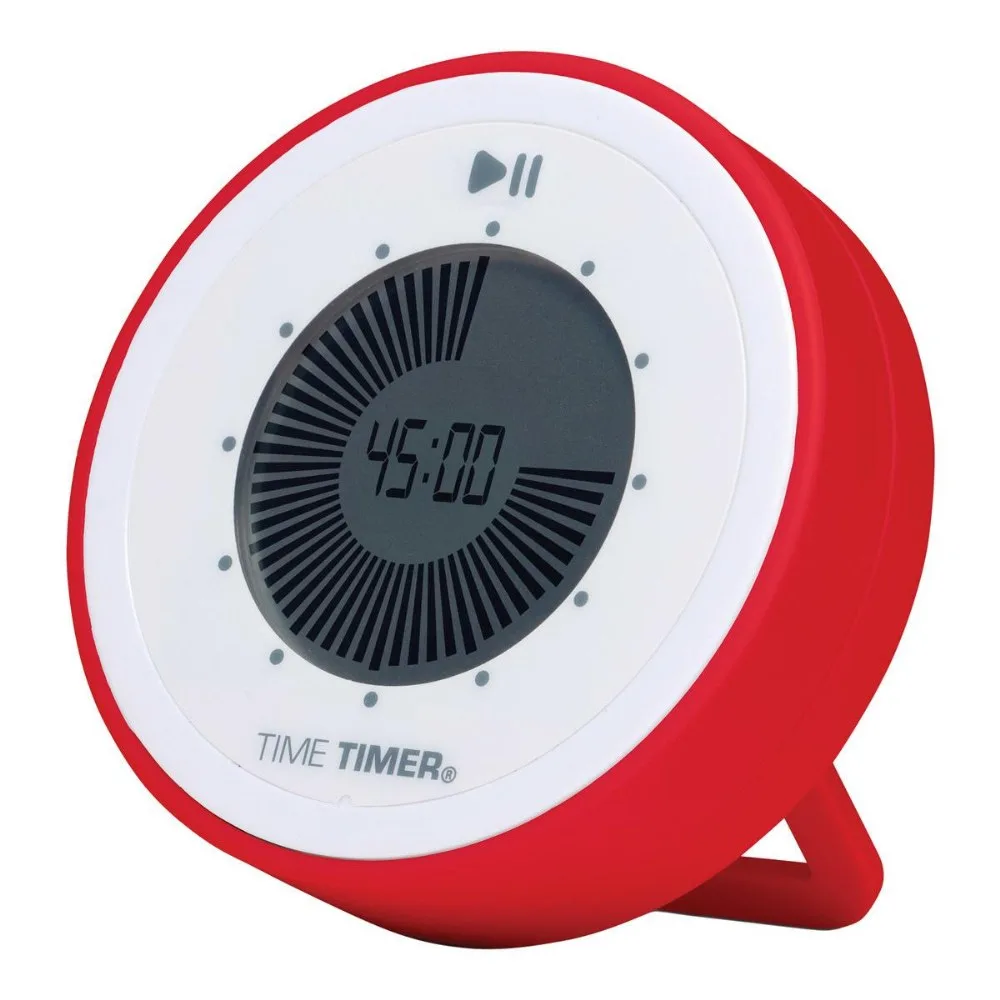
Time Timer Digital (R) 90 Minute Visual Timer