What the 12V Max Current Cable Does
The 12V Max Current Cable is designed to combine the 12V outputs of a Goal Zero Yeti Lithium power station, delivering up to 40A to 12V systems through a single High Power Port (HPP). This is useful when you need to power larger 12V devices or run multiple 12V appliances from one station without overloading individual ports.
Before using this cable, it's critical to confirm compatibility—it works only with Yeti Lithium power stations. Using it with other models can damage equipment or create a safety hazard.
Cable Facts That Affect Setup
-
12V Max Current Cable: Used to combine 12V outputs of a Goal Zero Yeti Lithium to provide up to 40A for 12V systems running off a single HPP output. This tells you the cable is for high-current applications, not for small electronics. Plan your load accordingly.
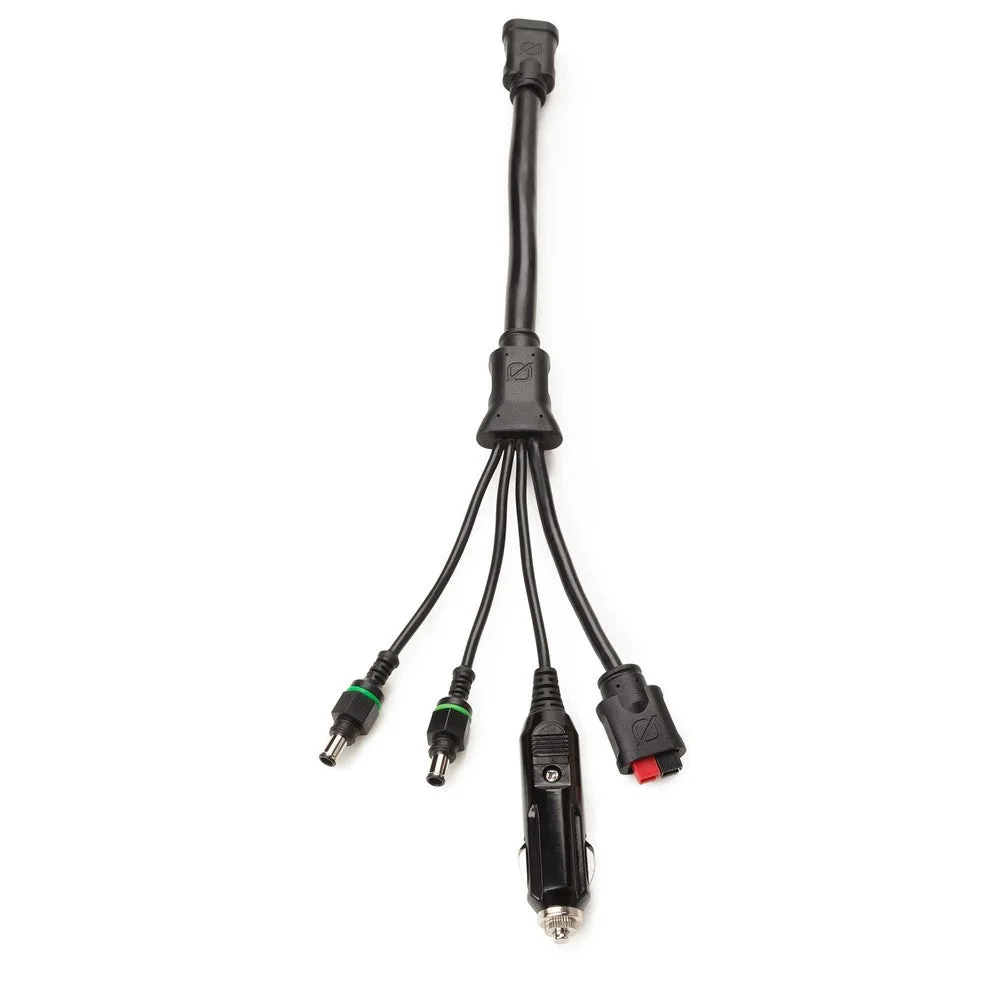
12V Max Current Cable
-
12V Max Current Cable: NOTE: Only compatible with Yeti Lithium Power Stations. Do NOT use with Yeti Lead Acid Power Stations or Yeti X Power Stations. Using the cable with an incompatible station could cause electrical damage or fire. Always check your station model before connecting.
-
12V Max Current Cable: Input: 2x 6mm, Input: Male Cig, Input: High Power Port; Output: High Power Port (40A max). Length: 14 inch. The 14-inch cable is short—ideal for keeping connections tidy near the power station. The 6mm inputs allow connection to two separate 12V outputs.
How to Connect the Cable Safely
Follow these steps to set up the 12V Max Current Cable with your Yeti Lithium power station.
- 1. Verify your power station model: Check the label on your Yeti. It must say "Yeti Lithium"—not "Lead Acid" or "Yeti X." If you're unsure, consult the manufacturer's documentation before proceeding.
- 2. Turn off the power station: Always connect or disconnect cables with the station powered off to prevent arcing or accidental shorts.
- 3. Connect the 6mm inputs: Insert the two 6mm connectors into the 12V output ports on the Yeti Lithium. They should fit snugly; do not force them.
- 4. Connect the High Power Port output: Plug the High Power Port end into your 12V device or system. Ensure the device is rated for up to 40A and is turned off.
- 5. Power on and test: Turn on the power station first, then your device. Monitor for unusual heat or sounds. If anything seems off, disconnect immediately.
What the Supplied Information Does Not Confirm
The supplied product record does not include weatherproofing ratings, recommended cable routing, or maximum ambient temperature for continuous use. If you plan to use this cable outdoors or in a vehicle, take common-sense precautions: keep it dry, avoid sharp bends, and check for wear before each use.