Quick answer
Plug your highest-power device (like a laptop) into the USB-C port first, then connect your phone or tablet to the second port. The Juice 65W Dual Port Mains GAN Charger Plug automatically splits power to charge both safely.
Why power priority matters with a dual port charger
A 65W GaN charger has a fixed total power budget. When you plug in two devices, the charger dynamically allocates wattage between the ports. If you connect a power-hungry laptop after a phone, the charger may briefly renegotiate power, causing a short pause. Starting with the most demanding device avoids this hiccup.
What a 65W GaN charger can and cannot do
65W is enough to fast-charge most ultrabooks, tablets, and phones simultaneously. It cannot sustain a high-performance gaming laptop at full load while also charging a second device. For heavy workloads, charge the laptop alone first.
GaN (gallium nitride) technology makes the charger smaller and cooler than traditional silicon chargers, but it still generates heat. Keep it in a ventilated area and avoid covering it with papers or fabric.
Step-by-step: Charge a laptop and phone at the same time
- Step 1: Connect your laptop to the USB-C port: Use a USB-C cable that supports Power Delivery (PD). Plug it into the laptop and then into the Juice 65W charger. Wait until the laptop shows it is charging. Common mistake: Plugging the phone in first may cause the laptop to charge slowly or not at all if the port negotiation fails.
- Step 2: Connect your phone or tablet to the second port: Once the laptop is charging steadily, plug your phone or tablet into the remaining USB-C port. The charger will automatically split power — typically 45W to the laptop and 20W to the phone. Checkpoint: If the phone shows 'charging slowly', the laptop may be drawing more than 45W. Close heavy apps on the laptop to reduce its power draw.
- Step 3: Monitor the charging status: Look at the battery icons on both devices. If either device stops charging or cycles on and off, unplug the phone, let the laptop charge for 10 minutes, then reconnect the phone. Common mistake: Using a low-quality or non-PD cable can limit power delivery. Always use a cable rated for 60W or higher.
- Step 4: Disconnect in reverse order when done: Unplug the phone first, then the laptop. This prevents the charger from renegotiating power while a device is still connected, which can cause a brief power drop. Empty
Product spotlight
-
Juice 65W Dual Port Mains GAN Charger Plug: The Juice 65W Dual Port Mains GAN Charger Plug delivers 65W total power and can charge devices up to 2.5x faster than a standard charger. This means you can top up a laptop and phone in roughly the same time it used to take for just the laptop.
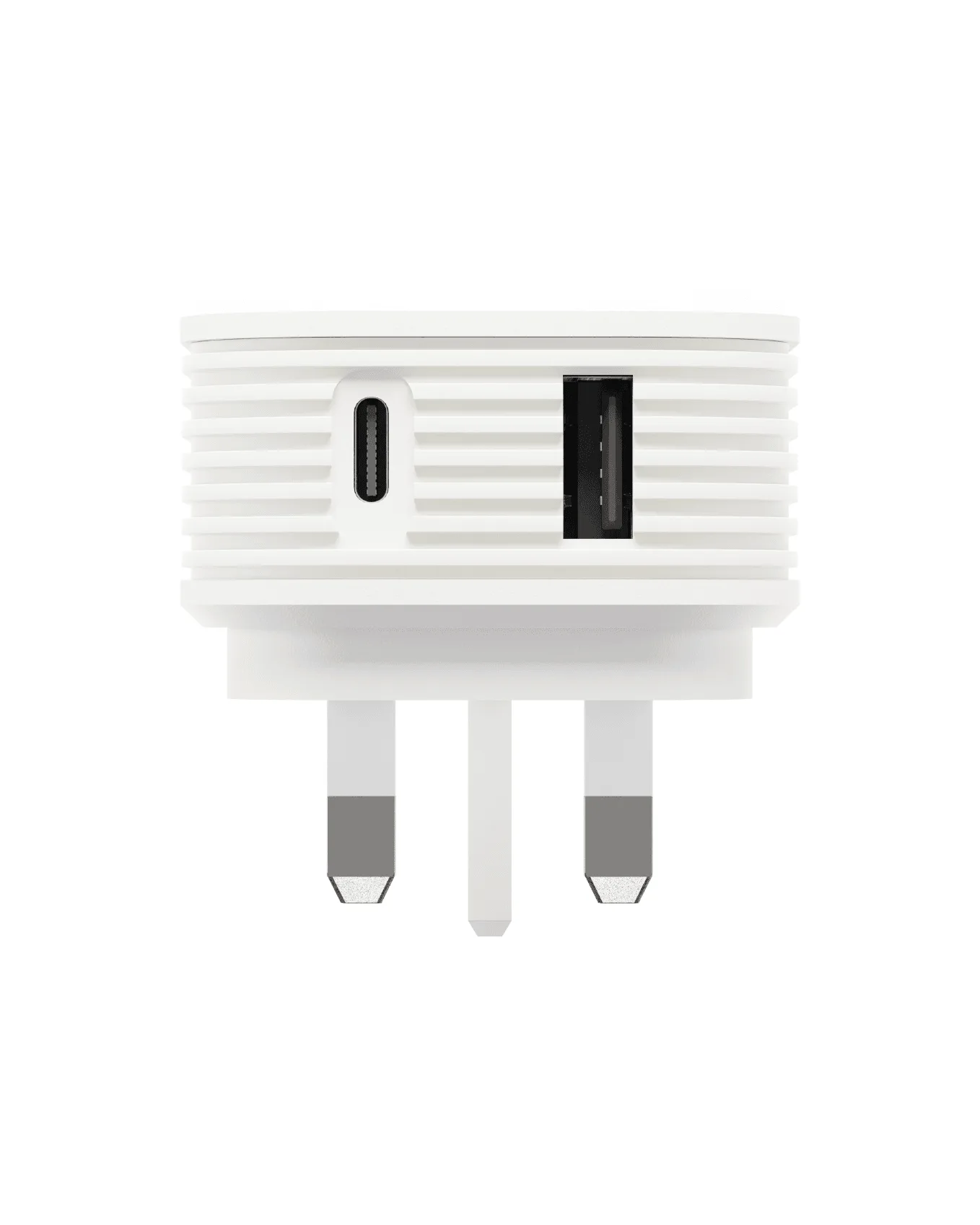
Juice 65W Dual Port Mains GAN Charger Plug