Quick answer
Wire the 12V power supply to the controller, connect the temperature probe, then program the desired threshold and hysteresis values. The relay will switch your heating or cooling device on and off based on the probe reading.
Why use a dedicated temperature controller relay
A 12V temperature controller with probe gives you precise, repeatable thermal regulation without needing a microcontroller or custom code. The dual-color display and wide -55°C to 120°C range make it suitable for enclosures, reptile setups, fermentation, or seed germination mats. Because it uses a relay output (up to 20A), it can directly switch AC or DC loads without an additional SSR.
Limitations to consider before wiring
This controller requires a stable 12V DC supply—do not connect it directly to mains voltage. The probe is a sealed thermistor type; it is not submersible unless in a waterproof sleeve. The relay contacts are rated for 20A, but derate for inductive loads (motors, compressors) to avoid premature failure. Always confirm your load current is within the relay rating.
Step-by-step setup guide
- 1. Connect power and probe: Supply 12V DC (2A recommended) to the controller's VCC and GND terminals. Insert the temperature probe into the 2-pin probe header; polarity is not critical. The display should light up and show ambient temperature. Check the probe is seated fully—loose connections cause erratic readings or no display.
- 2. Wire the load to the relay: Connect your heating or cooling device to the relay COM and NO (normally open) terminals. For cooling (e.g., a fan or peltier), most users wire the load to COM and NC (normally closed) so the circuit is closed when power is removed. Always verify NC vs. NO with a multimeter before applying power to the load—incorrect wiring can keep the load running continuously.
- 3. Set the target temperature: Press the SET button until the set point value flashes. Use the UP/DOWN buttons to adjust to your desired temperature (e.g., 25°C for a seedling mat). Wait 5 seconds; the controller saves automatically. If the display shows '---' the probe is disconnected or shorted—fix the probe connection before relying on the controller.
- 4. Adjust hysteresis (differential): Press and hold SET for 5 seconds to enter the menu. Find parameter 'd' (differential, default 3°C). Adjust to a smaller value (e.g., 0.5°C) for tighter control, or leave it larger to prevent relay chatter. A hysteresis below 0.5°C may cause the relay to click on and off rapidly, shortening its lifespan.
- 5. Select heating or cooling mode: In the menu, locate parameter 'C' (mode). Set 'H' for heating (relay closes below set point) or 'C' for cooling (relay closes above set point). Exit the menu by pressing SET repeatedly. Forgetting to change mode is the most common mistake—a warm incubator with 'C' mode will never trigger the heater.
- 6. Test and mount: Place the probe in the target environment. Apply power to your load. Wait for the temperature to cross the set point+/-hysteresis and confirm the relay clicks and the load activates. Once verified, mount the controller in a dry enclosure away from condensation. Tape the probe tip to the object you're monitoring (e.g., a water bottle or soil pot) for accurate readings—dangling alone in air will not represent the actual load temperature.
Product fact
-
12V Temperature Controller Switch with Probe 20A Thermostat Control: The 12V Temperature Controller Switch with Probe regulates temperature from -55°C to 120°C and has a dual-color display. You can monitor both set point and actual temperature at a glance, and the wide range covers both refrigeration and warm-zone applications.
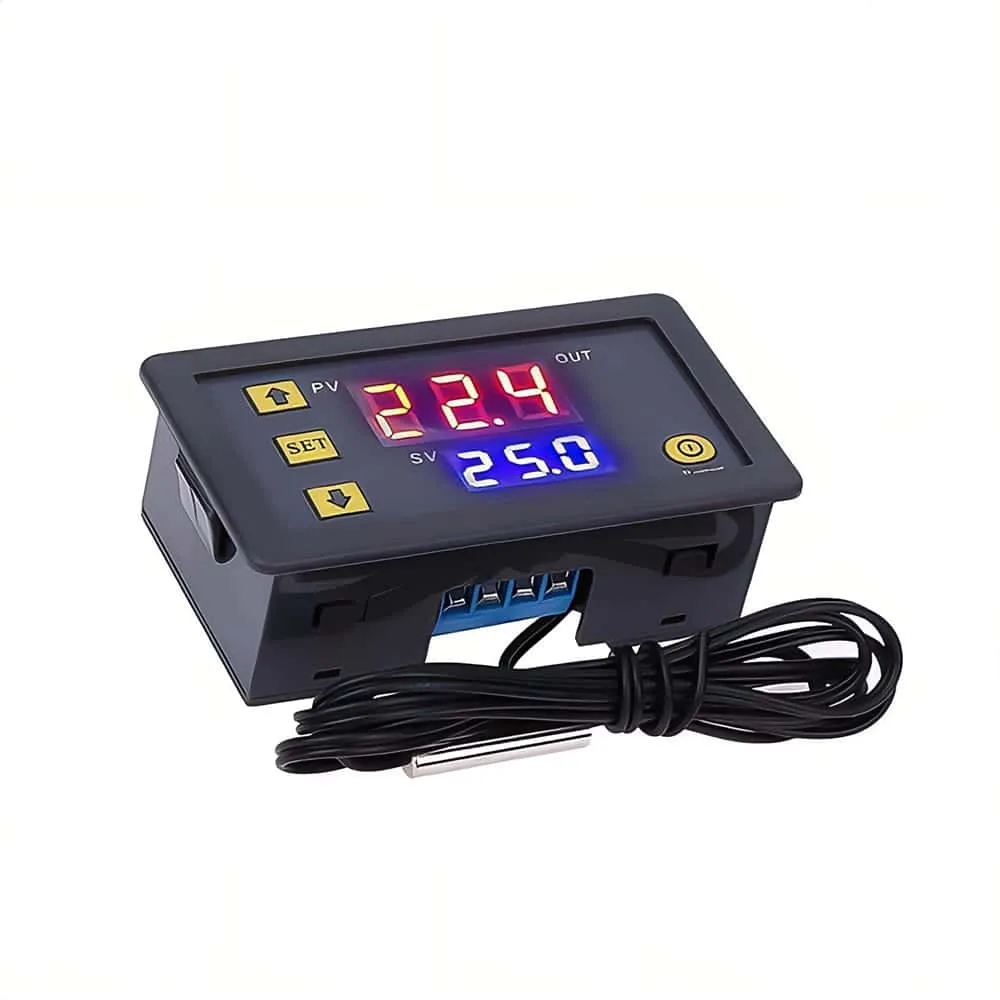
12V Temperature Controller Switch with Probe 20A Thermostat Control