Quick answer
Connect the 3.5mm TRRS plug to your device's AV output, then plug the three RCA connectors into matching color-coded inputs on your TV or capture device. Match yellow to video, white to left audio, and red to right audio.
Why a TRRS breakout cable is needed
Many camcorders, portable DVD players, and older cameras use a single 3.5mm TRRS jack to carry both composite video and stereo audio. A standard 3.5mm audio cable cannot separate these signals. A TRRS to 3 RCA breakout cable splits the combined signal into three dedicated RCA outputs, allowing you to connect to TVs, monitors, or capture devices that use separate composite video and audio inputs.
Limitations to be aware of
This cable only works with devices that output composite video (CVBS) and analog stereo audio through a 3.5mm TRRS jack. It will not work with HDMI, component video, or digital audio outputs. Also, the cable length is fixed at 0.3m (about 1 foot), so your source device must be close to the display or you'll need an extension. The cable does not carry any control signals or power.
Step-by-step setup guide
- Identify the TRRS jack on your source device: Look for a single 3.5mm jack labeled AV OUT, A/V, or with a headphone/AV icon. Do not plug the cable into a headphone-only jack — that will not carry video and may cause incorrect wiring. Check your device manual to confirm the jack supports composite video output, not just audio.
- Connect the 3.5mm plug to the source device: Insert the TRRS plug firmly into the AV output jack. Ensure it clicks fully into place. A loose connection can cause intermittent audio or video.
- Match RCA connectors to input colors: Plug the yellow RCA connector into the composite video input (usually yellow) on your TV or capture device. Plug the white and red connectors into the left and right audio inputs respectively. Swapping white and red will only swap audio channels — not a problem for most content. If your TV has only one audio input, use the white connector; the red will be unused.
- Select the correct input source on the display: On your TV or monitor, switch to the AV or composite input (often labeled AV, Video, or Composite). If you see no picture, try a different input label such as EXT or Source. If the screen is black or shows snow, the input source is likely wrong — cycle through inputs until you see the video.
- Test audio and video playback: Play content on your source device. You should see video and hear audio. If you get video but no audio, check that the white and red plugs are fully inserted and that the TV volume is turned up and not muted. If audio is missing from one channel, swap the white and red plugs at the TV end to isolate a cable or input issue.
Product used in this guide
-
3.5mm TRRS Male to 3 RCA Female Audio Video Breakout Cable – 0.3m: This 3.5mm TRRS male to 3 RCA female breakout cable splits a single TRRS connection into left audio, right audio, and composite video outputs. It lets you connect a camcorder or portable DVD player with a 3.5mm AV jack to a TV or capture card that uses standard RCA inputs, without needing an adapter box.
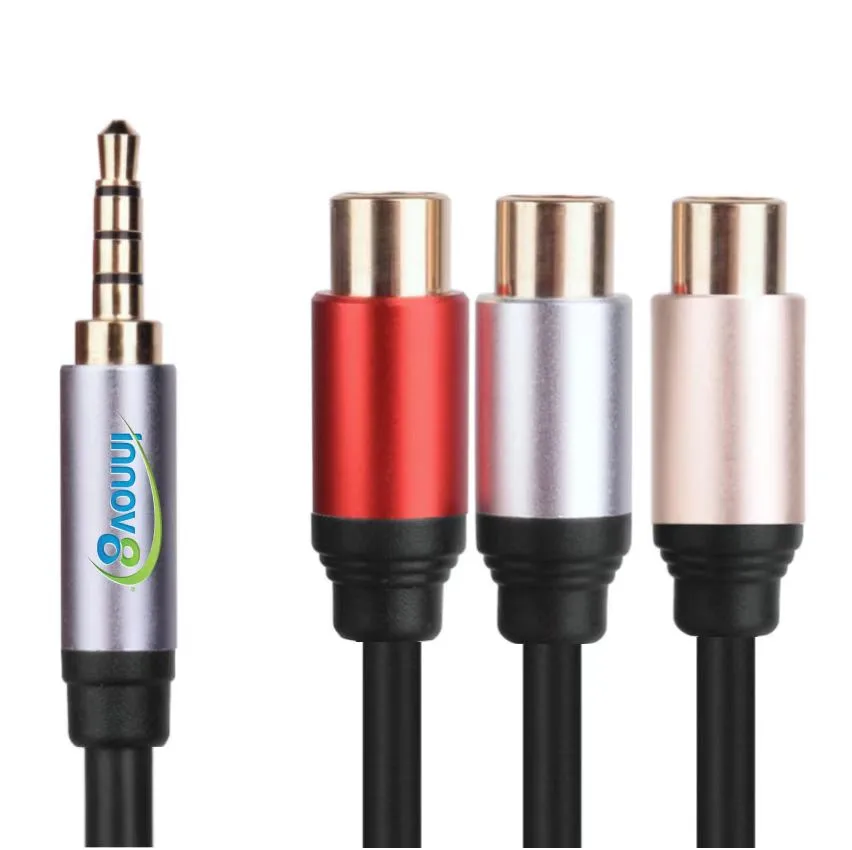
3.5mm TRRS Male to 3 RCA Female Audio Video Breakout Cable – 0.3m