Quick answer
Use a transportation planner sticker set to log your trips by vehicle type. Sort stickers by mode, then place them on your planner dates or spreads to track car, plane, train, boat, bus, taxi, or rideshare journeys.
Why use dedicated transportation stickers
Generic planner stickers often lack the specific icons you need for travel logging. A dedicated set gives you distinct symbols for each vehicle, making your logs clearer and faster to read at a glance. The Tiny Icons Transportation set covers seven modes, so you won't have to improvise with a pen or a mismatched sticker.
How to apply transportation stickers in your planner
- Sort stickers by mode before you start: Open the set and separate the seven sheets by vehicle type. Grouping them first saves you from flipping through every sheet mid-log. Common mistake: peeling stickers as you go often leads to using the wrong icon or losing small pieces.
- Choose a consistent placement spot: Decide where on your daily or weekly spread you will place each sticker. A corner of the date box or a dedicated travel column works well. Stick to that spot every time for easy scanning. Checkpoint: if you change placement mid-month, your logs become harder to read at a glance.
- Log each trip with date and mode: Peel the correct vehicle sticker and press it onto the chosen spot. Optionally add a short note (e.g., destination or duration) next to it. Repeat for every journey. Common mistake: forgetting to log short rides or transfers. Include every leg to keep your travel history complete.
Product fact
-
Tiny Icons - Transportation Planner Sticker Set: A complete set of 7 planner sticker sheets from our Transportation Collection, including Car, Plane, Train, Boat/Ferry, Bus, Taxi, and Rideshare stickers. You get a dedicated icon for each common travel mode, so you can log every leg of a trip with a single sticker instead of drawing or guessing.
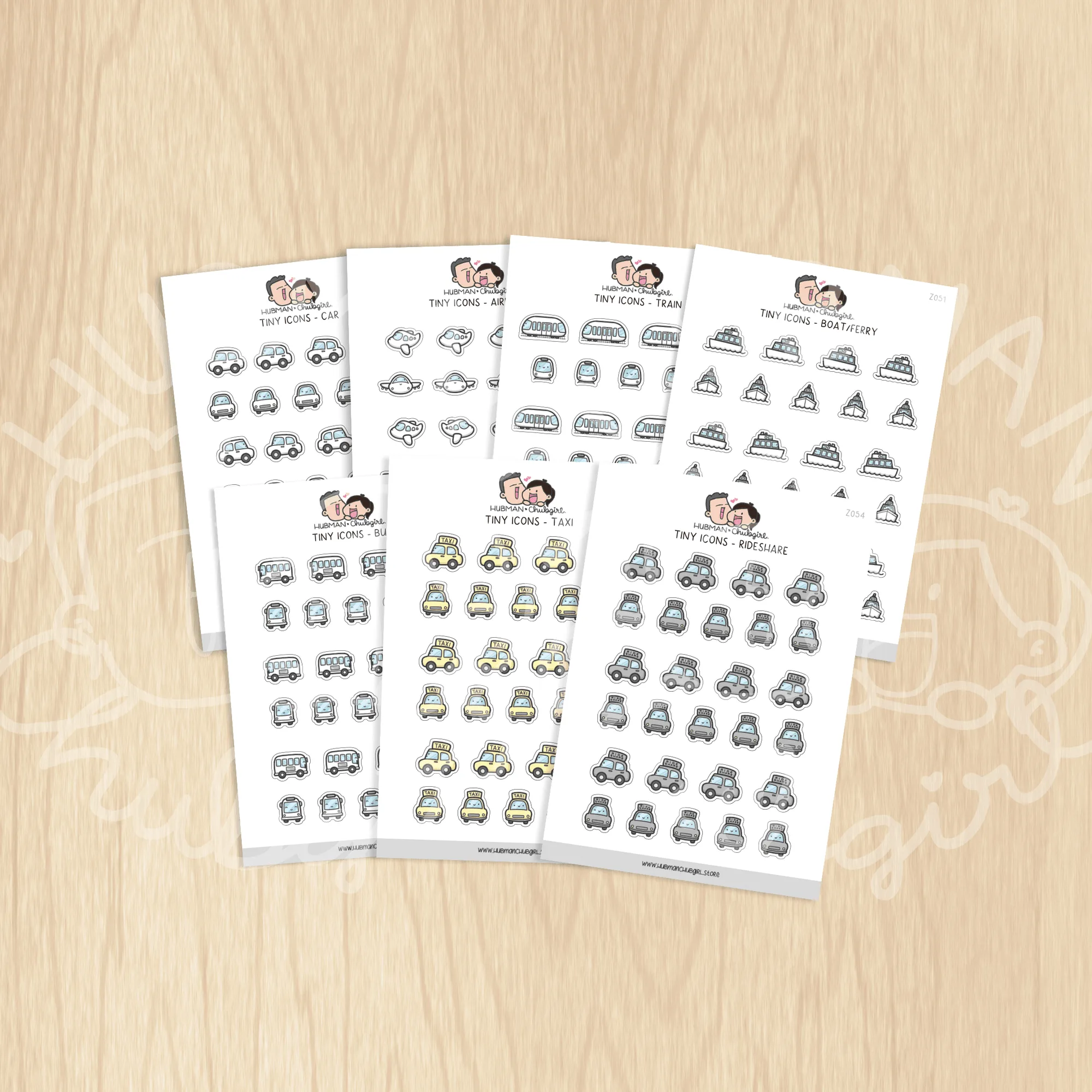
Tiny Icons - Transportation Planner Sticker Set