Quick answer
To use a wide angle converter, screw it onto the front of your camera lens, set your lens to its widest focal length, and then adjust focus and composition. Avoid using it with the lens hood attached to prevent vignetting.
Why use a wide angle converter?
A wide angle converter is a simple accessory that mounts on the front of your existing lens to widen the field of view. It’s a cost-effective way to capture more of a scene without buying a new wide-angle lens. The Studio Series .43x Wide Angle 58mm Teleconverter, for example, is designed to mount on lenses with a 58mm filter thread and can be used with both video and still cameras.
Trade-offs to keep in mind
Because a converter adds glass in front of your lens, it can slightly reduce image sharpness and increase distortion, especially at the edges. It also works best at the widest zoom setting; using it at longer focal lengths can cause vignetting or a tunnel effect. For best results, use the converter when you need a wider view, and remove it when you don’t.
Step-by-step: Using your wide angle converter
- Check your lens thread size: Look at the front of your lens for the filter thread diameter (e.g., 58mm). Ensure the converter matches that size. If it doesn't, you may need a step-up ring, but that can increase vignetting. Confirm the thread size before buying to avoid compatibility issues.
- Attach the converter securely: Screw the converter onto the front of your lens in a clockwise direction until it is snug. Do not overtighten, as this can make it difficult to remove. Avoid cross-threading by starting the thread carefully.
- Set your lens to its widest focal length: Zoom your lens to the shortest focal length (e.g., 18mm) to get the full wide-angle effect. Using it at longer focal lengths can cause vignetting or a reduced field of view. If you see dark corners, zoom out further or remove the converter.
- Focus before shooting: Use autofocus or manual focus to ensure your subject is sharp. Because the converter adds glass, autofocus may be slower or less accurate; check your images and adjust as needed. Take a test shot and zoom in on the preview to verify focus.
- Compose and shoot: Frame your shot with the wider view, but be aware of distortion at the edges. Keep important subjects toward the center of the frame to minimize distortion. Use the rule of thirds, but place critical elements centrally.
Product spotlight
-
Studio Series .43x Wide Angle 58mm Teleconverter: This converter mounts on existing lenses and is compatible with zoom lenses. You can attach it to the lens you already own and still zoom, so you don't need a dedicated wide-angle lens.
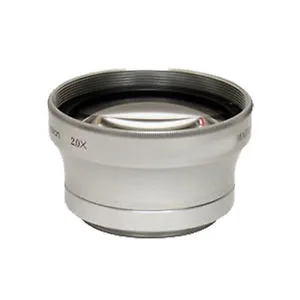
Studio Series .43x Wide Angle 58mm Teleconverter
-
Studio Series .43x Wide Angle 58mm Teleconverter: It eliminates ghosting and glare, and is infrared and macro capable. This helps you capture cleaner images in bright conditions and also lets you experiment with macro shots.