Quick answer
To use the Arcwave Ion 2, charge it fully, apply water-based lube inside the sleeve, insert your penis, and turn it on—the Pleasure Air technology will pulse airwaves against your Pacinian receptors for a unique sensation. Start on the lowest intensity and adjust as you get comfortable.
Why the Ion 2 feels different from a standard stroker
The Arcwave Ion 2 uses Pleasure Air technology—pulsating airwaves that target the Pacinian pleasure receptors—rather than vibration or suction alone. This can produce a deeper, more body-shaking orgasm for some users, but it may feel unfamiliar at first. Give yourself a few sessions to adjust; don’t judge it on the first try.
Lube matters more than you think
Always use a water-based lubricant with the Ion 2. Silicone-based lubes can degrade the sleeve material over time, and oil-based lubes are not recommended for internal use with this device. Apply a generous amount inside the sleeve and on yourself before insertion to ensure a smooth, comfortable seal.
Smart Silence and discretion
The Ion 2 features Smart Silence technology: it powers on only when it senses skin contact and goes silent when removed. This is great for privacy, but it also means you need to maintain skin contact for the device to stay active. If it turns off mid-session, simply re-establish contact.
Step-by-step: using the Arcwave Ion 2
- Charge the device fully: Before first use, charge the Ion 2 completely using the included USB cable. A full charge ensures you won’t run out of power mid-session and helps maintain battery health. Check the charging indicator—if it’s not lighting up, try a different USB port or adapter.
- Apply water-based lube: Apply a generous amount of water-based lubricant inside the sleeve opening and on your penis. This reduces friction and helps create a good seal for the air pulses. Avoid silicone-based lubes—they can damage the sleeve over time.
- Insert and turn on: Insert your penis into the sleeve. The device will automatically turn on when it senses skin contact (Smart Silence). If it doesn’t, press the power button. If the device turns off unexpectedly, check that your skin is making continuous contact with the inner sleeve.
- Start on the lowest intensity: Use the control buttons to cycle through intensity levels. Begin at the lowest setting and gradually increase as you become accustomed to the Pleasure Air sensation. Don’t jump to the highest setting immediately—the air pulses can feel intense and may cause overstimulation.
- Adjust angle and grip: Experiment with the angle of the device and how firmly you hold it against your body. A tighter seal can intensify the sensation; a looser hold can make it gentler. If you feel numbness or discomfort, reduce intensity or take a break.
- Clean after each use: Remove the sleeve from the base (if applicable) and wash it with warm water and mild soap, or use a dedicated toy cleaner. Rinse thoroughly and let it air dry completely before storing. Never submerge the motorized base in water—wipe it down with a damp cloth only.
Product facts
-
Arcwave - Ion 2 Pleasure Air™ Men's Masturbator: The Arcwave Ion 2 is the world’s first male stroker to feature Pleasure Air technology, which uses pulsating airwaves to target Pacinian pleasure receptors. This means you’re stimulating a different set of nerve endings than with vibration, so the sensation may feel new and intense—start slow.
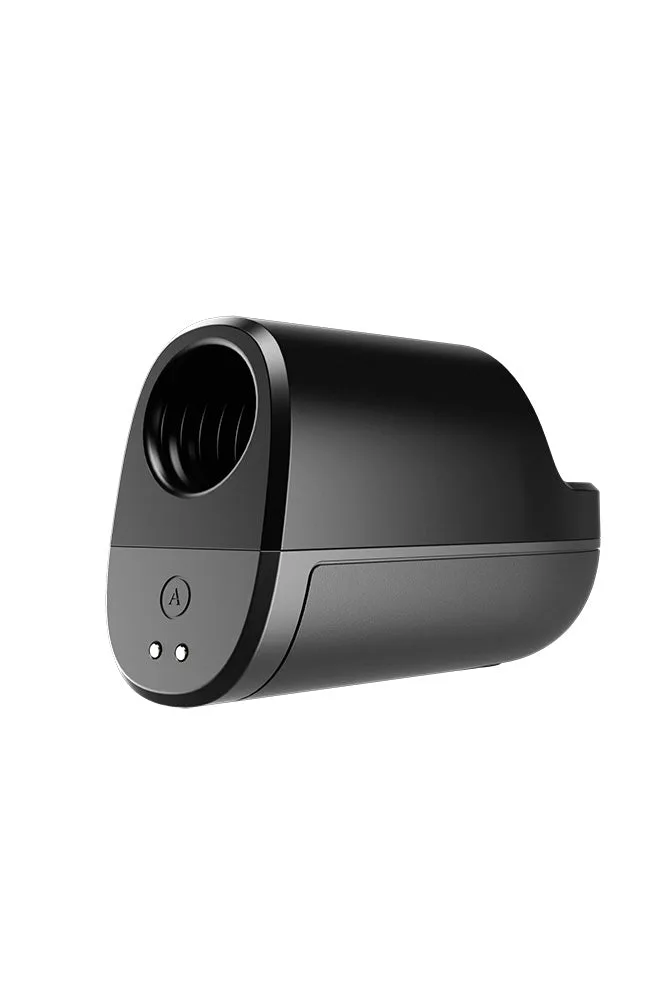
Arcwave - Ion 2 Pleasure Air™ Men's Masturbator
-
Arcwave - Ion 2 Pleasure Air™ Men's Masturbator: Smart Silence technology powers the device on only when it senses skin contact and turns it off when removed. You get discreet operation, but you must keep the device in contact with your skin to maintain stimulation.