Quick answer
Attach the Godox Bowens Mount Adapter to your AD400Pro by aligning the adapter's bayonet with the flash head, twisting to lock, then mounting any Bowens-compatible modifier.
Why use a Bowens mount adapter?
The Godox AD400Pro uses a proprietary bayonet mount. The Bowens mount adapter converts it to the industry-standard Bowens mount, opening up a huge range of softboxes, beauty dishes, octaboxes, and reflectors from Godox and other manufacturers.
One trade-off: the adapter adds a few millimeters of distance between the flash tube and modifier, which can slightly affect light falloff for very small modifiers. For most softboxes and dishes, the difference is negligible.
Step-by-step: Attaching a Bowens mount adapter to the AD400Pro
- Prepare the flash head: Ensure the AD400Pro is turned off and the flash tube is cool. Remove any existing reflector or modifier by pressing the release button on the flash head and twisting counterclockwise. Common mistake: forcing the twist without pressing the release button can damage the bayonet lock.
- Align the adapter: Hold the Godox Bowens Mount Adapter so its three bayonet tabs line up with the three slots on the AD400Pro flash head. Insert the tabs fully into the slots. Checkpoint: the adapter should sit flush against the flash head face; if it wobbles, realign before locking.
- Lock the adapter in place: Twist the adapter clockwise until you hear a click and the release button pops back out. Gently tug the adapter to confirm it is secure. Common mistake: not twisting far enough. If the release button does not pop out, the adapter is not locked.
- Mount your modifier: With the adapter locked, slide a Bowens-compatible softbox or beauty dish onto the adapter's outer ring. Rotate the modifier until its locking mechanism engages (usually a quarter turn). Checkpoint: always support the modifier with your free hand until locked — heavy softboxes can pull the adapter loose if not fully seated.
- Test and adjust: Turn on the AD400Pro and fire a test flash at low power. Check for light leaks around the adapter joint and confirm the modifier is aimed correctly. Common mistake: ignoring light leaks. A gap between adapter and modifier reduces efficiency and may create unwanted spill.
Product facts
-
Godox Bowens Mount Adapter for AD400Pro Flash: The Godox Bowens Mount Adapter for AD400Pro Flash lets you use Godox Bowens mount modifiers and accessories from other manufacturers using the Bowens mount. This small adapter dramatically increases the range of light-shaping tools you can use with your AD400Pro, from budget softboxes to premium beauty dishes.
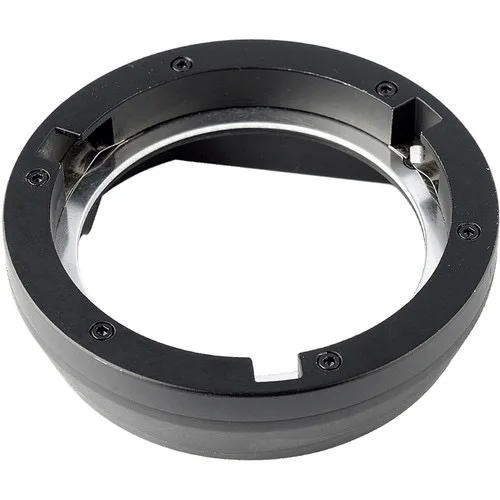
Godox Bowens Mount Adapter for AD400Pro Flash