Quick answer
To use an external flash with your SLR, mount it on the hot shoe or sync port, set your camera to the correct sync speed (usually 1/60s or 1/125s), choose TTL or manual flash mode, and adjust aperture based on flash power and distance.
Why use an external flash instead of built-in?
An external flash provides more power, better coverage, and the ability to bounce light off ceilings or walls for softer results. Built-in flashes often produce harsh, flat lighting and can't be angled. For film SLRs, an external unit like the Pentax AF200T also adds automatic exposure control through TTL metering, which simplifies shooting.
Sync speed limits you should know
Every focal-plane shutter SLR has a maximum flash sync speed, typically 1/60s, 1/125s, or 1/250s. Exceeding this speed will cause the flash to fire while the shutter is only partially open, resulting in a dark band across the frame. Check your camera's manual or the shutter speed dial for a marked 'X' or color-coded sync speed. Set your camera to that speed or slower.
Step-by-step guide to using an external flash
- Mount the flash securely: Slide the flash's foot into your camera's hot shoe until it clicks. If your camera lacks a hot shoe, use the PC sync port and a compatible cable. Tighten any locking ring or screw to prevent the flash from slipping off. A loose connection can cause misfires or intermittent flash—always double-check the mount before shooting.
- Set the correct shutter sync speed: Turn your camera's shutter speed dial to the sync speed (often marked with an 'X' or a different color, e.g., 1/60s or 1/125s). Do not go faster. If you're unsure, start at 1/60s—it's safe for most film SLRs. Using a faster speed will create a black bar across the image. If that happens, slow down the shutter.
- Choose flash mode: TTL or manual: If your flash and camera support TTL (like the Pentax AF200T with compatible Pentax bodies), set the flash to TTL and the camera to its auto-exposure mode. Otherwise, set the flash to manual and calculate the correct aperture using the flash's guide number or a handheld meter. TTL is convenient but may underexpose in very dark scenes—manual gives you full control once you know the distance.
- Adjust aperture and distance: For manual flash, divide the guide number by the flash-to-subject distance (in feet or meters) to get the correct aperture. For TTL, the camera handles this, but keep the subject within the flash's effective range (usually 3–15 feet). If your photos are too bright, stop down the aperture or move the flash farther away; if too dark, open up or move closer.
- Test and review your first frame: Take a test shot and check the results. If using a digital camera, review the LCD; with film, note the exposure and adjust for the next frame. Bounce the flash off a white ceiling for softer light if possible. Film doesn't give instant feedback, so bracketing exposures (taking one shot at the calculated setting, one stop over, and one stop under) is a smart habit.
Flash to consider
-
Pentax AF200T External Flash: The Pentax AF200T offers dedicated TTL Auto Flash on compatible Pentax SLRs, automatically measuring light reaching the film and cutting the flash at the right moment. This means you don't need to calculate exposure manually—the camera and flash work together for balanced results, especially useful for fast-moving subjects or event photography.
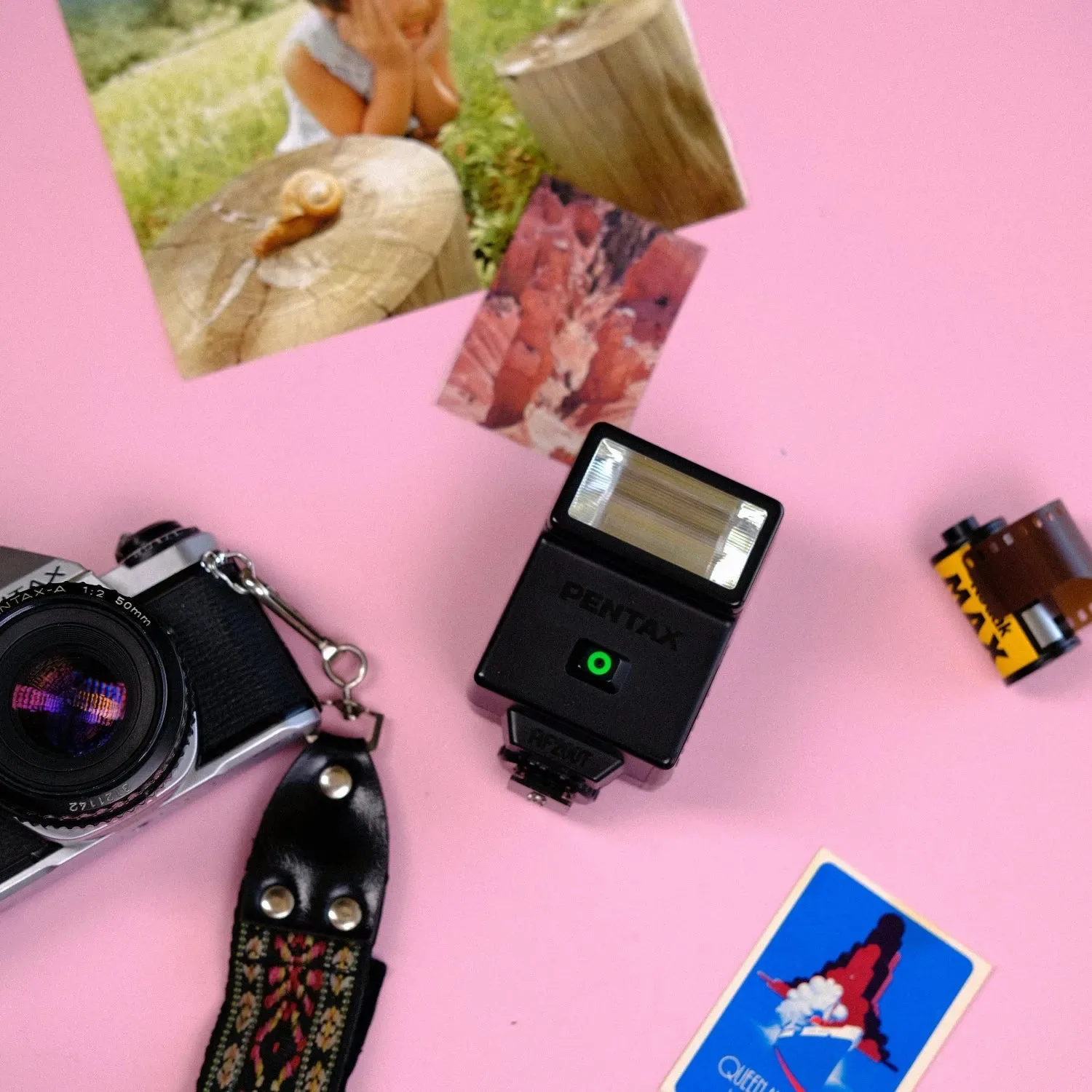
Pentax AF200T External Flash