Why Azimuth Matters for Your Turntable
Getting the best sound from your vinyl records depends on precise cartridge alignment. Azimuth—the vertical tilt of the cartridge relative to the record groove—directly affects channel separation and balance. When azimuth is off, you lose imaging and stereo depth, especially with modern line-contact and micro-line styli that have a very small groove contact area.
The Musical Surroundings Fozgometer V2 is a dedicated azimuth range meter that takes the guesswork out of this adjustment. It measures channel separation, channel balance, and signal direction quickly and accurately, without needing a digital oscilloscope or complex test gear.
What the Fozgometer V2 Offers
-
Musical Surroundings Fozgometer V2 Azimuth Range Meter: The new V2 model features higher sensitivity, greater accuracy, a new analog meter, and the option to use an outboard power supply as well as a 9v battery. Higher sensitivity means even low-output cartridges can be measured directly without extra amplification, and the analog meter gives clear real-time feedback during adjustment.
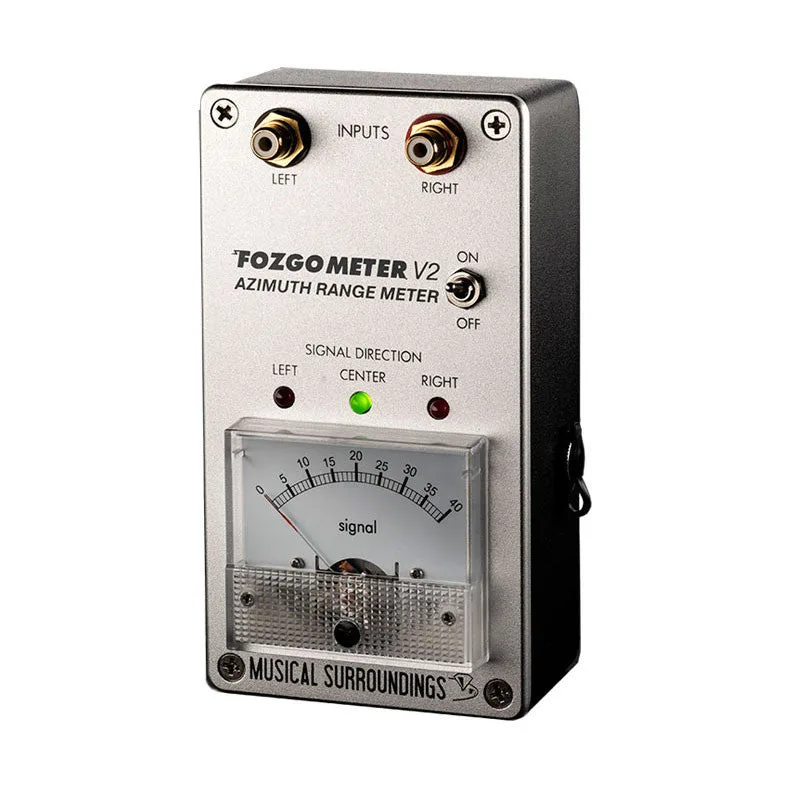
Musical Surroundings Fozgometer V2 Azimuth Range Meter
-
Musical Surroundings Fozgometer V2 Azimuth Range Meter: The Fozgometer is a small portable device used in conjunction with a test record. You need a test record with a suitable azimuth calibration track—the Fozgometer does not generate test signals itself.
-
Musical Surroundings Fozgometer V2 Azimuth Range Meter: Readings are taken without touching the meter, leaving your hands free to work with the tonearm. Hands-free operation is essential because you need both hands to adjust the cartridge while watching the meter.
Using the Fozgometer V2 for Azimuth Adjustment
The following steps are based on the device's supplied operation method. Always consult your cartridge and tonearm manuals for specific adjustment procedures.
- 1. Connect the Fozgometer V2: Plug the tonearm wires directly into the Fozgometer's input jacks. The V2's higher sensitivity allows direct connection even with low-output cartridges. Use a 9V battery or connect an outboard power supply (not included) for extended use.
- 2. Set up a test record: Place a test record on your turntable that includes a dedicated azimuth calibration track. The Fozgometer works with any test record that provides a steady-state tone for azimuth measurement.
- 3. Play the azimuth track: Start the turntable and cue the tonearm onto the test track. The Fozgometer's analog meter will show channel separation in both directions, and the LED indicators will show Left, Center, or Right signal position.
- 4. Adjust the cartridge azimuth: While the record plays, gently adjust the cartridge's azimuth (usually by rotating the cartridge or adjusting the tonearm's azimuth ring). Watch the meter: you want the needle to indicate maximum channel separation and the LED to show Center, meaning the signal is balanced between left and right channels.
- 5. Verify and lock: Once the meter reads center and maximum separation, tighten the cartridge screws or lock the azimuth mechanism. Re-check the reading after locking to ensure nothing shifted.
What the Fozgometer V2 Does Not Do
The Fozgometer V2 is an azimuth meter, not a complete cartridge alignment tool. It does not measure overhang, offset angle, or vertical tracking angle (VTA). For those parameters, you still need a protractor, alignment gauge, or other dedicated tools.
The supplied information does not confirm compatibility with every tonearm or cartridge. If your tonearm uses a non-standard connector or if the cartridge output is extremely low, verify fit before purchase. The device requires a test record with an azimuth track, which is sold separately.
Why the Fozgometer V2 Gets High Praise
Stereophile honored the Fozgometer V2 with its Recommended Component status for 2025. Reviewer Michael Fremer noted that the V2's accuracy was not meaningfully worse than his digital oscilloscope, and the result was far more quickly and easily obtained, especially when using a free spreadsheet from WallyTools.
Tone Audio's Jeff Dorgay called it "much like a good digital scale" that takes the guesswork out of turntable setup, and The Absolute Sound's Chris Martens described it as "a delightful accessory for vinyl enthusiasts."