Quick Answer
Set up your Hellfire Club Master Screen by unfolding it into a three-panel barrier, positioning it to hide your notes and dice, and using its magnetic design to keep handouts and reminders within easy reach.
Why the Magnetic Design Matters
The Hellfire Club Master Screen uses magnets to hold its panels together, which makes setup and adjustments faster than traditional screens with hinges or clips. You can also attach lightweight metal accessories or notes to the screen, keeping important references visible without cluttering your side of the table.
Because the screen is magnetic, be careful with loose metal objects like dice or paperclips—they can stick to the screen and become a distraction. Keep your play area tidy to avoid accidental attachments.
Positioning for Comfort and Visibility
Place the screen so you can easily peek over the top and reach across it. The screen's height should allow you to see your players while still hiding your notes and dice rolls. If you're using a laptop or tablet behind the screen, angle it slightly to reduce glare and keep your view clear.
Make sure the screen sits flat on the table. If your table has a uneven surface, use a mat or cloth underneath to stabilize it and prevent wobbling during play.
Step-by-Step Setup and Use
- Unfold and Align the Panels: Take the screen out of its packaging and unfold it into a three-panel barrier. Ensure the magnetic edges snap together securely. If they don't align, adjust the panels until the magnets connect fully. Check that all magnets are engaged to prevent the screen from collapsing mid-session.
- Position the Screen on the Table: Place the screen in front of you, with the iconic design facing your players. Angle it slightly toward you for easy viewing. Make sure it doesn't block your view of the game board or your players' faces. Test your sightlines from your seat before the game starts.
- Organize Your Side of the Screen: Arrange your notes, dice, and any handouts behind the screen. Use the magnetic surface to attach lightweight reference cards or reminders. Keep frequently used items within arm's reach. Avoid overloading the screen with heavy items that could pull it down.
- Use the Screen During Play: Roll dice and consult notes behind the screen. When you need to reach across, do so carefully to avoid knocking the screen over. If you need to show players something, temporarily remove an item from the screen or step around it. Practice reaching across the screen to ensure you can do so without disrupting the game.
- Clean and Store the Screen: After the session, wipe the screen with a dry microfiber cloth to remove dust or fingerprints. Fold it back into its original shape and store it in a safe place away from direct sunlight or moisture. Proper storage keeps the screen looking great for your next game.
Product Details
-
HELLFIRE CLUBMASTER SCREEN: The Hellfire Club Master Screen is a high-quality, magnetic screen that hides all your dungeon master secrets with style. Its magnetic panels make setup quick and allow you to attach notes or reminders directly to the screen, keeping your game organized.
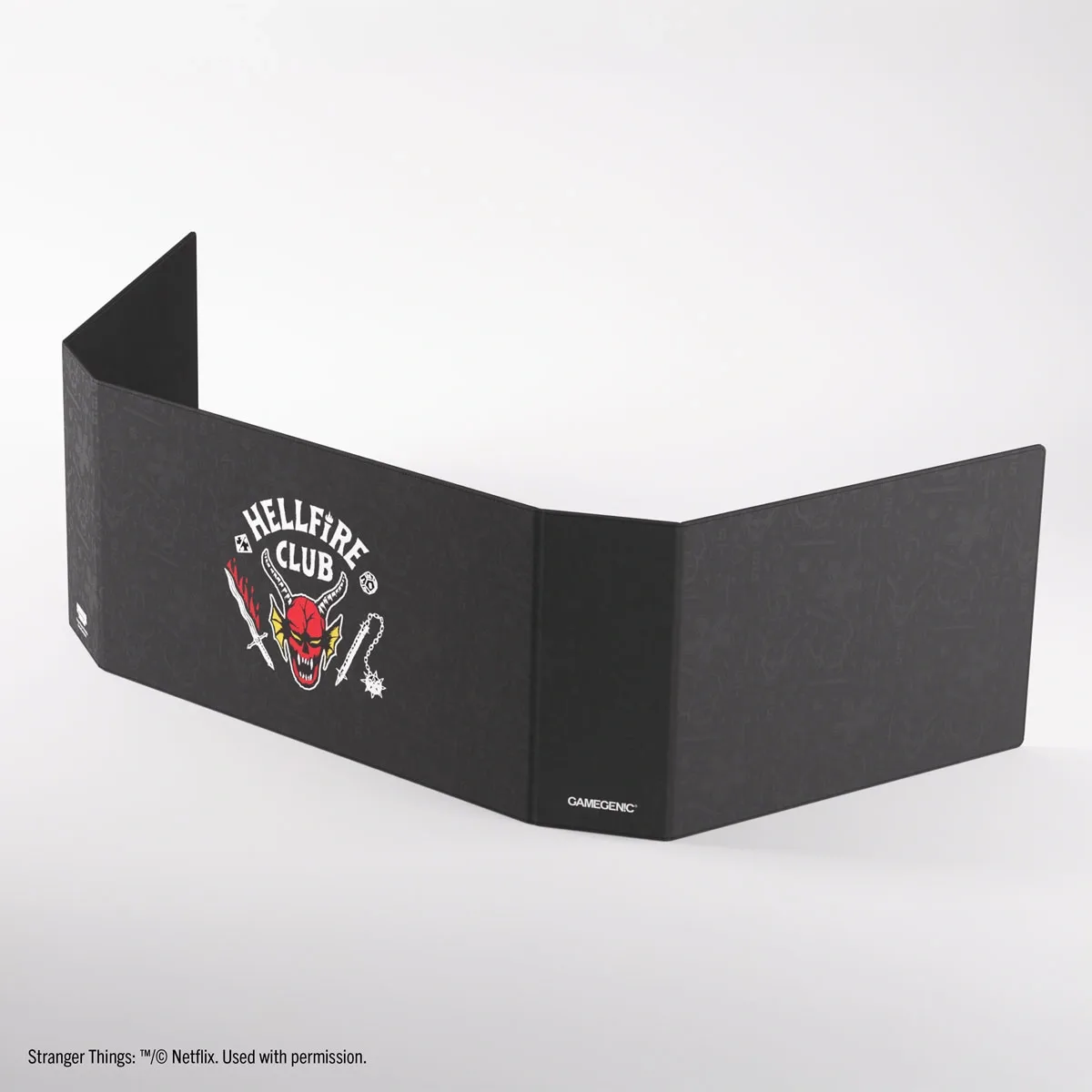
<span class="swu\_headline">HELLFIRE CLUB</span><br>MASTER SCREEN