Quick Answer
To use a helping hands third hand for soldering, mount your PCB or component in the alligator clips, adjust the arms to hold wires or parts steady, then solder with both hands free.
Why a Third Hand Tool Matters for Soldering
Soldering small electronics often requires holding a soldering iron in one hand, solder wire in the other, and keeping the component still. A helping hands tool solves this by acting as an extra set of fingers. The 5 Arm Flexible Helping Hands Third Hand gives you even more positioning options, especially when you need to hold multiple wires or a PCB at an angle.
Limitations to Keep in Mind
The alligator clips on most third hand tools are metal and can conduct heat, so avoid clamping directly onto heat-sensitive components. The weighted base is stable for light to medium work, but heavy cables or large boards may tip it over. For heavy assemblies, consider clamping the base to your workbench.
How to Set Up and Use a Helping Hands Third Hand
- 1. Position the Base and Arms: Place the helping hands on a stable surface near your soldering station. Loosen the wing nuts on each arm and position the alligator clips where you need them. Tighten the nuts just enough to hold the arms in place. Common mistake: overtightening can strip the threads. Snug is enough.
- 2. Secure the PCB or Component: Open an alligator clip and attach it to the edge of your PCB or the lead of a component. For a PCB, use two clips on opposite edges to prevent tilting. If you are soldering a wire to a pad, clamp the wire in one clip and the board in another. Checkpoint: make sure the clip does not touch any solder pads or traces you intend to heat.
- 3. Adjust Angles for Access: Bend the flexible arms so the joint you are soldering is at a comfortable height and angle. The magnifying lens (if included) can help inspect small pads, but do not rely on it for alignment. Common mistake: positioning the joint too low forces you to hunch. Keep it at eye level.
- 4. Solder with Both Hands Free: Hold the soldering iron in your dominant hand and the solder wire in the other. Touch the iron to the pad and component lead, then feed solder into the joint. The helping hands keep everything still, so you can focus on the connection. Checkpoint: if the component moves during soldering, the clips are too loose or the arm is not locked.
- 5. Release and Inspect: Let the joint cool for a few seconds, then open the clips and remove the board. Check for a shiny, cone-shaped solder joint. If it looks dull or balled, reheat and add a tiny bit more flux or solder. Common mistake: pulling the board while the solder is still molten can create a cold joint. Wait until it solidifies.
Product Used in This Guide
-
5 Arm Flexible Helping Hands Third Hand: Flexible Helping Hands Third Hand for Soldering Station Tool Its five fully adjustable arms let you hold a PCB, two wires, and a desoldering pump simultaneously, reducing the need to reposition during a joint.
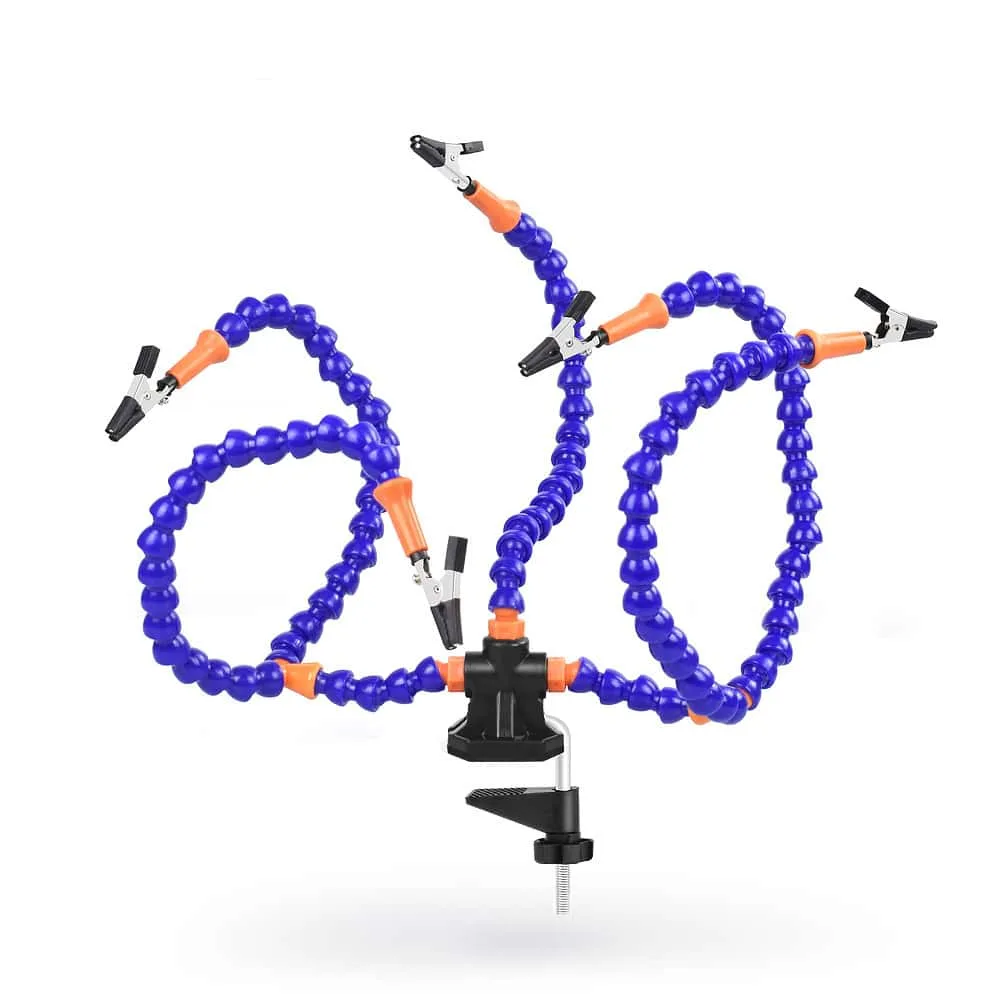
5 Arm Flexible Helping Hands Third Hand