Quick answer
Use a Micro SD TF male to TF female extension cable (like the 0.25m soft flat FPC extender) to relocate a Micro SD card slot in embedded systems, DIY electronics, or device modifications for easier access or better cable management.
Why use an extension cable instead of a direct slot?
In embedded systems, the physical Micro SD slot is often soldered onto a main board or located in a cramped enclosure. An extension cable lets you move the slot to a more accessible spot without modifying the original hardware. The soft flat FPC ribbon design is ideal for routing through tight gaps and around corners, reducing stress on the connector.
Common trade-offs to consider
Extension cables add a tiny amount of signal latency, but for general data logging, firmware updates, or media storage this is negligible. The thin FPC ribbon is durable but can be pinched if routed near sharp edges or moving parts. Always test the connection before final assembly.
Steps to install and use the extension cable
- 1. Identify the orientation of the male connector: The Micro SD TF male connector has a specific insertion orientation (contacts facing up or down depending on the slot). Align it with the female slot on your device or board before pushing. Forcing it in the wrong way can damage the pins. Check the slot's orientation first — the male connector only fits one way.
- 2. Route the FPC ribbon through the enclosure: Thread the soft flat ribbon through cable channels, grommets, or around components. Avoid sharp bends (radius under 3 mm may crack the ribbon) and keep it away from heat sources or moving parts. Use a small zip tie or adhesive clip to secure the cable path. Plan the route before attaching the female end to prevent kinking.
- 3. Connect the female end to your Micro SD card: Insert the Micro SD or TF card fully into the female slot of the extension cable. A click or slight resistance indicates a proper seat. If the card feels loose, the female connector may be damaged or the card is not fully inserted — do not force it. Always test with a known-good card first to rule out a faulty connection.
- 4. Secure the female connector in its new location: Mount the female slot using double-sided tape, a 3D-printed bracket, or a small screw mount. Ensure the card remains accessible for removal. In embedded systems, orient the slot so the card does not pop out due to vibration. Leave enough clearance above the slot to insert and eject the card comfortably.
- 5. Test the connection before final assembly: Power on the device and check that the card is detected in the OS or firmware. Perform a read/write test with a small file. If the card is not recognized, reseat both ends of the cable and verify the slot orientation. A common mistake is a partially inserted male connector inside the device. Run a write test — detection alone does not guarantee stable data transfer.
Product used in this guide
-
Micro SD TF Male to TF Female Memory Card Extension Cable 0.25m – Soft Flat FPC Extender Ribbon: This Micro SD TF male to TF female memory card extension cable extends the reach of a Micro SD (TF) card slot for embedded systems and DIY projects. The soft flat FPC ribbon allows easy routing in tight spaces while maintaining a secure connection. The 0.25m length gives enough slack to reposition the slot without excess cable bulk, and the flat profile fits into slots where round cables cannot.
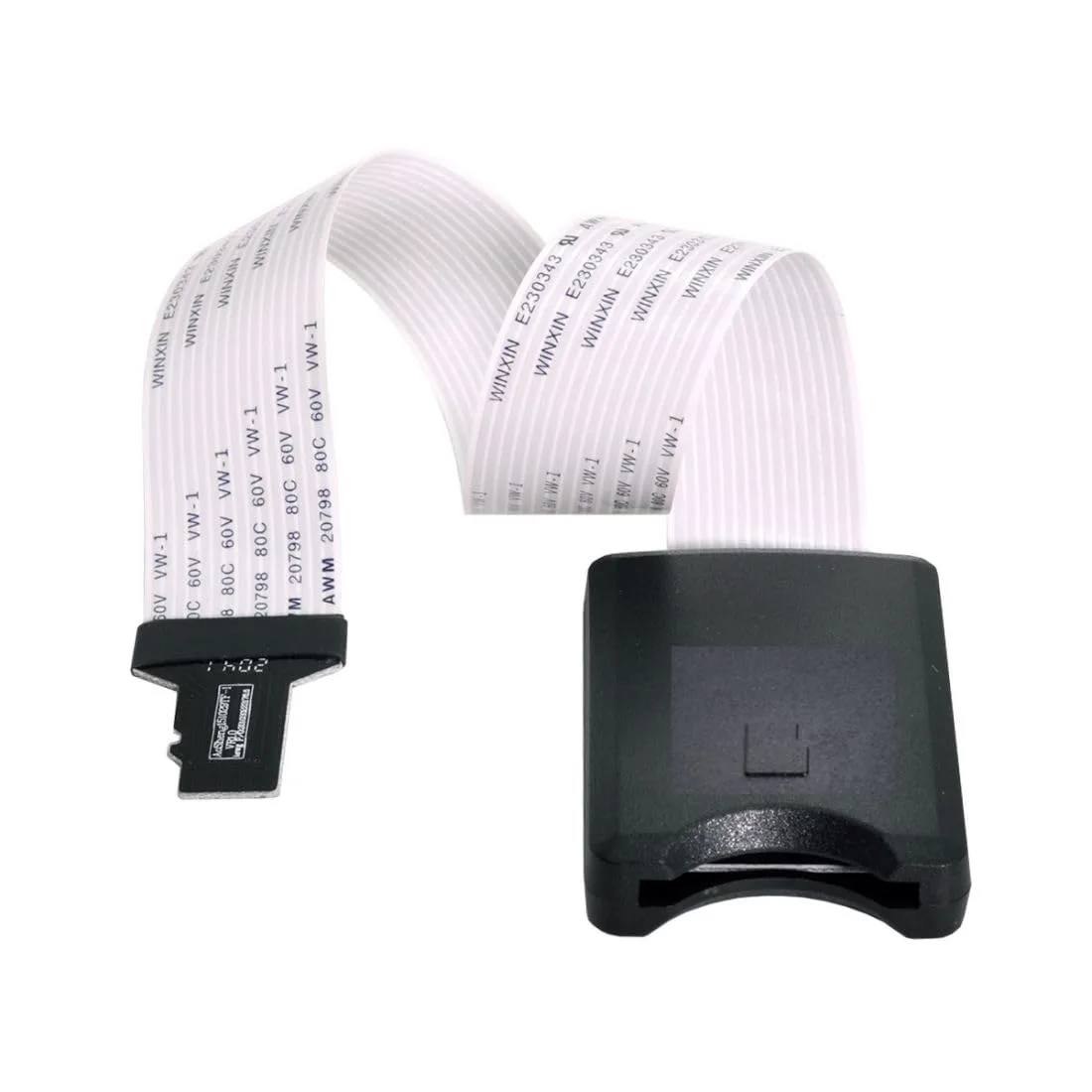
Micro SD TF Male to TF Female Memory Card Extension Cable 0.25m – Soft Flat FPC Extender Ribbon