Why Use Photo Corners?
Photo corners let you mount prints without glue or tape touching the image surface. For a Semikolon album, this means you can arrange and rearrange pages without damaging your photos. The Semikolon Photo Corners are self-adhesive and acid-free, so they won't cause yellowing or brittleness over time.
How to Apply Photo Corners
- Position the photo on the page: Place your print where you want it in the album. Lightly mark the corners with a pencil if you need a guide, but make sure the marks won't show once the corners are on.
- Peel and stick the bottom corners: Remove the backing from two photo corners and stick them to the album page at the bottom edge of your photo. Slide the print's bottom corners into the pockets.
- Add the top corners: Peel the backing from the top two corners, press them onto the page, and tuck the photo's top corners into place. Press firmly so the adhesive holds.
- Check alignment and press: Once all four corners are in, check that the photo sits straight. Press each corner again to secure the bond.
Semikolon Photo Corners at a Glance
-
Semikolon Photo Corners: Self-adhesive, acid free photo corners allow you to mount photographs to pages. No glue or tape touches your photo, so the print stays damage-free and can be removed later without tearing.
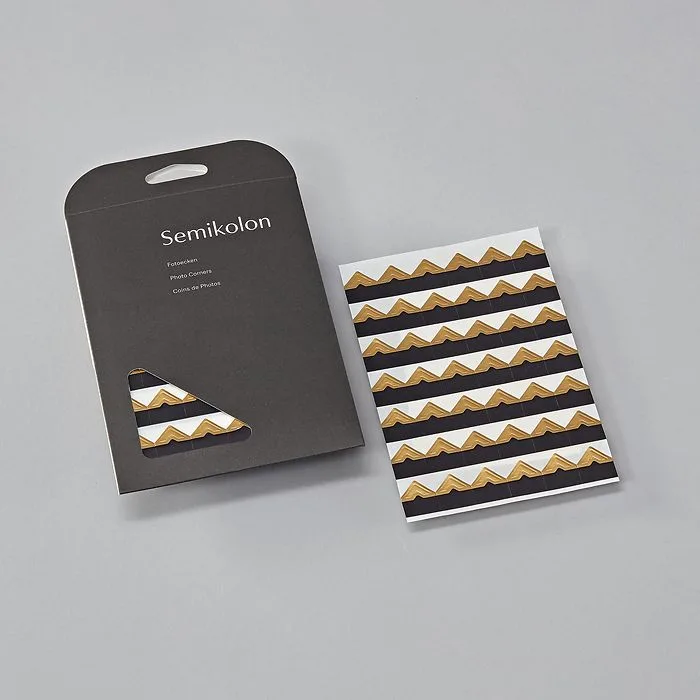
Semikolon Photo Corners
-
Semikolon Photo Corners: A beautiful and easy to use practical accessory for photo albums or scrapbooks. The corners add a clean, classic look to your Semikolon album pages and are simple enough for a quick project.
Choosing a Color
Semikolon Photo Corners come in Gold and Silver. Both are neutral enough to complement most album pages and photo borders. Pick the one that matches your album's hardware or your personal style.
Tips for Best Results
Work on a flat, clean surface so the corners stick evenly. If you reposition a corner, peel it off gently and press a new one in its place. The acid-free adhesive is designed for long-term storage, but avoid touching the sticky side with fingers to keep it clean.