Why a Precision Scale Improves Your Espresso Dosing
Consistent espresso starts with accurate dosing. The Precision Barista Pro Coffee Scale (Eclipse) helps you measure coffee beans and grounds from 0.1g up to 5000g, so you can dial in your brew ratio shot after shot. Its touch screen LED display and built-in timer make it easy to track both weight and extraction time in one workflow.
How to Use the Eclipse Scale for Espresso Dosing
The Eclipse scale is designed for simple operation with two touch buttons: Mode (M) and On/Off/Tare. Follow these steps to weigh your dose and time your shot.
- 1. Power on and tare: Press the On/Off/Tare button to turn on the scale. Place your portafilter or dosing cup on the scale and press the same button to zero out the weight.
- 2. Weigh your beans or grounds: Add coffee beans or ground coffee until you reach your target dose. The scale reads in grams (G), ounces (OZ), milliliters (ML), or pounds (LB). Switch units by pressing the Mode (M) button.
- 3. Start the shot timer: The Eclipse has a built-in timer that displays alongside the weight. Begin timing as you start your extraction to track shot duration for consistency.
- 4. Monitor temperature (optional): If you have the optional thermometer accessory, plug it into the USB-C port on the scale to monitor brew temperature during extraction.
Precision Barista Pro Coffee Scale (Eclipse) at a Glance
-
Precision Barista Pro Coffee Scale - Eclipse: The Eclipse scale measures from 0.1g to a maximum capacity of 5000g. This range covers single-dose weighing up to large batches, so you can use it for both espresso and pour-over brewing.
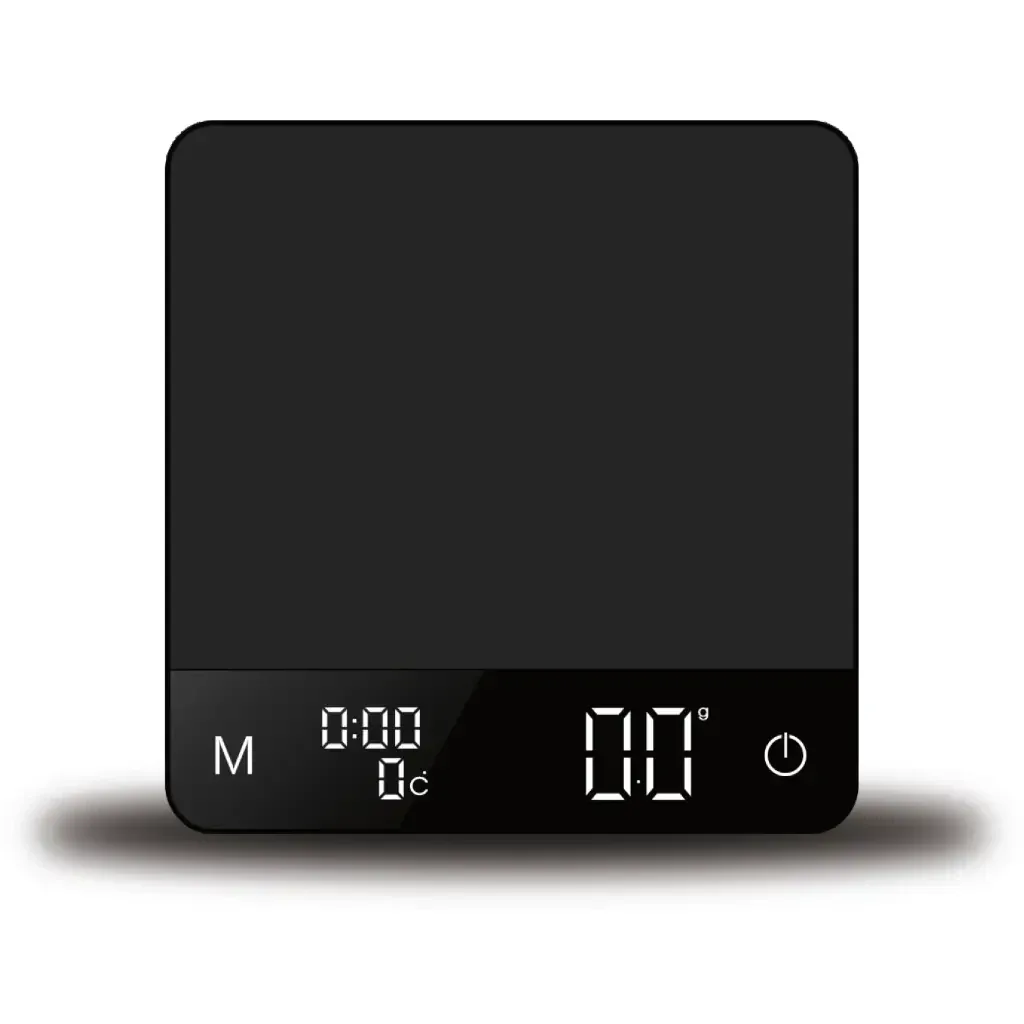
Precision Barista Pro Coffee Scale - Eclipse
-
Precision Barista Pro Coffee Scale - Eclipse: It includes a built-in timer, weight display, and temperature display (with optional thermometer) on a tri-display LED screen. Having time, weight, and temperature visible at once helps you track your brew ratio and extraction without switching modes.
-
Precision Barista Pro Coffee Scale - Eclipse: The scale charges via USB-C and comes with a rubber mat for stability. USB-C charging is convenient, and the rubber mat keeps the scale from slipping on wet countertops.
Tips for Consistent Dosing with the Eclipse Scale
For repeatable results, always tare the scale with your portafilter or cup before adding coffee. Use the same unit of measurement (grams is typical for espresso) to avoid conversion errors. The shot timer helps you track extraction time, which is just as important as dose weight for dialing in flavor.
The scale’s touch screen LED is easy to read even in low light, and the two-button layout (Mode and On/Off/Tare) means you won’t fumble with complex menus during a busy workflow.
What the Supplied Information Does Not Cover
The supplied information does not specify a recommended brew ratio or extraction time for any coffee. Use the scale’s weight and timer readings to experiment and find the ratio that works best for your beans and taste preferences. The scale also does not include a built-in thermometer; the temperature display requires the optional plug-in thermometer accessory.