What the DRX-4C Prescription Balance Is Designed For
The Prescription Balance with Scanner (DRX-4C) is an electronic, digital, Class II scale built for pharmacy counting and compounding tasks. Its NTEP-approved counting feature (CC# 04-092) means it meets legal-for-trade standards in the U.S., so you can use it for dispensing prescriptions that require a counted dose. With a 300 g capacity and a weighing time under 3 seconds, it fits into a workflow where speed and accuracy both matter.
Key Specifications of the DRX-4C
-
Prescription Balance with Scanner (DRX-4C): Electronic, digital, Class II scale with NTEP-approved counting feature (CC# 04-092). The NTEP approval confirms the scale is legally acceptable for commercial weighing and counting, which is essential in a pharmacy setting.
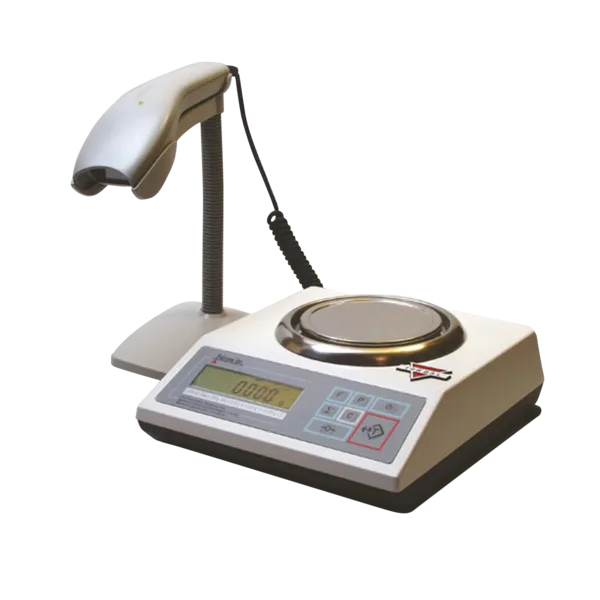
Prescription Balance with Scanner (DRX-4C)
-
Prescription Balance with Scanner (DRX-4C): 300 g capacity and <3 second weighing time. The capacity covers typical prescription quantities, and the fast reading keeps the line moving during busy periods.
-
Prescription Balance with Scanner (DRX-4C): Database storing, Rx verification, compounding and recipe-making mode. These features let you store frequently used medications, verify prescriptions against a database, and create custom compounding recipes.
-
Prescription Balance with Scanner (DRX-4C): 8.2 lbs. and 1-year warranty. The weight indicates a sturdy bench unit, and the warranty covers defects for the first year of use.
Getting Started with the DRX-4C
Place the scale on a level, stable surface away from drafts, direct sunlight, and vibrations. Plug it in or install fresh batteries if the unit is battery-powered (the supplied information does not confirm the power source, so check the manual). Allow the scale to warm up for the time recommended by the manufacturer before first use.
- Calibrate the scale: Use the included calibration weight (if provided) or a certified weight to zero the scale. Follow the scale's calibration procedure exactly; the supplied information does not specify the steps, so refer to the user manual that came with your unit.
- Set up the counting mode: For counting tablets or capsules, place a known sample (e.g., 10 pieces) on the pan, enter the count into the scale, and let it calculate the average piece weight. The scale then counts additional pieces by weight.
- Use Rx verification: If your pharmacy has a database of medications, you can use the Rx verification feature to check that the weighed medication matches the expected substance. The supplied information confirms this feature exists but does not detail the setup; consult the manual.
- Compounding and recipe mode: For compounding, select the recipe mode, enter the desired final weight or number of doses, and the scale will guide you through adding each ingredient. The supplied information confirms this mode is available.
Weighing and Counting with the Scanner
The DRX-4C includes a scanner, though the supplied information does not specify whether it scans barcodes or RFID tags. In practice, the scanner likely reads a medication label or container to pull up the correct database record for verification. To use it, point the scanner at the barcode or tag and follow the on-screen prompts. The scale then displays the expected medication name, strength, and perhaps the target count or weight.
Maintaining Accuracy and Safety
Because this is a Class II scale used for legal trade, regular calibration checks are critical. The supplied information does not specify a calibration schedule, but a reasonable practice is to verify the scale with a certified weight at the start of each shift. Keep the pan clean and free of debris, and store the scale in a protective case when not in use. The 1-year warranty covers manufacturing defects, but it does not cover damage from misuse or lack of maintenance.