Quick answer
To use your ToughTested Roto Claw Grip XT mount safely, always secure the rear lock, position the extendable arm within its 4- to 7-inch range, and choose a dash or windshield spot that does not block your view or interfere with airbags.
Why mounting location matters
The Roto Claw Grip XT is designed for both dash and windshield mounting, but each surface has different safety considerations. Windshield mounts can obstruct your forward view if placed too high or low, while dash mounts must avoid airbag deployment zones and vents that could overheat your phone.
Understanding the extendable arm
The mount's arm pivots from 4 to 7 inches, giving you flexibility to position your phone closer or farther. However, fully extending the arm adds leverage that may cause more vibration on rough roads. For the steadiest view, keep the arm retracted when possible.
Step-by-step safe installation guide
- Choose a safe mounting spot: On the windshield, pick a spot that does not block your line of sight to the road or mirrors. On the dash, ensure the mount does not sit in front of any airbag or vent. Test the position before attaching the adhesive pad permanently. A common mistake is mounting too high on the windshield, which creates a blind spot in your forward view.
- Attach the mount securely: Clean the mounting surface with an alcohol wipe and let it dry. Press the adhesive pad firmly for 30 seconds. Wait at least 1 hour before placing the phone to allow the bond to cure fully. Skipping the cure time is the most frequent cause of the mount falling off later.
- Adjust the arm and claw: Extend the arm to your desired length (between 4 and 7 inches). Open the claw grips by pressing the release button, insert your phone, and let the grips close. Tighten the rear security lock until it clicks to prevent the claw from loosening. If the claw feels loose after a few days, re-tighten the rear lock — it may have settled.
- Position the phone for easy viewing: Rotate the mount head so the phone is at a comfortable glance angle. The arm can pivot to fine-tune the distance. Make sure the phone does not block any dashboard indicators or controls. Avoid positioning the phone directly in front of the driver's side air vent, as hot or cold air can affect battery temperature.
- Check stability before each drive: Give the mount a gentle shake to confirm the adhesive pad and rear lock are holding. If you notice wobble, re-tighten the arm pivot knob and the rear lock. On very rough roads, consider retracting the arm to reduce leverage. A quick check takes 5 seconds and can prevent a phone from falling mid-drive.
Product feature spotlight
-
ToughTested Roto Claw Grip XT Extended Dash & Windshield Phone Mount: The Roto Claw Grip XT includes a rear security lock for added hold and anti-slip silicone grips. This lock prevents accidental release during sharp turns or bumps, and the silicone grips keep large phones and cases from sliding even on hot days.
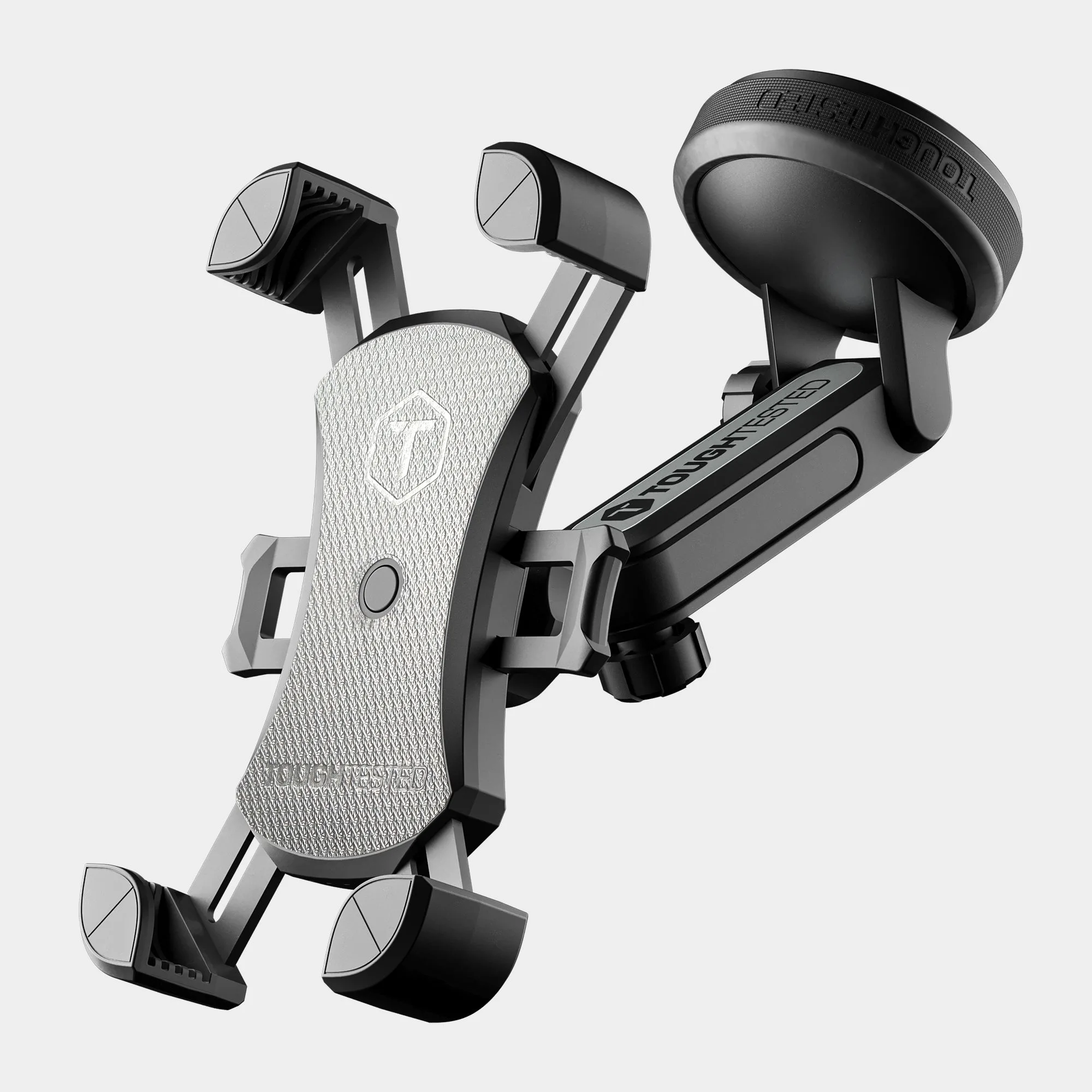
ToughTested Roto Claw Grip XT Extended Dash & Windshield Phone Mount