Quick Answer
To use the SN74HC377N, connect power, ground, and input signals, then apply a positive clock edge while holding the clock-enable pin low to latch data.
Understanding the SN74HC377N vs. Similar Flip-Flops
The SN74HC377N is an octal positive-edge-triggered D-type flip-flop with a latched clock-enable (CLKEN\) input. Unlike the HC273, which has a common clear pin, the SN74HC377N uses the clock-enable to control when data is latched, making it ideal for applications where you need to selectively store data without resetting the outputs.
Step-by-Step Guide to Using the SN74HC377N
- 1. Connect Power and Ground: Connect VCC (pin 20) to 5V and GND (pin 10) to 0V. The SN74HC377N operates from 2V to 6V, but 5V is typical for TTL-compatible logic. Common mistake: forgetting to decouple the power pins with a 0.1µF capacitor near the IC can cause erratic behavior.
- 2. Wire the Data Inputs and Outputs: Connect your 8 data signals to D0–D7 (pins 3, 4, 7, 8, 13, 14, 17, 18). The corresponding Q outputs (pins 2, 5, 6, 9, 12, 15, 16, 19) will latch the data on a rising clock edge when CLKEN\) is low. Check that unused outputs are left floating or tied to VCC/GND through a resistor to avoid floating inputs.
- 3. Set the Clock-Enable Pin: Pull CLKEN\) (pin 1) low to enable data latching on the next positive clock edge. Pull it high to freeze the outputs regardless of clock transitions. Common mistake: leaving CLKEN\) unconnected can cause unintended latching due to noise. Always pull it to a defined logic level.
- 4. Apply the Clock Signal: Provide a clean digital clock signal to the CLK input (pin 11). Data at the D inputs must meet setup and hold times relative to the rising edge. A typical 5V clock from an Arduino or 555 timer works well. If the clock signal is noisy, add a Schmitt trigger buffer or use a lower frequency to avoid false triggering.
- 5. Verify Outputs: After the first rising edge with CLKEN\) low, the Q outputs should reflect the D inputs. Use LEDs with current-limiting resistors or a logic probe to confirm. If outputs don't change, check that CLKEN\) is truly low and the clock signal is reaching the pin.
Product Facts
-
SN74HC377N Flip-Flop: The SN74HC377N is an octal positive-edge-triggered D-type flip-flop with clock enable. This means you can control exactly when the flip-flop captures input data, preventing unwanted updates during noisy or changing inputs.
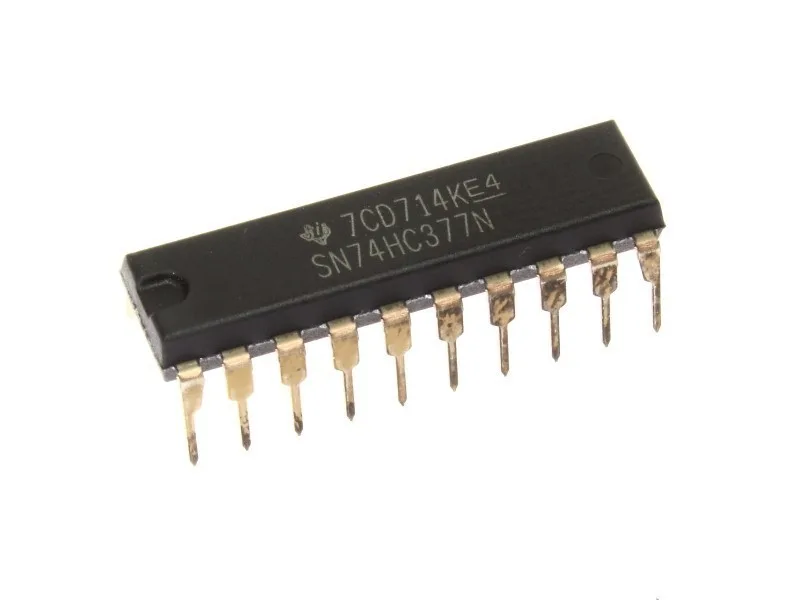
SN74HC377N Flip-Flop