What a Switch Opener and Puller Kit Does
A switch opener and puller kit is a two-in-one tool designed to help you open mechanical keyboard switches and remove keycaps without damaging the PCB or the switch housing. Instead of prying with a screwdriver or risking bent pins, you use a tool that locks onto the switch and pops it out cleanly. The same tool often includes a wire loop for pulling keycaps.
ATTACK SHARK offers two versions of this tool: the Switch Opener Kit with Switch Puller and the KS01 Keycap & Switch Puller. Both serve the same core purpose but differ in design and included features.
Two ATTACK SHARK Tools at a Glance
-
ATTACK SHARK Switch Opener Kit with Switch Puller: The Switch Opener Kit includes a premium aluminum alloy opener with a powerful metal magnet and a separate 304 stainless steel switch puller. It opens 90% of popular switch types including Cherry MX, Gateron, Kailh Box, Outemu, Akko, and Panda. This tool is best if you want a dedicated switch opener that stays closed with magnets and includes a separate precision puller. The aluminum body doubles as a desk accessory.
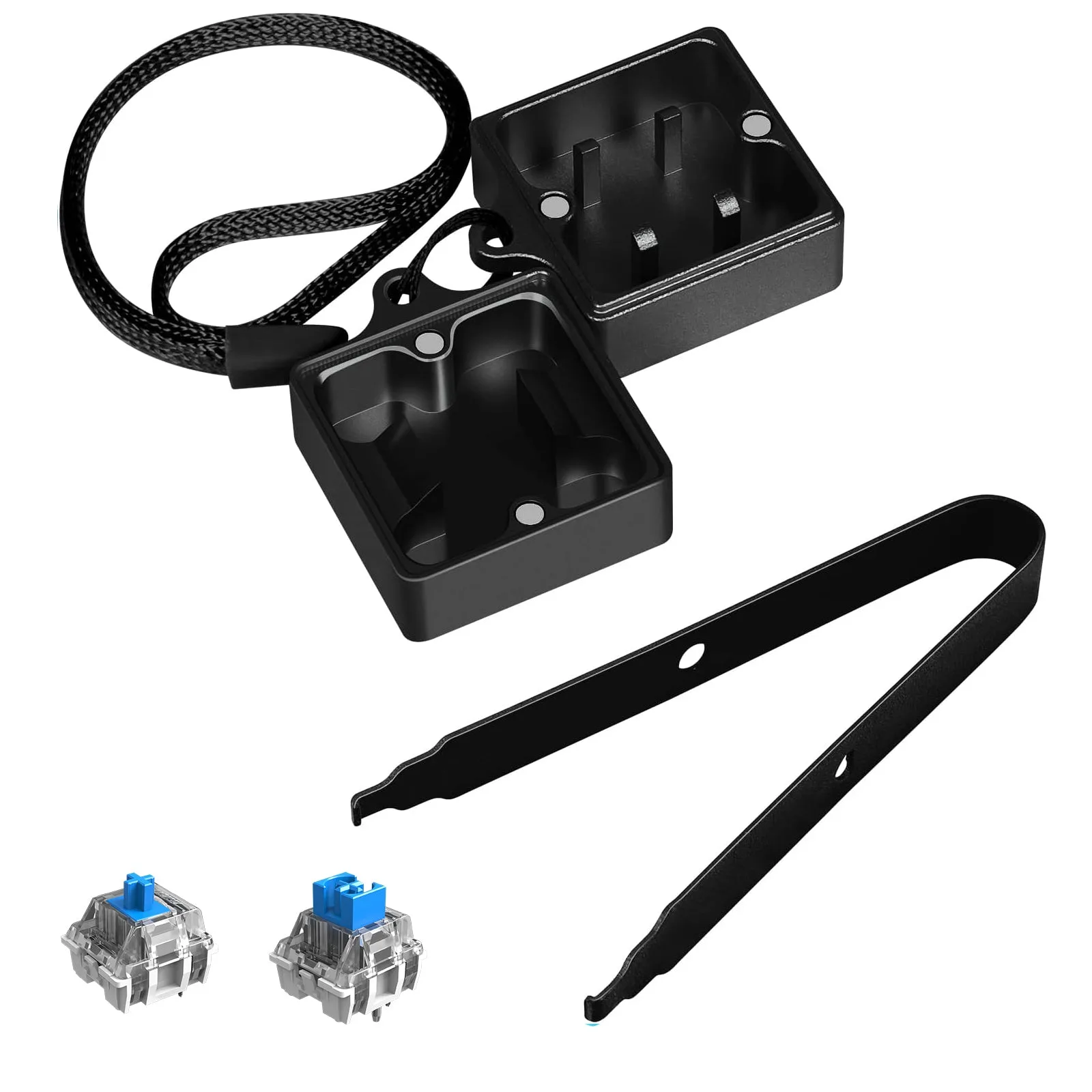
ATTACK SHARK Switch Opener Kit with Switch Puller
-
ATTACK SHARK KS01 KEYCAP & SWITCH PULLER: The KS01 Keycap & Switch Puller combines a keycap puller with two adjustable 304 stainless steel wires and a manganese steel switch puller in one compact housing. It works with removable membrane keycaps, PBT/ABS keycaps, and 3-pin/5-pin hot-swappable switches. This is a space-saving all-in-one design. The adjustable wire width lets you match keycap sizes, and the switch puller retracts when not in use.
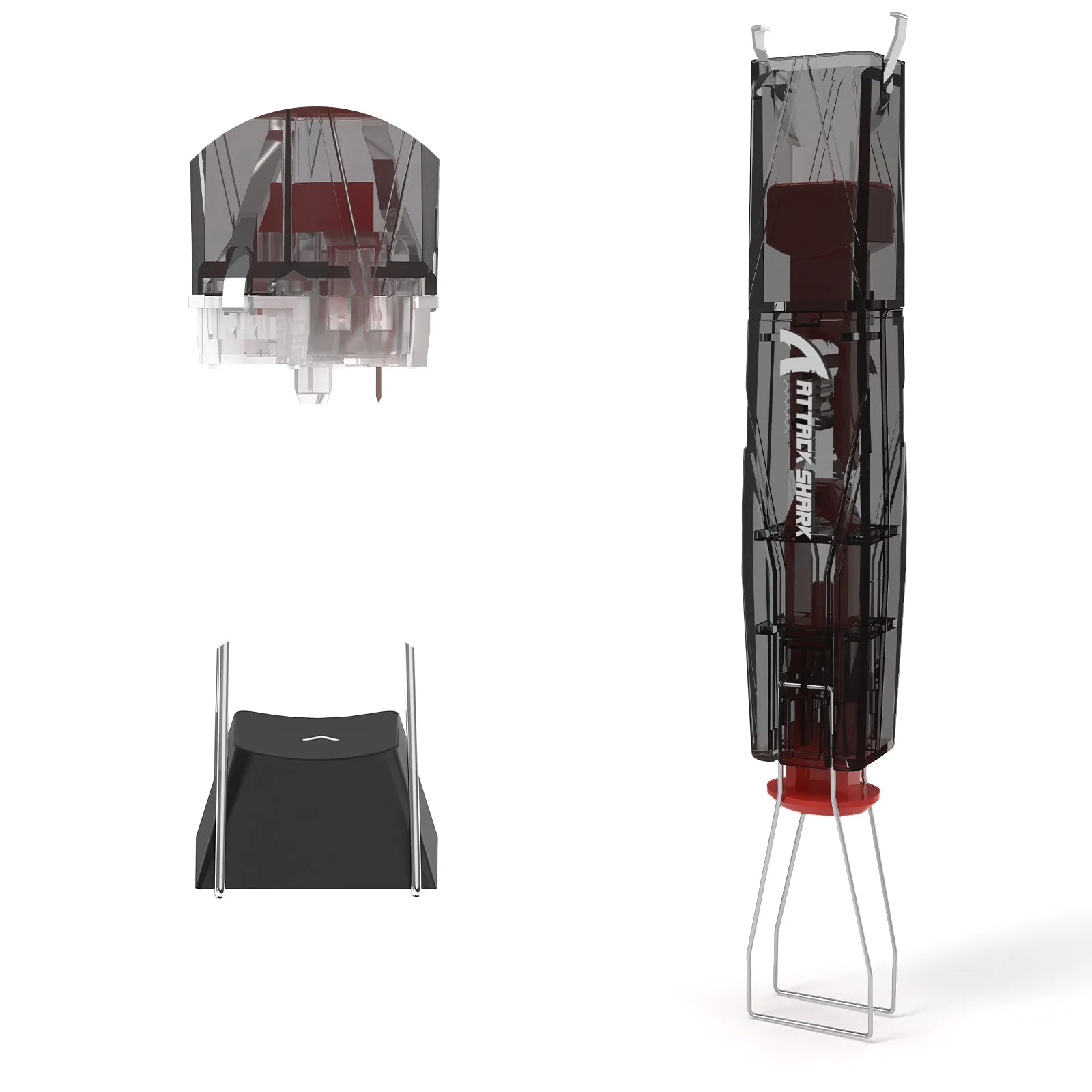
ATTACK SHARK KS01 KEYCAP & SWITCH PULLER
How to Remove a Switch with the Switch Opener Kit
The ATTACK SHARK Switch Opener Kit uses a two-piece design: the opener body and the separate switch puller. Follow these steps for safe switch removal.
- Separate the opener halves: The two parts of the opener are held together by powerful magnets. Gently pull them apart. The interior surfaces are clean and dust-free due to the magnetic seal.
- Position the opener over the switch: Place the opener so that the switch sits centered inside the opening. The grooved anti-slip surface gives you a comfortable, secure grip.
- Press down vertically to lock: Press the opener straight down onto the switch until it locks into place. Do not tilt or rock the tool, as this may damage the switch edges.
- Pop the switch out: Press the cap cover or lever (depending on the model) to pop the switch out. The 100-degree angle of the precision puller helps protect the PCB plate.
- Remove the switch and store it: Lift the opener away from the keyboard. The switch should remain attached to the tool. You can then push it out from the back or release it manually. Close the opener halves to keep everything dust-free.
How to Remove Keycaps with the KS01 Puller
The KS01 Keycap & Switch Puller combines both functions. To remove keycaps, use the adjustable wire ends.
- Adjust the wire width: The housing has a snap-lock design. Squeeze or release the sides to adjust the width of the stainless steel wires so they match the size of your keycap.
- Hook the keycap from below: Slide the wires under the keycap. The corrosion-resistant 304 stainless steel wires are gentle on the keycap surface.
- Pull upward gently: Lift the keycap straight up. The wires hook and pull the cap without scratching the surrounding keys.
- Fold the puller away when done: The keycap puller folds upward and the switch puller retracts into the housing. This keeps the tool compact for storage or travel.
Compatibility and Limitations
Both tools are designed for hot-swappable switches. The Switch Opener Kit works with about 90% of common switch types including Cherry MX, Gateron, Kailh Box, Outemu, Akko, and Panda. The KS01 works with 3-pin and 5-pin hot-swappable switches and removable membrane or PBT/ABS keycaps.
The KS01 is not suitable for switches that require soldering. If your switch is soldered to the PCB, you will need a different removal method. The supplied information does not confirm compatibility with every switch brand, so check your switch type before using the tool.
Tips for Safe Use
Always press the tool vertically onto the switch to avoid bending the pins. The ergonomic grooved design helps maintain a straight angle. If the tool does not lock onto the switch easily, stop and check that you are using the correct side or that the switch is fully seated in the opener.
Store the tool in a dry place. The magnetic closure on the Switch Opener Kit keeps the interior clean, but the stainless steel wires on the KS01 can be wiped with a dry cloth if they collect dust.