Quick Answer
Mount a vintage Sony A-mount or Minolta AF lens on your E-mount mirrorless camera using a tilt-shift adapter, then adjust the tilt and shift controls to bend focus planes and correct perspective for creative landscape compositions.
Why Use a Tilt-Shift Adapter for Landscapes
A tilt-shift adapter lets you tilt the lens relative to the sensor plane, which changes the plane of focus. In landscapes, this means you can keep the entire foreground and background sharp without stopping down to f/16, or you can create a miniature-effect blur by tilting in the opposite direction.
Shift moves the lens parallel to the sensor, correcting converging vertical lines when shooting buildings or trees. This is useful for architectural elements within a landscape scene.
Trade-Offs to Consider
Tilt-shift adapters add bulk and weight. The Fotodiox Pro TLT ROKR is all-metal and built for professionals, but it extends the lens farther from the camera body, which can unbalance lighter mirrorless bodies. Use a tripod for best results.
You lose autofocus and electronic aperture control with most adapted lenses. Manual focus and manual aperture are required, which takes practice but gives full creative control.
Steps to Use a Tilt-Shift Adapter for Landscape Photography
- Attach the Adapter and Lens: Mount the tilt-shift adapter to your Sony E-mount camera body, then attach your Sony A-mount or Minolta AF lens. Ensure the locking ring is tight to prevent play. Common mistake: Forgetting to lock the adapter can cause the lens to rotate unexpectedly during shooting.
- Set the Tilt for Focus Control: Rotate the tilt knob to angle the lens. For a landscape with foreground interest, tilt forward (toward the ground) to align the focus plane with the scene. Check the depth of field through the viewfinder or live view. Checkpoint: Start with a small tilt angle (2-5 degrees) and increase until the entire scene is sharp.
- Use Shift to Correct Perspective: Turn the shift knob to move the lens sideways. When shooting a tall tree or building, shift upward to keep vertical lines parallel. This avoids the leaning effect you get when tilting the camera up. Common mistake: Shifting too far can cause vignetting. Stay within the 20mm range and check the corners.
- Rotate for Orientation: The adapter has 360° rotation. Loosen the rotation collar to orient the tilt and shift axes to match your composition—horizontal tilt for landscapes, vertical shift for tall subjects. Checkpoint: Tighten the rotation lock before composing to avoid accidental movement.
- Focus Manually and Shoot: Use live view with magnification to fine-tune focus. Since tilt changes the focus plane, you may need to re-focus after adjusting tilt. Take test shots at different apertures to see the effect. Common mistake: Not re-focusing after tilt adjustment leads to soft images. Always check focus after each tilt change.
Product Spotlight
-
Fotodiox Pro TLT ROKR - Tilt / Shift Lens Mount Adapter Compatible with Sony Alpha A-Mount (and Minolta AF) DSLR Lenses to Sony Alpha E-Mount Mirrorless Camera Body: Built-In 10 Degrees of Off-Axis Tilt Ability, 20mm of Side to Side Shift with 360° of Rotation This gives you precise control over focus plane and perspective, essential for creative landscape shots where you need selective sharpness or straight lines.
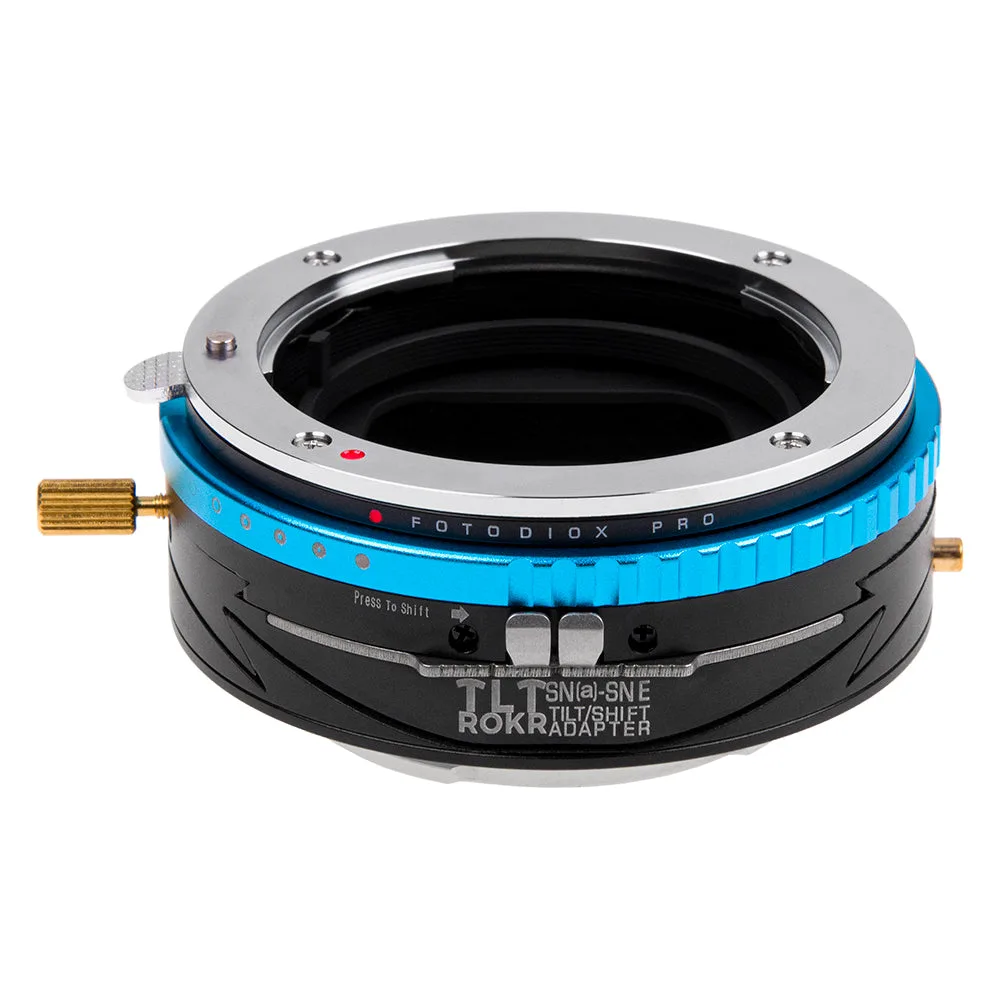
Fotodiox Pro TLT ROKR - Tilt / Shift Lens Mount Adapter Compatible with Sony Alpha A-Mount (and Minolta AF) DSLR Lenses to Sony Alpha E-Mount Mirrorless Camera Body