What the UGREEN UNO Rocket 25W Wireless Charger Delivers
The UGREEN UNO Rocket Shape Wireless Charger 25W is designed for fast, convenient Qi wireless charging with a distinctive rocket-inspired shape. It supports StandBy mode, allowing you to keep your phone visible and accessible while it charges. The charger features a Reinforced Build for durability and ThermalGuard technology to help manage heat during use.
Before you start, ensure your device is Qi-compatible. The supplied information confirms the charger offers 25W of power, but does not specify exact compatibility with every phone model. For best results, use a compatible power adapter and cable (not included) that can support 25W output.
Key Features from the Catalog
-
UGREEN UNO Rocket Shape Wireless Charger 25W: 25W power output for fast wireless charging. Higher wattage means faster charging for compatible devices, reducing time spent waiting for a full battery.
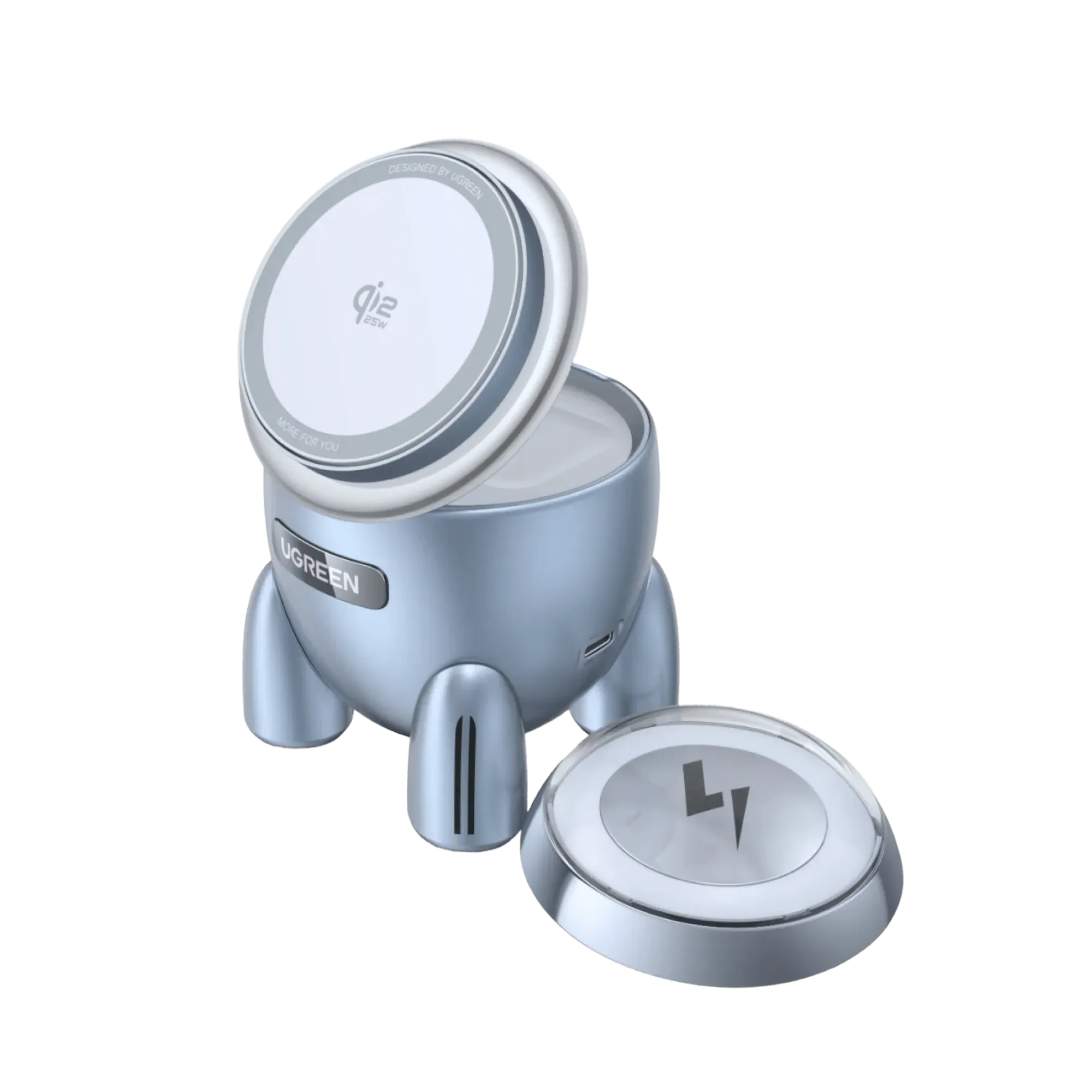
UGREEN UNO Rocket Shape Wireless Charger 25W
-
UGREEN UNO Rocket Shape Wireless Charger 25W: StandBy mode keeps your phone visible while charging. You can still see notifications, the time, or your calendar at a glance without picking up the phone.
-
UGREEN UNO Rocket Shape Wireless Charger 25W: ThermalGuard and 8 Layers of protection help manage heat and safeguard your device. These features reduce the risk of overheating during charging, which can prolong battery lifespan.
-
UGREEN UNO Rocket Shape Wireless Charger 25W: Reinforced Build and UNO Rocket shape for a sturdy, distinctive design. The reinforced construction adds durability, while the rocket shape makes it a unique desk accessory.
Setting Up the Charger
The supplied information does not include step-by-step setup instructions, but the following process is typical for a wireless charger of this type. Always refer to the manual included with your specific unit for exact details.
- Connect the power: Plug a compatible USB-C power cable into the charger and connect it to a power adapter that can supply at least 25W. The supplied catalog does not specify an adapter, so use one that meets the charger's power requirements.
- Place your device: Center your Qi-compatible phone on the charging pad. The rocket shape may have a sweet spot for optimal alignment; adjust until charging begins (indicated by a light or sound on your phone).
- Use StandBy mode: If your phone supports StandBy mode (available on iOS 17+ and some Android devices), position the phone in landscape orientation while charging to see the StandBy interface.
Tips for Optimal Charging
For the fastest charging speed, use a power adapter and cable that support 25W or higher output. The charger's 8 Layers of protection include safeguards against overcurrent, overvoltage, and overheating, so you can charge with confidence. Keep the charging surface free of metal objects or thick cases that might interfere with the magnetic or Qi connection.
If your device does not charge immediately, check the alignment and remove any case that is too thick (if applicable). The supplied information does not specify a maximum case thickness, so test with your case and adjust as needed.
What the Supplied Information Does Not Cover
The UGREEN UNO Rocket 25W Wireless Charger's catalog entry confirms its 25W power, StandBy mode, ThermalGuard, and 8 Layers of protection. It does not provide specific compatibility lists, charging speeds for individual phone models, or detailed safety certifications beyond the layers mentioned. For exact device compatibility and charging performance, consult your phone manufacturer's specifications.
Additionally, the supplied information does not include instructions for cleaning or long-term maintenance. As with any electronic accessory, keep the charger dry and dust-free.