Quick Answer
Mount your Netgear Nighthawk MK62 router on the wall using the Brainwavz Screwless Wall Mount with its strong VHB adhesive for a clean setup that reduces interference and boosts WiFi range.
Why Wall Mounting Your Router Helps
Placing your router on a table or low shelf often limits its signal range because obstacles like furniture and walls block the WiFi. Mounting it higher up on a wall gives your router a better position to broadcast signals throughout your home.
The Brainwavz screwless wall mount uses strong VHB adhesive, so you can attach the holder without drilling holes. This is ideal for renters or anyone who prefers not to damage walls. The adhesive is strong enough to hold the router securely, and the mount also supports screw-in installation if you want a more permanent option.
Choosing the Right Spot
Select a central location on an interior wall, away from metal objects, large appliances, and thick concrete walls. Avoid placing the router near the floor or inside cabinets, as these can block signals.
Make sure the wall surface is clean, dry, and smooth for the adhesive to stick properly. Textured wallpaper or brick may not provide a good bond, so consider the screw-in option for those surfaces.
Installation Steps
- Prepare the wall surface: Clean the chosen wall area with rubbing alcohol and let it dry completely. This ensures the adhesive bonds firmly. Check that the surface is smooth and free of dust or grease before applying the mount.
- Attach the mount to the wall: Peel the backing off the VHB adhesive and press the mount firmly against the wall for at least 30 seconds. Apply even pressure across the entire mount. Hold the mount in place for a full 30 seconds to ensure a strong initial bond.
- Wait before mounting the router: Allow the adhesive to cure for at least 1 hour before attaching the router. This gives the bond time to reach full strength. Don't rush this step – a proper cure prevents the mount from falling later.
- Secure the router onto the mount: Place the Netgear Nighthawk MK62 router onto the mount, ensuring it sits securely and doesn't wobble. If your model has screws, use them for extra stability. Verify the router is level and firmly seated before leaving it unattended.
- Test your WiFi coverage: After mounting, walk around your home and test the WiFi signal in different rooms. Compare it to your previous setup to confirm the improvement. If coverage is still weak in some areas, consider adjusting the router's position or angle on the mount.
Product Facts
-
Screwless Wall Mount For Netgear Nighthawk MK62 Router, Strong VHB Adhesive, Easy to Install Holder, Reduce Interference & Increase Range, Stick On & Screw-in Mounting: The Brainwavz Screwless Wall Mount for Netgear Nighthawk MK62 uses strong VHB adhesive and supports both stick-on and screw-in mounting. You can choose the installation method that best suits your wall type and preference, without needing to drill if you don't want to.
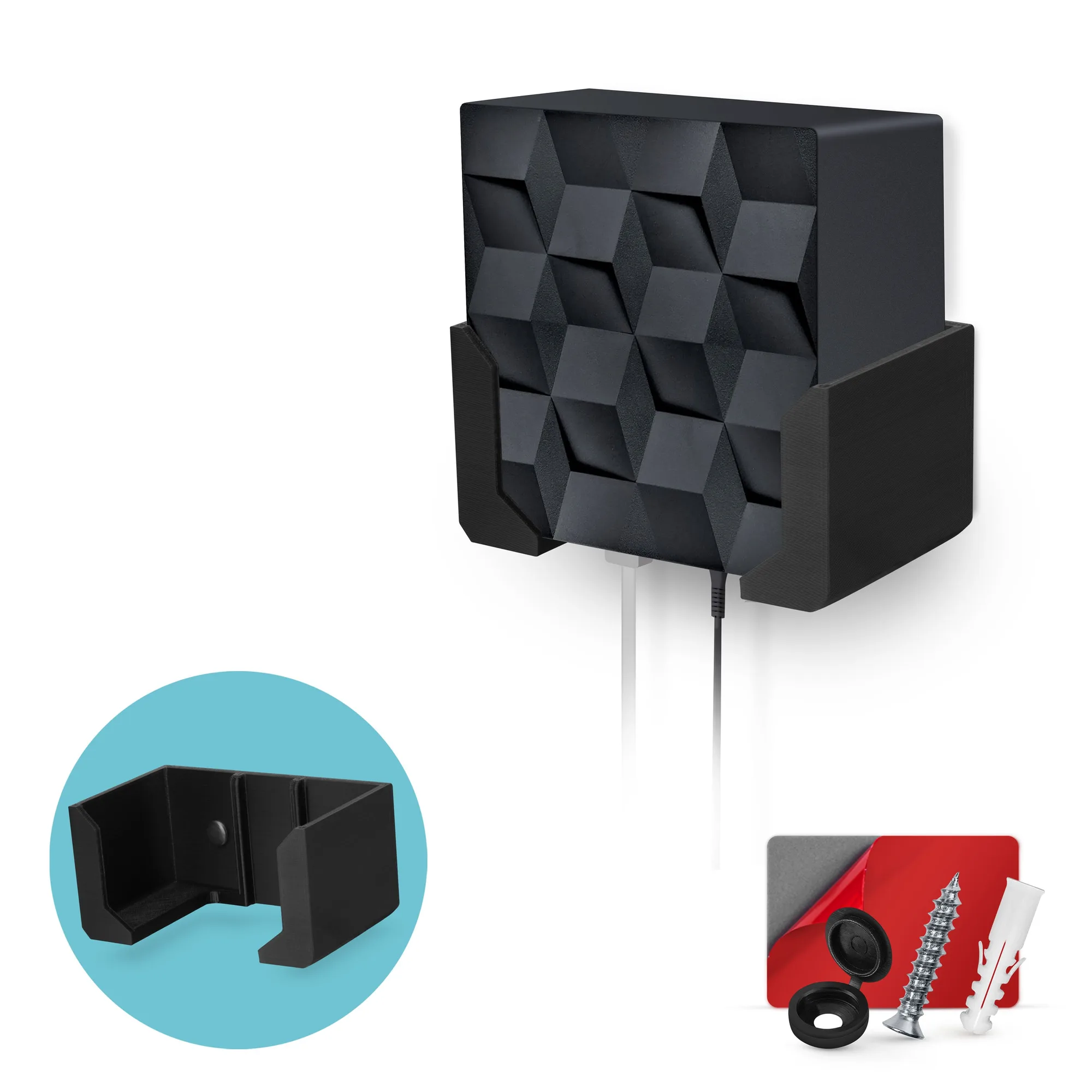
Screwless Wall Mount For Netgear Nighthawk MK62 Router, Strong VHB Adhesive, Easy to Install Holder, Reduce Interference & Increase Range, Stick On & Screw-in Mounting