Quick answer
To wire a dummy dimmer switch for a 2-gang plate, connect the load wire to the dummy module's terminal, secure it in the plate, and pair it with a real dimmer or switch in the other gang. The dummy module does not control lighting—it adds a decorative knurled knob with an on/off push function.
Why use a dummy dimmer on a 2-gang plate?
A dummy dimmer switch fills an unused gang on a multi-gang plate while maintaining a symmetrical, finished look. It is ideal when you only need one functional dimmer but want a balanced design. The Kepler Knurled Dummy Dimmer Switch, for example, provides a tactile brass knob with a push-to-toggle action, but it cannot dim lights—it is purely decorative and mechanical.
Choosing the right dummy module
Not all dummy dimmers are the same. The Kepler Knurled Dummy Dimmer Switch is made of solid brass with a bright brass finish, adding a modern touch. It includes an on/off push function, so it can physically toggle a load if wired, but it lacks dimming electronics. For a 2-gang plate, pair it with a real dimmer module in the other gang, ensuring both modules fit the plate's cutouts.
How to wire a dummy dimmer switch for a 2-gang plate
- 1. Turn off power and remove the old plate: Switch off the circuit at the breaker. Remove the existing 2-gang plate and disconnect any wires. If you are starting from scratch, ensure you have a 2-gang back box installed. Common mistake: Forgetting to test for live wires with a voltage tester even after switching off the breaker. Always double-check.
- 2. Prepare the wires for the dummy module: Identify the load wire (the one going to the light fixture). The dummy module has a single terminal for the live wire. Strip about 10mm of insulation and connect the load wire to the terminal. The dummy module does not require a neutral or ground wire, but the plate must still be grounded. Checkpoint: If your dummy module has two terminals, one may be for grounding—consult the product manual. The Kepler dummy uses one terminal.
- 3. Install the real dimmer module in the other gang: Follow the dimmer module's instructions to connect its wires (live, neutral, and ground). Ensure the dimmer is rated for your load type (e.g., LED, incandescent). The dummy module and dimmer module share the same back box but are electrically separate. Common mistake: Using a dimmer not compatible with your bulbs. Check the dimmer's minimum load specification.
- 4. Fit both modules into the 2-gang plate: Place the dummy module and dimmer module into the plate's cutouts. Secure them with the provided screws. Ensure the knurled knob of the dummy module is oriented correctly and that the push function works freely. Checkpoint: The dummy module must sit flush with the plate. If it protrudes, check that the back box is deep enough (typically 35mm minimum).
- 5. Mount the plate and test: Screw the 2-gang plate onto the back box. Restore power. Press the dummy knob to toggle the light on/off. Use the real dimmer to adjust brightness. The dummy knob will not dim, but its push action should work reliably. Common mistake: Pressing the dummy knob too hard—it requires a firm but gentle push. If it sticks, check alignment.
Product details
-
KEPLER Knurled Dummy Dimmer Switch - Brass: A solid brass, knurled dimmer detail plus dummy module with an on/off push function. It cannot dim lights. This means you can use it to physically switch a light on/off while preserving the look of a dimmer knob, but you must pair it with a separate dimmer module if you need variable brightness.
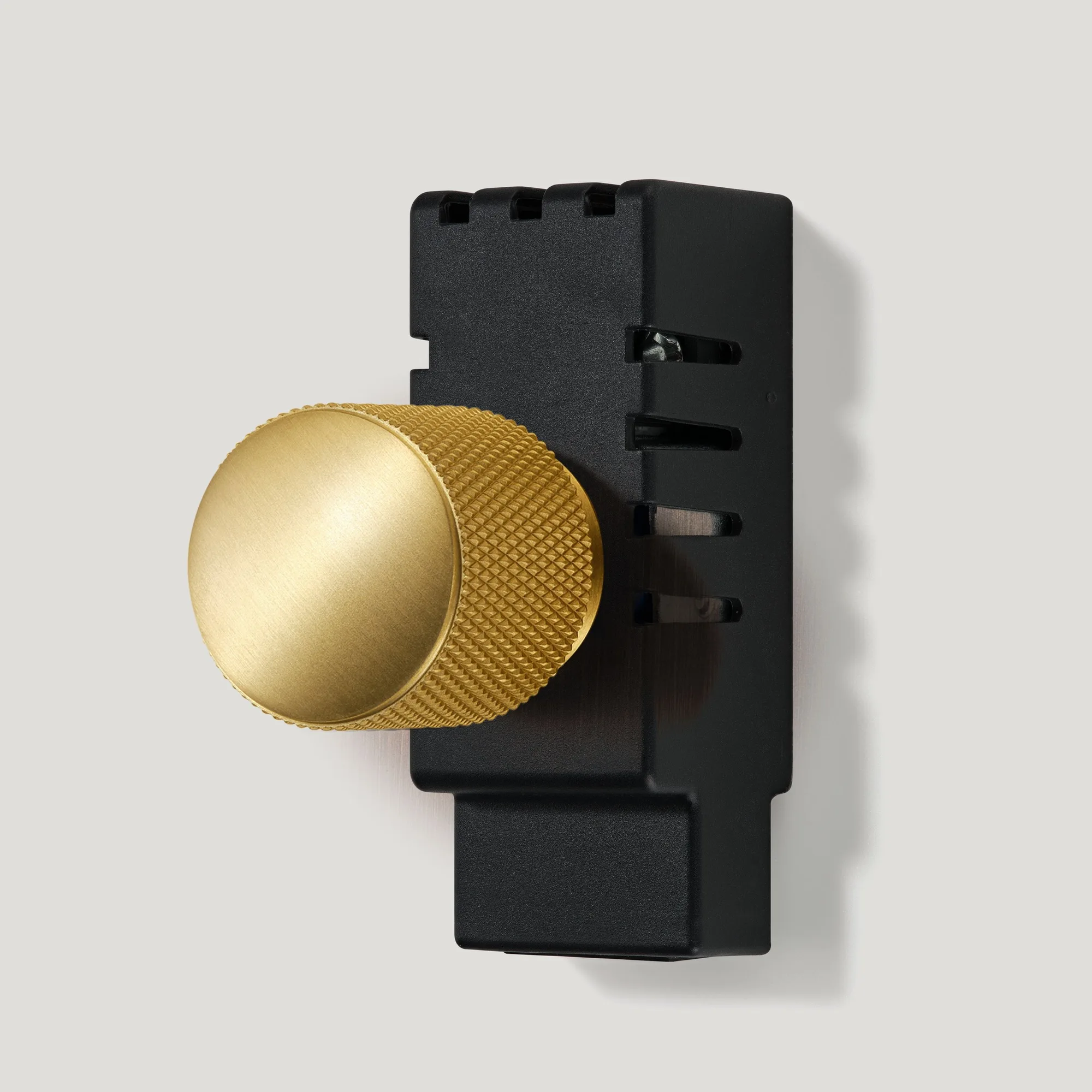
KEPLER Knurled Dummy Dimmer Switch - Brass