Zeroing your red dot sight is one of the most critical steps to ensure accuracy and confidence in your shooting. The Holosun 507 COMP, with its large window and competition-ready features, is a popular choice among competitive shooters and concealed carriers alike. But even the best optic won't perform well if it's not properly zeroed.
In this guide, we'll walk you through the entire process of zeroing your Holosun 507 COMP, from initial mounting to final verification. Whether you're new to red dots or just need a refresher, these steps will help you get on target quickly and efficiently.
Before You Start: Tools and Setup
Before you begin zeroing, ensure your Holosun 507 COMP is properly mounted on your pistol. A secure mount is essential for consistent accuracy. Use a torque wrench to tighten the mounting screws to the manufacturer's recommended specification. If you're using an adapter plate, make sure it's compatible and correctly installed.
You'll also need a stable rest or sandbags to minimize movement during the zeroing process. A bore sighter can be helpful but isn't strictly necessary. If you don't have one, you can use the 'bore sight' method by looking down the barrel and aligning the dot with a distant target. Additionally, have a set of small screwdrivers or the tool provided with the sight to make windage and elevation adjustments.
- Ensure the optic is securely mounted with proper torque.
- Use a stable rest to eliminate shooter error.
- Gather a bore sighter (optional) and adjustment tools.
Step 1: Initial Bore Sighting
Bore sighting gets you on paper quickly, saving time and ammunition. With the slide locked back or the upper removed, look through the bore from the chamber end and align it with a target about 25 yards away. Without moving the pistol, adjust the red dot until it appears centered on the same target. This initial alignment should put you close enough to start live-fire zeroing.
If you have a laser bore sighter, insert it into the chamber and align the dot with the laser's point. This method is often easier and more precise. Remember to remove the bore sighter before loading live ammunition.
Step 2: Live-Fire Zeroing at 25 Yards
Set up a target at 25 yards (or your preferred zero distance, such as 10 or 15 yards for concealed carry). Fire a three-shot group from a rested position. Observe where the group lands relative to your point of aim. If the group is low and left, for example, you'll need to adjust the windage and elevation accordingly.
The Holosun 507 COMP features click adjustments, typically 1 MOA per click. This means each click moves the point of impact by one inch at 100 yards, or 0.25 inches at 25 yards. Use the adjustment screws to move the dot in the direction you want the bullet impact to go. For instance, if your shots are hitting low, adjust the elevation up (counterclockwise on most sights). If they're hitting left, adjust windage right (clockwise).
- Fire in groups of three to average out shooter error.
- Remember: adjust the dot to move the point of impact.
- Make adjustments in small increments and re-fire.
Step 3: Fine-Tuning and Verification
After making adjustments, fire another group to confirm the zero. Repeat this process until your shots are consistently hitting your point of aim. For concealed carry, you might prefer a 10-yard zero, which keeps the bullet impact close to the point of aim at typical defensive distances. For competition, a 25-yard zero is common to maximize accuracy at longer ranges.
Once you've achieved a satisfactory zero, consider shooting from different positions and distances to ensure the dot tracks well. Also, check for any parallax issues by moving your head slightly while looking through the sight; the dot should stay on target. If it shifts significantly, your zero may be off or the sight may have a defect.
- Confirm your zero with multiple groups.
- Test from various positions to ensure consistency.
- Check for parallax by moving your head while aiming.
Maintaining Your Zero and Final Tips
Once zeroed, your Holosun 507 COMP should hold its setting, but it's good practice to periodically check it, especially if you remove and reinstall the optic. Use a thread locker on the mounting screws to prevent loosening from recoil. Also, keep the lens clean using a microfiber cloth and lens cleaner to maintain a clear sight picture.
For added convenience, consider using a quick-detach mount if you switch optics between firearms. The Safariland QLS Fork is a popular choice for holster systems, but for your optic, ensure your mount is secure. If you carry concealed, practice drawing and presenting to ensure the dot is visible and aligned. Remember, a red dot is a tool; practice regularly to stay proficient.
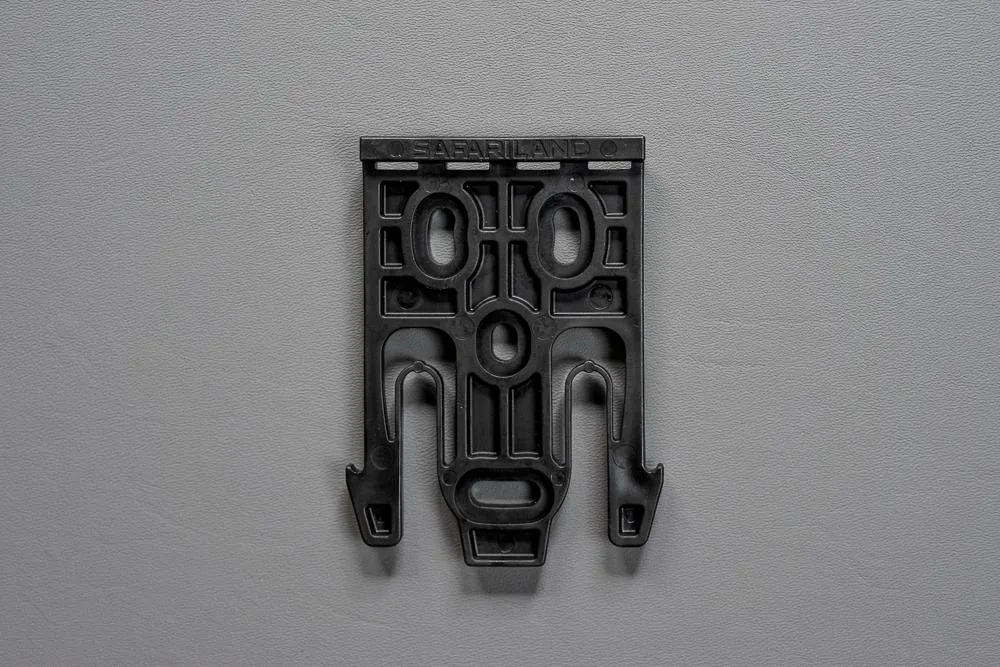
Safariland QLS Fork
- Use thread locker on mounting screws to prevent loosening.
- Clean the lens regularly to maintain clarity.
- Periodically verify your zero, especially after maintenance.
Zeroing your Holosun 507 COMP is a straightforward process that pays dividends in accuracy and confidence. By following these steps and practicing regularly, you'll ensure your red dot is dialed in for any situation. For more shooting accessories and gear, check out our selection of holsters, magazines, and cleaning supplies to keep your setup running smoothly.