Why Upgrade Your Stealth 700 Gen 3 Earpads?
The Turtle Beach Stealth 700 Gen 3 is a capable gaming headset, but the stock earpads can become worn or uncomfortable during long sessions. Replacing them with hybrid earpads that combine cooling gel, memory foam, and breathable fabric can improve comfort and help you stay focused without distraction.
Brainwavz offers a dedicated replacement designed specifically for the Stealth 700 Gen 3. These earpads are not a universal fit—they are engineered to match the headset's mounting ring for a secure, slip-on installation.
What You Get: Hybrid Replacement Earpads at a Glance
-
Hybrid Replacement Earpads for Turtle Beach Stealth 700 Gen 3 Headset, Soft Gel, Breathable Fabric w/ PU Leather & Memory Foam: These earpads have been designed to be suitable for Turtle Beach Stealth 700 Gen 3 Headsets. They will not fit any other brands or models. Compatibility is guaranteed for your specific headset model, avoiding the guesswork of universal pads.
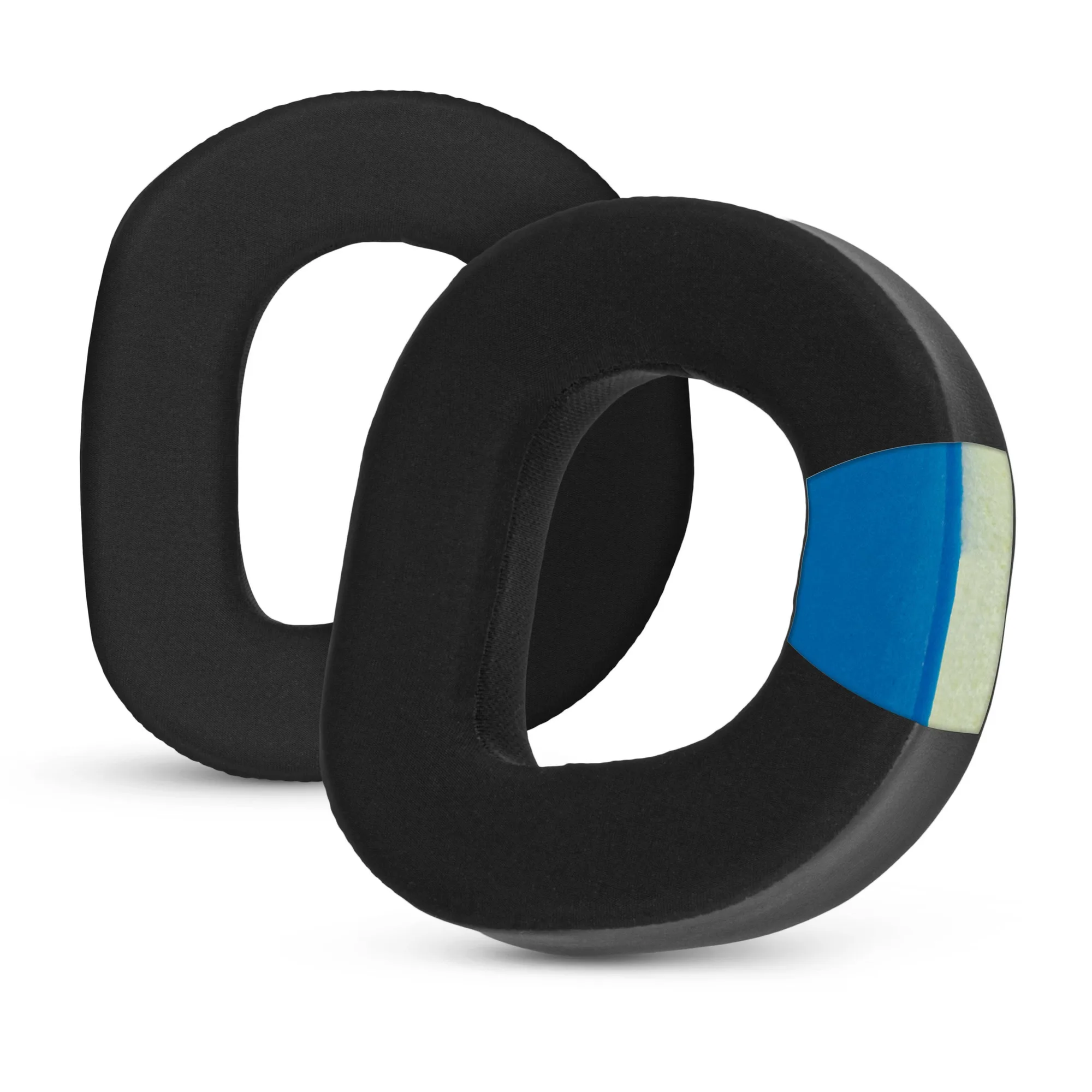
Hybrid Replacement Earpads for Turtle Beach Stealth 700 Gen 3 Headset, Soft Gel, Breathable Fabric w/ PU Leather & Memory Foam
-
Hybrid Replacement Earpads for Turtle Beach Stealth 700 Gen 3 Headset, Soft Gel, Breathable Fabric w/ PU Leather & Memory Foam: Equipped with a built-in cooling gel layer, these earpads help regulate temperature by dissipating heat, keeping your ears cool and comfortable even during the most intense gaming sessions. The cooling gel is ideal for hot weather or extended gaming and work sessions, helping you stay focused on what matters without distraction.
-
Hybrid Replacement Earpads for Turtle Beach Stealth 700 Gen 3 Headset, Soft Gel, Breathable Fabric w/ PU Leather & Memory Foam: Filled with high-density memory foam, these earpads deliver a customized, cushioned fit that contours perfectly to your ears. Memory foam enhances noise isolation and support, ensuring your headphones stay comfortable and secure during long use.
-
Hybrid Replacement Earpads for Turtle Beach Stealth 700 Gen 3 Headset, Soft Gel, Breathable Fabric w/ PU Leather & Memory Foam: Our earpads feature a silky top fabric layer for soft, breathable comfort, while the firmer PU leather sides provide durability and structure. The hybrid material design balances breathability with durability, helping maintain shape and improving sound isolation for an immersive listening experience.
How to Install the Replacement Earpads
Replacing the earpads on your Stealth 700 Gen 3 is a simple, tool-free process. The supplied information confirms a quick slip-on installation.
- Remove the old earpads: Gently peel off the existing earpads from the headset's mounting ring. They may be held in place by friction or a light adhesive. Take care not to damage the ring.
- Align the new earpad: Position the Brainwavz hybrid earpad over the mounting ring. The memory foam core should face inward toward your ear, and the PU leather side should face outward.
- Slide into place: Press the earpad onto the ring, working around the perimeter until it is fully seated. No tools are required—simply slide them into place for an instant comfort upgrade.
- Repeat for the other side: Follow the same steps for the second earpad. Ensure both are firmly attached before use.
What the Supplied Information Does Not Cover
The product details confirm compatibility with Turtle Beach Stealth 700 Gen 3 headsets only. They will not fit other brands or models. The installation process is described as a quick slip-on without tools, but the supplied information does not include specific instructions for cleaning or long-term care of the cooling gel layer or memory foam. For best results, handle the earpads gently and avoid exposing them to excessive moisture or heat.