Quick answer
Choose the MrCART Virtual Boy Multi FlashCart if you want to pick games from an on-screen menu without a PC nearby. Choose the HyperBoy+ 32Mbit Flashcart if you prefer loading files over USB and want a BWRY eInk panel in a full aluminum shell.
The real difference is how you choose a game
Both carts play Virtual Boy ROMs, but they approach the moment of selection differently. The MrCART puts game choice on the Virtual Boy itself with on-screen selection. The HyperBoy+ expects you to upload graphics over USB like game files, so your library lives on a computer until you transfer it.
That difference shapes your routine. If your Virtual Boy sits in a living room and your PC is in another room, an on-screen menu removes a trip. If you already keep ROMs organized on a laptop and do not mind connecting a cable, USB loading is familiar and direct.
What the HyperBoy+ shell and display change
The HyperBoy+ uses a BWRY eInk panel and a full aluminum shell. Those are physical choices, not gameplay features. The aluminum shell may appeal if you want a sturdier-feeling cart, while the eInk panel gives you a low-power display for status rather than a color screen.
The HyperBoy+ is based on Retro Onyx's HF32 design but is positioned as a cheaper way to get a Virtual Boy flash cart. It blurs the line between HyperFlash32 and HyperBoy. If you already know you want the HF32 lineage in a simpler package, the HyperBoy+ is the closer fit.
Homebrew and multicart expectations
The MrCART is described as the world's first Virtual Boy multicart with on-screen game selection, built by RetroOnyx with permission from Mr. Flower. That matters for a virtual boy homebrew flashcart library: you can keep several games on one cart and choose among them on the console.
The HyperBoy+ is a 32Mbit flashcart, and its catalog entry does not list a capacity for the number of games or an on-screen menu. Treat that absence as a decision limitation: if menu-free, multi-game browsing on the Virtual Boy is your priority, the MrCART is the clearer choice.
Decision rules for your Virtual Boy setup
- If you want to pick games on the console: Choose the MrCART Virtual Boy Multi FlashCart when on-screen game selection is the feature you will use most. It keeps the choice on the Virtual Boy rather than on a PC. Check that your play space is away from your computer; that is where the on-screen menu pays off.
- If you already load ROMs over USB: Choose the HyperBoy+ 32Mbit Flashcart if you are comfortable uploading game files over USB and want a BWRY eInk panel in a full aluminum shell. Confirm you have a USB cable and a computer near enough to your Virtual Boy for transfers.
- If you are building a homebrew library: For a virtual boy homebrew flashcart collection you want to browse on the console, favor the MrCART. If you prefer to manage files on a computer and transfer as needed, the HyperBoy+ fits that habit. List the homebrew titles you plan to keep on the cart before deciding how you want to select them.
Product facts at a glance
-
MrCART Virtual Boy Multi FlashCart: The MrCART Virtual Boy Multi FlashCart is a multicart with on-screen game selection. You can switch between stored games using the Virtual Boy itself instead of loading one file at a time from a computer.
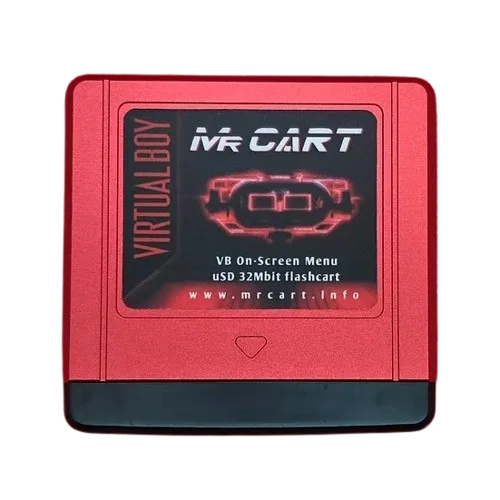
MrCART Virtual Boy Multi FlashCart
-
HyperBoy+ 32Mbit Flashcart: The HyperBoy+ 32Mbit Flashcart has a BWRY eInk panel and a full aluminum shell, with graphics uploaded over USB like game files. It suits players who prefer a cable-based workflow and want a metal-shell cart with an eInk status display.
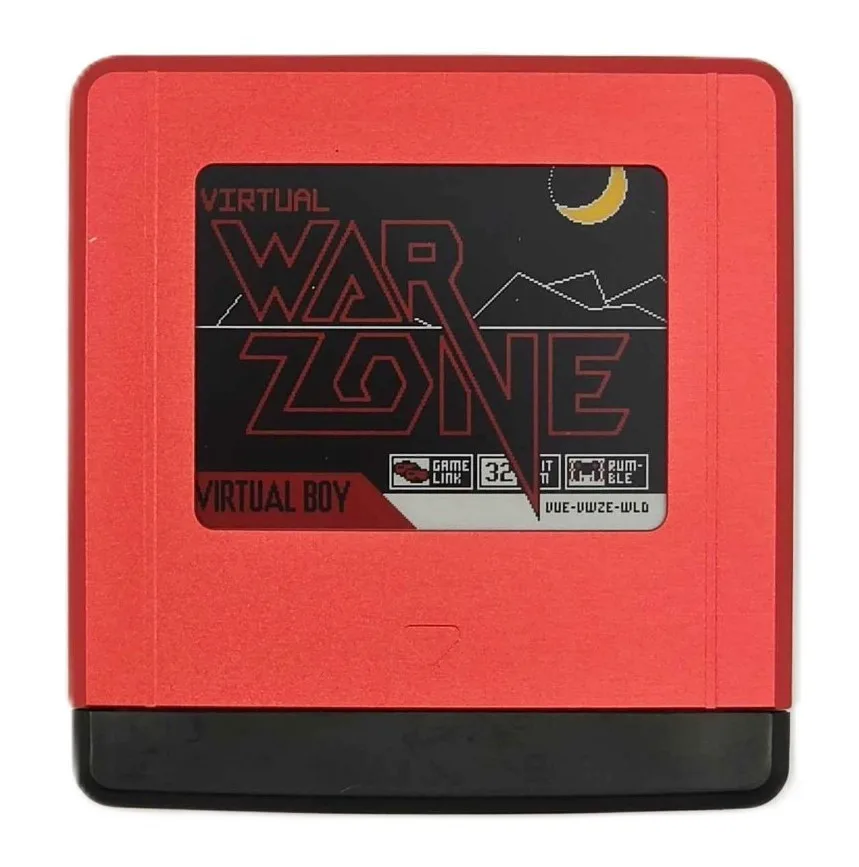
HyperBoy+ 32Mbit Flashcart
Who each cart fits
Best for
- Players who want on-screen game selection on the Virtual Boy with the MrCART
- Players who prefer USB file transfers and an aluminum-shell cart with the HyperBoy+
Not for
- Buyers who need a confirmed multi-game menu on the HyperBoy+; its catalog entry does not list one
- Buyers who want to avoid connecting a computer for game loading; the MrCART keeps selection on the console