Two Desk Hubs, One Question
If you're setting up a laptop workspace and need more ports, the HyperDrive Flex line gives you two closely related choices: the 8 Port Hub and the 5 Port Hub. Both support 4K monitors, deliver 100W Power Delivery, and use 75% post-consumer recycled plastics. The real difference comes down to how many devices you plug in at once and whether you need an audio jack. Here's what the supplied information reveals about each.
Ports and Power at a Glance
-
HyperDrive Flex 8 Port USB-C Hub: Power up fast with 100W Power Delivery, access files instantly with SD and USB ports, and plug in all your devices with confidence—all while keeping your sound crystal clear through the 3.5mm Audio Jack. The 8 Port Hub adds an SD card slot and a 3.5mm audio jack, which the 5 Port model does not include in its supplied specs. If you regularly transfer photos from a camera or want wired headphones at your desk, this extra connectivity matters.
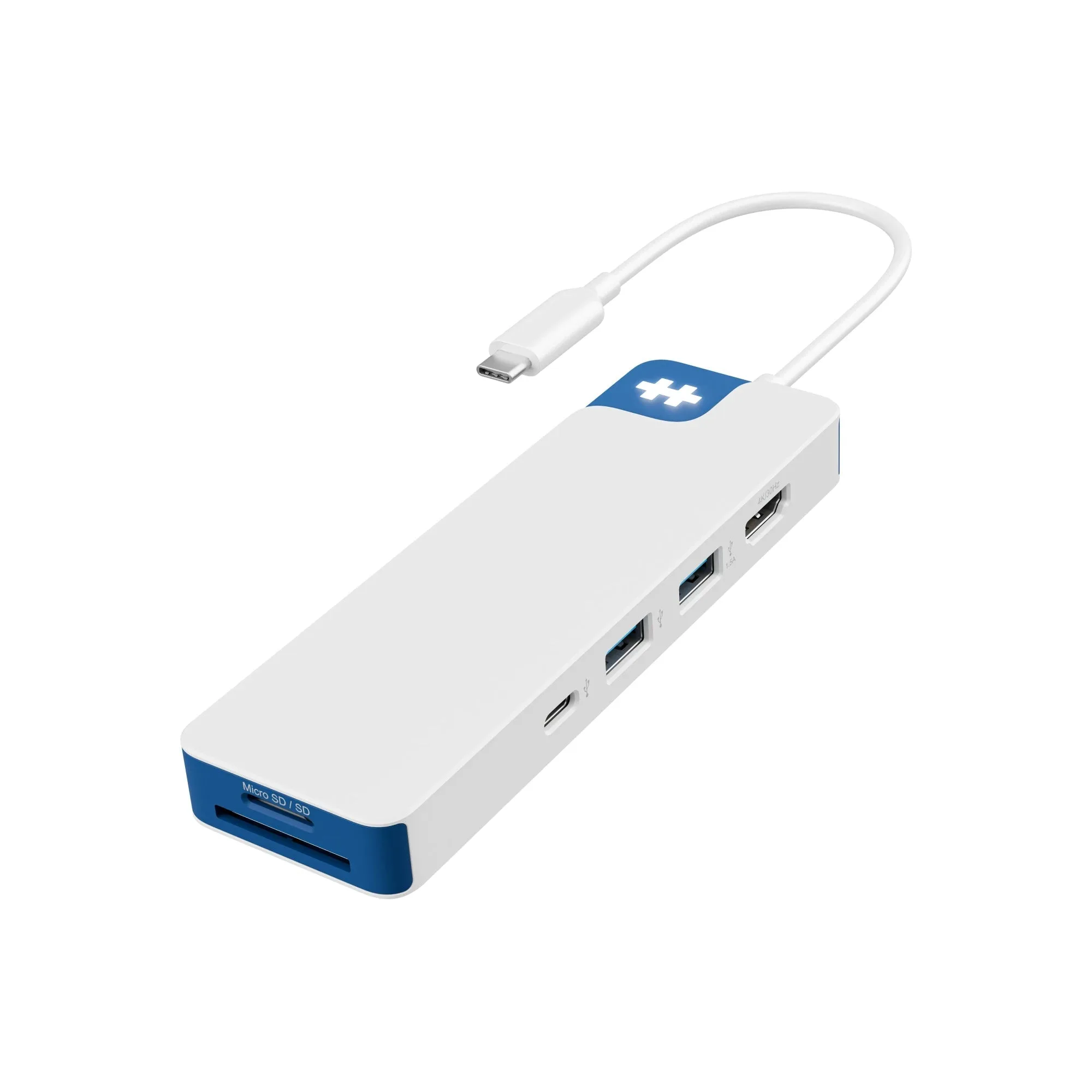
HyperDrive Flex 8 Port USB-C Hub
-
HyperDrive Flex 5 Port USB-C Hub: Power your laptop and other devices simultaneously with the 100W Power Delivery USB-C port, and transfer files in seconds via its high-speed USB ports. The 5 Port Hub still delivers the same 100W pass-through charging and high-speed USB data transfer. For users who mainly need a few extra USB ports and monitor output, the 5 Port version covers the essentials in a more compact footprint.
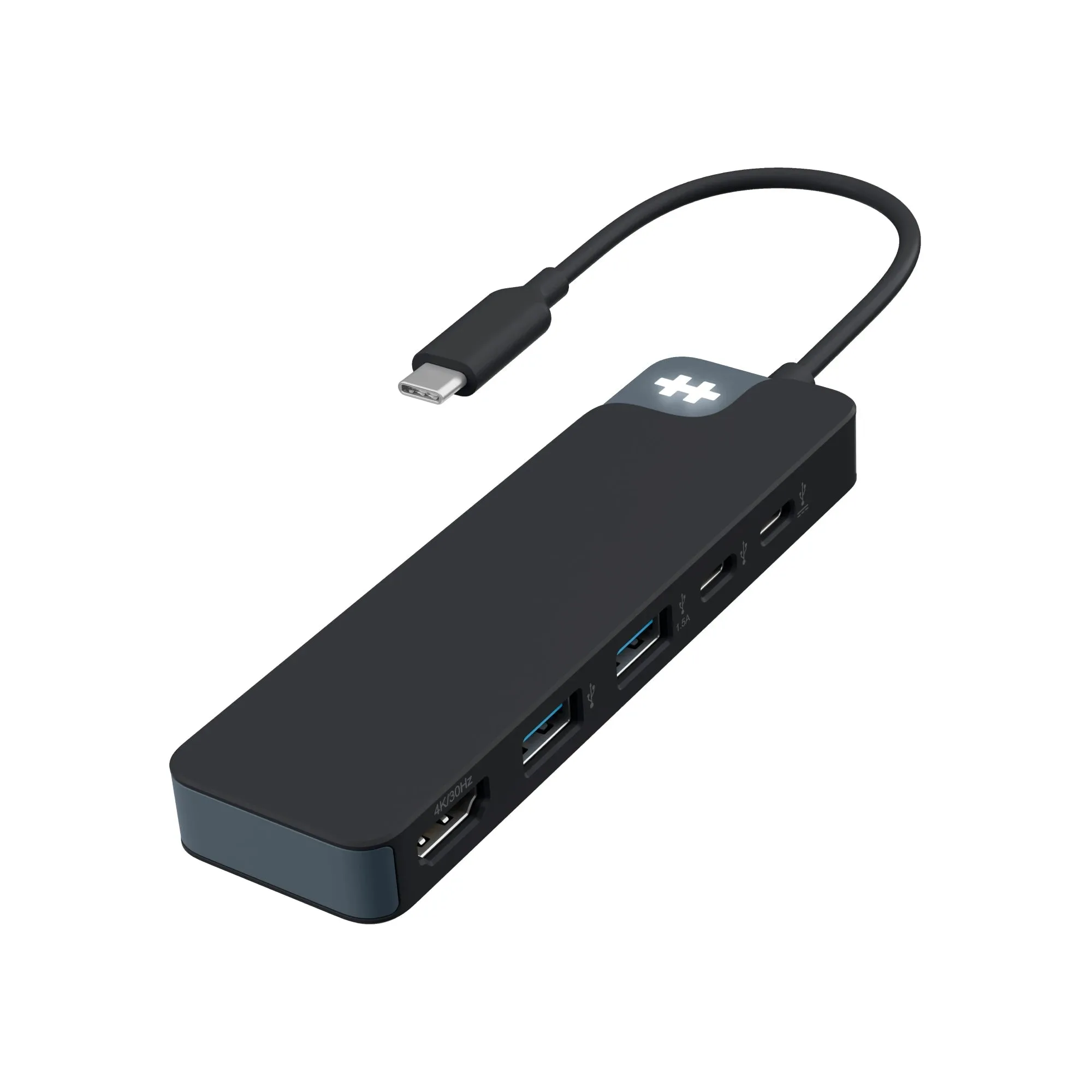
HyperDrive Flex 5 Port USB-C Hub
Port Count: 8 vs 5
The most obvious difference is the number of ports. The HyperDrive Flex 8 Port USB-C Hub includes SD and USB ports plus a 3.5mm audio jack, giving you room for a monitor, storage, peripherals, and headphones. The HyperDrive Flex 5 Port USB-C Hub keeps things simpler with high-speed USB ports and 4K monitor support, but omits the SD reader and audio output based on the supplied information.
If you work with video files, photos, or frequently connect multiple USB accessories, the 8 Port hub saves you from swapping cables. If your setup is minimal—laptop, monitor, mouse, and maybe one external drive—the 5 Port hub may be all you need.
4K Monitor Support on Both
Both hubs support crisp 4K monitor output. The supplied information confirms that the 8 Port Hub delivers 4K support for editing, designing, or streaming, and the 5 Port Hub offers the same 4K visuals for sharp multitasking. Neither hub's specifications state a specific refresh rate or HDMI version, so if you need a particular resolution/frame rate combination, you'll want to check your monitor's requirements separately.
Power Delivery: Identical 100W
Both hubs feature a USB-C port with 100W Power Delivery to charge your laptop while using the hub. This means you can power your laptop and other devices simultaneously through the same hub—a key feature for keeping your desk tidy. The supplied information does not specify how the 100W is shared among downstream ports, so for power-hungry peripherals, treat the 100W as the total input available to the host laptop rather than a guarantee for every port.
Design and Materials
Both hubs use a sleek design made from 75% post-consumer recycled plastics. They are available in Brilliant Blue and Black Expanse color options. The 8 Port Hub is described as a bold accessory for your desk, while the 5 Port Hub is positioned as functional tech that complements your style. The physical dimensions are not provided in the supplied information, so if space on your desk is tight, you may want to compare the actual footprint before buying.
Price Difference
The HyperDrive Flex 8 Port USB-C Hub has a catalog price of USD 27.44 (compared to USD 44.99), while the 5 Port version is USD 24.14 (compared to USD 34.99). The roughly USD 3 price gap makes the 8 Port hub a cost-effective upgrade if you need the extra ports. If you don't need the SD slot or audio jack, the 5 Port hub saves a small amount and takes up less space.
Which Should You Choose?
Pick the HyperDrive Flex 8 Port USB-C Hub if you regularly connect an SD card, want wired audio at your desk, or need more than five ports without swapping cables. Choose the HyperDrive Flex 5 Port USB-C Hub if your setup is simpler—laptop, monitor, a couple of USB devices—and you prefer a more compact hub. Both deliver 4K video and 100W charging, so your decision really comes down to how many devices you plug in daily.