The wattage is a shared budget, not a promise per port
The HyperJuice 200W Laptop Power Bank advertises up to 200W total output, with up to 140W available from a single USB-C port. That distinction matters when you are choosing a high wattage USB-C power bank: the headline number describes the whole bank, not each port. If you plug in a laptop that draws close to 140W and also charge a phone and a tablet, the bank's intelligent power distribution balances the load across its two USB-C and one USB-A ports.
For travel, that means you can charge a high-performance laptop alongside other devices from one battery, but you should plan around the total rather than assuming every port delivers its maximum simultaneously. The practical question is not whether the bank can hit 200W, but whether your combined device load fits within it.
What the HyperJuice 200W is confirmed to provide
-
HyperJuice 200W Laptop Power Bank: Up to 200W total output, with up to 140W per USB-C port. This is the core specification for deciding whether the bank can power a high-performance laptop and accessories together.
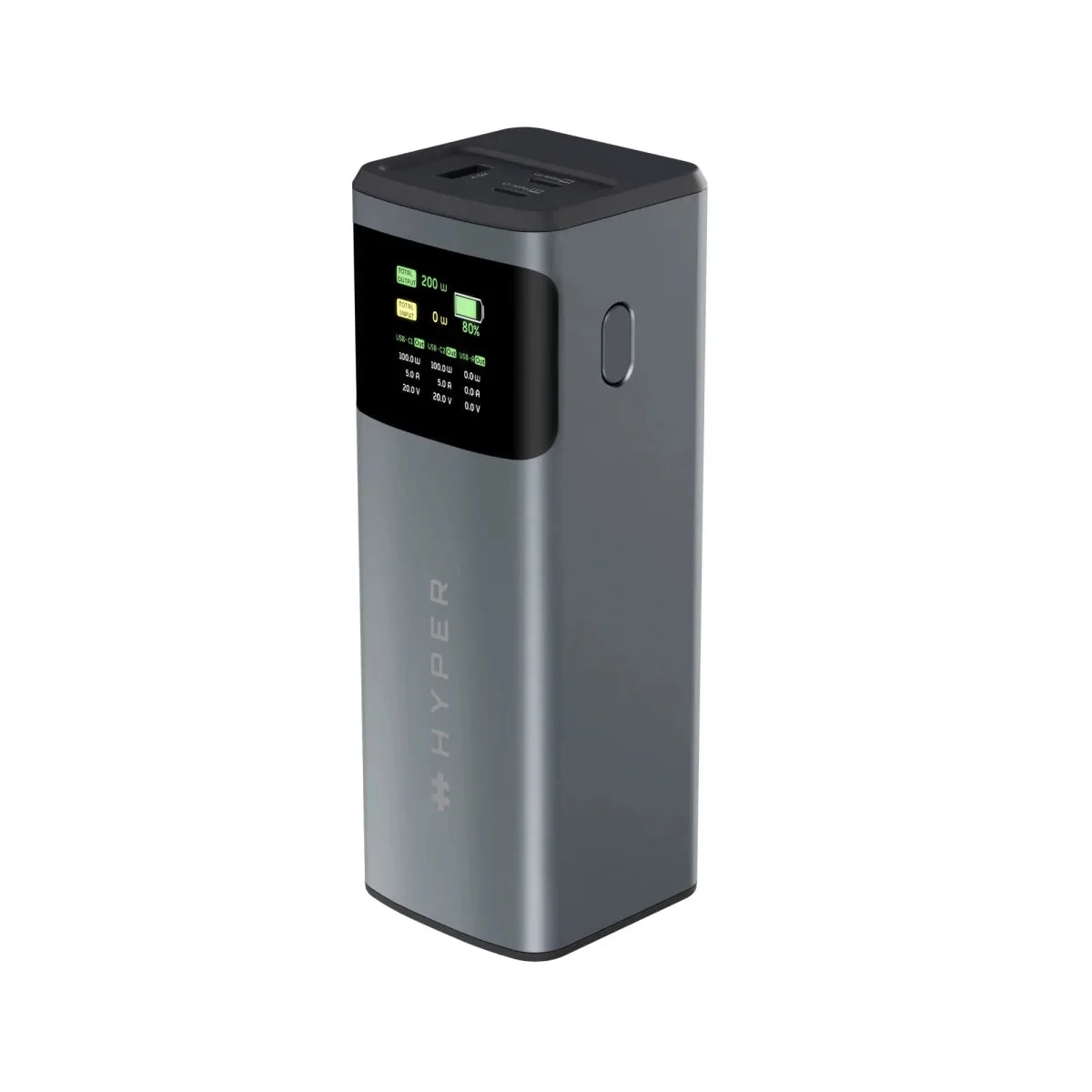
HyperJuice 200W Laptop Power Bank
-
HyperJuice 200W Laptop Power Bank: Two USB-C ports and one USB-A port support charging up to three devices at once, with intelligent power distribution. The port mix determines how many devices you can charge without carrying a separate multi-port charger.
-
HyperJuice 200W Laptop Power Bank: 24,000mAh (88.8Wh) battery, airline carry-on compliant. Capacity and carry-on compliance are the two constraints that most affect whether this bank suits a given trip.
-
HyperJuice 200W Laptop Power Bank: LED display shows real-time input, output, and remaining battery. Visible power flow helps you judge whether a laptop is actually charging or merely maintaining its level.
Match the bank to your laptop's charging profile
A 200W laptop power bank is most useful when your laptop accepts USB-C charging and you know roughly how much power it draws under load. The HyperJuice 200W can deliver up to 140W from a single USB-C port, which covers many high-performance laptops, but the supplied information does not list specific supported laptop models. Before buying, check your laptop's USB-C charging requirement and confirm that your cable and port support the same power level.
If you are shopping for a power bank for MacBook Pro travel, the same logic applies: the bank's per-port ceiling and total output are the numbers to compare against your laptop's adapter rating. The catalog does not confirm a device compatibility list, so treat the wattage figures as the verified guide and verify your own laptop's requirement separately.
One laptop or several devices: how the load changes
The HyperJuice 200W is built for mixed loads, but the experience differs depending on what you plug in. Use this comparison to set expectations before you buy.
- One high-performance laptop: The bank can allocate up to 140W to a single USB-C port, leaving headroom within the 200W total for a phone or accessory on another port.
- Laptop plus phone and tablet: Three devices can charge at once across two USB-C and one USB-A port, with intelligent power distribution balancing output. Expect the laptop's share to be lower than when it charges alone.
- Phones and tablets only: The 24,000mAh capacity is generous for smaller devices, and the total output is far above what phones and tablets typically need, so the bank will not be working near its limit.
Capacity, carry-on rules, and what the catalog does not confirm
The 24,000mAh (88.8Wh) battery is the figure to check against airline carry-on rules. The catalog states the bank is airline carry-on compliant, which makes it a plausible travel companion, but airline policies can vary and you should confirm the current rule for your carrier before flying.
The supplied information does not confirm battery life estimates, recharging time, or a list of supported fast-charging standards. Those gaps are decision limitations, not evidence that the bank lacks a feature. If a specific standard or recharge time is essential to you, verify it with the manufacturer before purchase rather than assuming interoperability.
The bank also undergoes 115+ independent safety tests according to the catalog, which is relevant context for a high wattage USB-C power bank that may sit in a bag next to a laptop.
A short pre-purchase checklist
- Confirm your laptop charges over USB-C: The bank's output is delivered through USB-C and USB-A ports; a laptop that requires a proprietary barrel connector will not charge from it without an appropriate adapter, which the catalog does not supply.
- Compare your laptop's adapter rating with 140W: If your laptop's USB-C adapter is rated at or below 140W, the bank's per-port ceiling is relevant to you. If it is higher, the bank may charge more slowly than your wall adapter.
- Count your devices: Two USB-C ports and one USB-A port mean three devices at once. If you routinely travel with more, plan how you will rotate charging.
- Check your airline's carry-on limit: The 88.8Wh rating is stated as airline carry-on compliant, but confirm your carrier's current policy before you rely on it.