What the HyperJuice Qi2 3-in-1 Stand Does
The HyperJuice Qi2 3-in-1 Magnetic Charging Stand is a compact, foldable station that charges your iPhone, Apple Watch, and AirPods at the same time. It uses the latest Qi2 wireless charging technology for efficient and safe power delivery, with a strong magnetic alignment that keeps your devices secure. This guide walks you through the setup so you can start charging right away.
Setting Up the Charging Stand
Unbox the stand and unfold it to its open position. The stand is designed for portability, so it folds flat for travel and opens easily for desk or nightstand use.
- Connect the power cable: Plug the included USB-C cable into the stand's input port, then connect the other end to a USB-C power adapter (not included). Use a power adapter that supports at least 15W output for optimal charging.
- Position the stand: Place the stand on a flat, stable surface near a power outlet. Ensure the charging pads are clear of metal objects or credit cards.
- Charge your iPhone: Place your iPhone (with MagSafe or a compatible magnetic case) on the main charging pad. The magnets will snap it into place, and charging begins automatically. The stand supports fast wireless charging up to 15W with Qi2 for compatible iPhone models.
- Charge your Apple Watch: Attach your Apple Watch to the dedicated charging puck. It will magnetically align and start charging.
- Charge your AirPods: Place your AirPods case (with wireless charging support) on the designated area. The stand charges AirPods wirelessly alongside the other devices.
Key Specifications at a Glance
-
HyperJuice Qi2 3-in-1 Magnetic Charging Stand: Supports Qi2 wireless charging with up to 15W power delivery for iPhones. This ensures fast, efficient charging without the need for multiple cables.
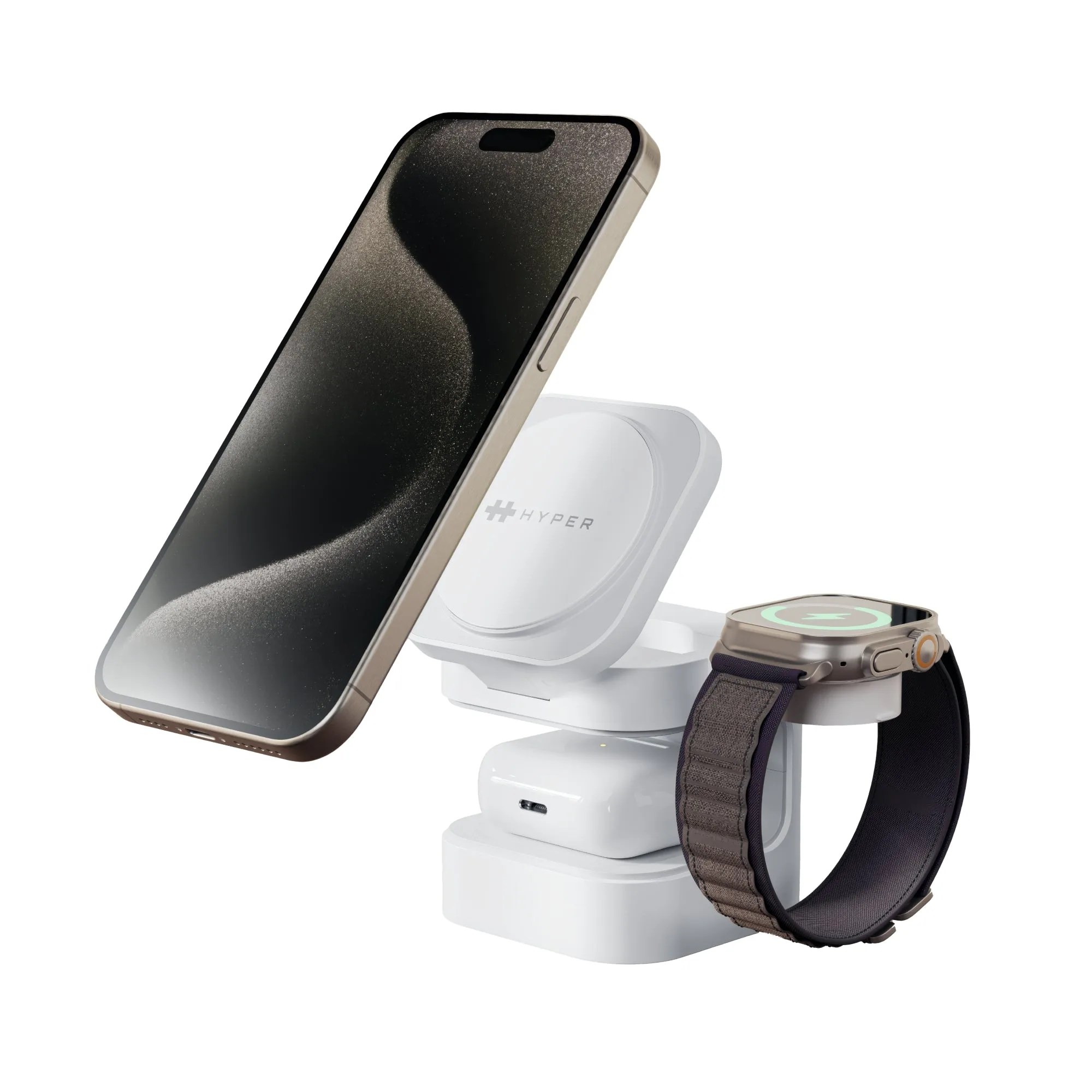
HyperJuice Qi2 3-in-1 Magnetic Charging Stand
-
HyperJuice Qi2 3-in-1 Magnetic Charging Stand: Designed for Apple's ecosystem, charging iPhone, Apple Watch, and AirPods simultaneously. You can charge all three essential devices from a single, tidy stand.
-
HyperJuice Qi2 3-in-1 Magnetic Charging Stand: Foldable form factor for portability. Easy to pack in a bag for travel or move between rooms without hassle.
Tips for Best Use
For consistent charging, keep the stand away from direct sunlight and ensure the charging pads are clean and free of dust. If you use a thick or non-MagSafe case, it may interfere with magnetic alignment—remove the case for reliable charging. The stand does not include a power adapter, so plan to use a quality USB-C wall charger that can deliver sufficient power for simultaneous charging.