Quick answer
For noticeably sharper 480p visuals and crisp stereo audio on modern TVs, choose the Hyperkin HD Cable over standard composite cables. If you play on a CRT or prioritize minimal cost, the composite cable still works.
Why picture quality differs
Standard composite AV cables that came with the Nintendo Wii output a 480i interlaced signal. That means the image is drawn in two alternating fields, which can cause visible flicker and softer detail on modern flat-panel displays. The Hyperkin HD Cable, on the other hand, delivers a 480p progressive signal. Every line of the picture is drawn in a single pass, resulting in sharper edges and smoother motion—especially noticeable in text-heavy menus or fast-paced games like Mario Kart Wii.
The difference is most obvious on HDTVs, where composite video often looks blurry or washed out. If you still use a CRT television from the 2000s, the gap narrows because CRTs handle interlaced video naturally.
Setup and cable length
The Hyperkin HD Cable is 7 feet long, giving you enough slack to place your Wii on a shelf or entertainment center without stretching the cord. Standard composite cables vary in length—many third-party ones are shorter (around 5 feet) or come in inconsistent quality. A longer, well-shielded cable reduces the chance of signal interference and keeps your setup tidy.
Hyperkin HD Cable vs Standard Composite: Trade-offs
- Video signal: Hyperkin HD Cable outputs 480p progressive scan; standard composite outputs 480i interlaced. 480p gives sharper, flicker-free images on modern TVs.
- Audio quality: Hyperkin HD Cable delivers crisp stereo audio; composite cables often have mono or lower-quality stereo. Better audio immersion for games with rich soundtracks.
- Cost: Hyperkin HD Cable costs around $20 (was $30); standard composite cables can be found for under $10. The HD cable costs more but adds real value if you own an HDTV.
- Cable length: Hyperkin HD Cable is 7 ft.; many composite cables are 4–5 ft. Extra length helps with flexible console placement.
- Compatibility: Hyperkin HD Cable works with all Wii models (original and family edition). Standard composite cables also work but require the Wii's AV port. No compatibility issues—both work with any Wii.
Product facts
-
Hyperkin HD Cable: For Nintendo Wii. Ditch the composite AV cable and experience gaming in full 480p with crisp, HD audio. At 7 ft. long, it gives you the flexibility to place your console for the best viewing spot. You get a noticeable upgrade in clarity and audio quality without needing to mod your console, and the longer cable makes it easier to position your Wii in a media cabinet.
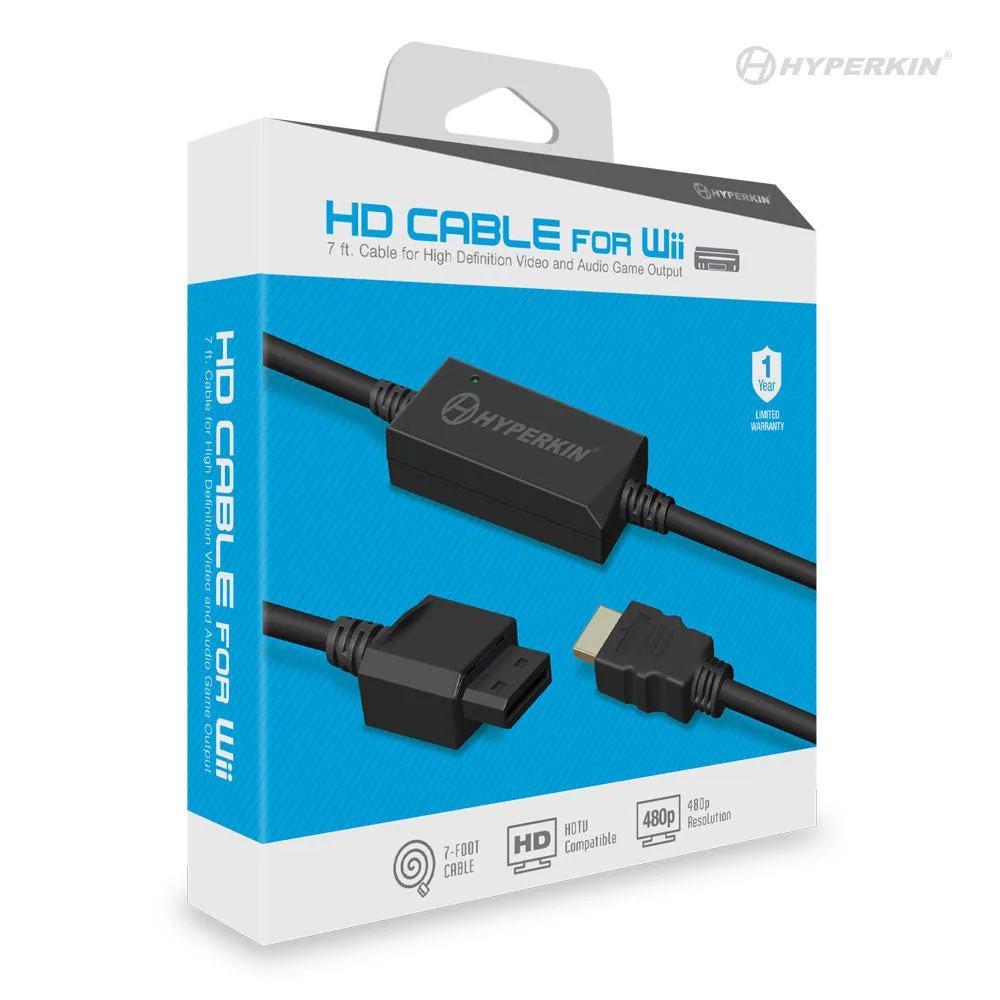
Hyperkin HD Cable
Which cable should you choose?
Best for
- Gamers who play on an HDTV and want the best possible picture from their Wii
- Anyone setting up a Wii for family game night or parties where crisp visuals matter
Not for
- Players who exclusively use a CRT television and are satisfied with composite quality
- Budget-focused buyers who prioritize the lowest possible cost over image quality