What the Hyperkin HDTV Cable Does
If you own a Sega Genesis and want to play your classic library on a modern HDTV without the blur or black bars of standard AV cables, the Hyperkin HDTV Cable is a straightforward solution. It converts the console's analog signal to 720p HD resolution while delivering clear stereo audio, and it supports both 16:9 and 4:3 aspect ratios so you can choose the look you prefer.
The cable includes an adapter for Genesis Model 1, so it works with both the original model and the later Genesis 2. A 6 ft. micro USB cable is supplied for optional power — some TVs can power the cable through the console itself, but the extra cable ensures compatibility with any setup.
Key Specs at a Glance
-
Hyperkin HDTV Cable: 720p HD resolution output for modern TVs 720p is a significant step up from composite video, giving you sharper text and cleaner sprites on flat-screen displays.
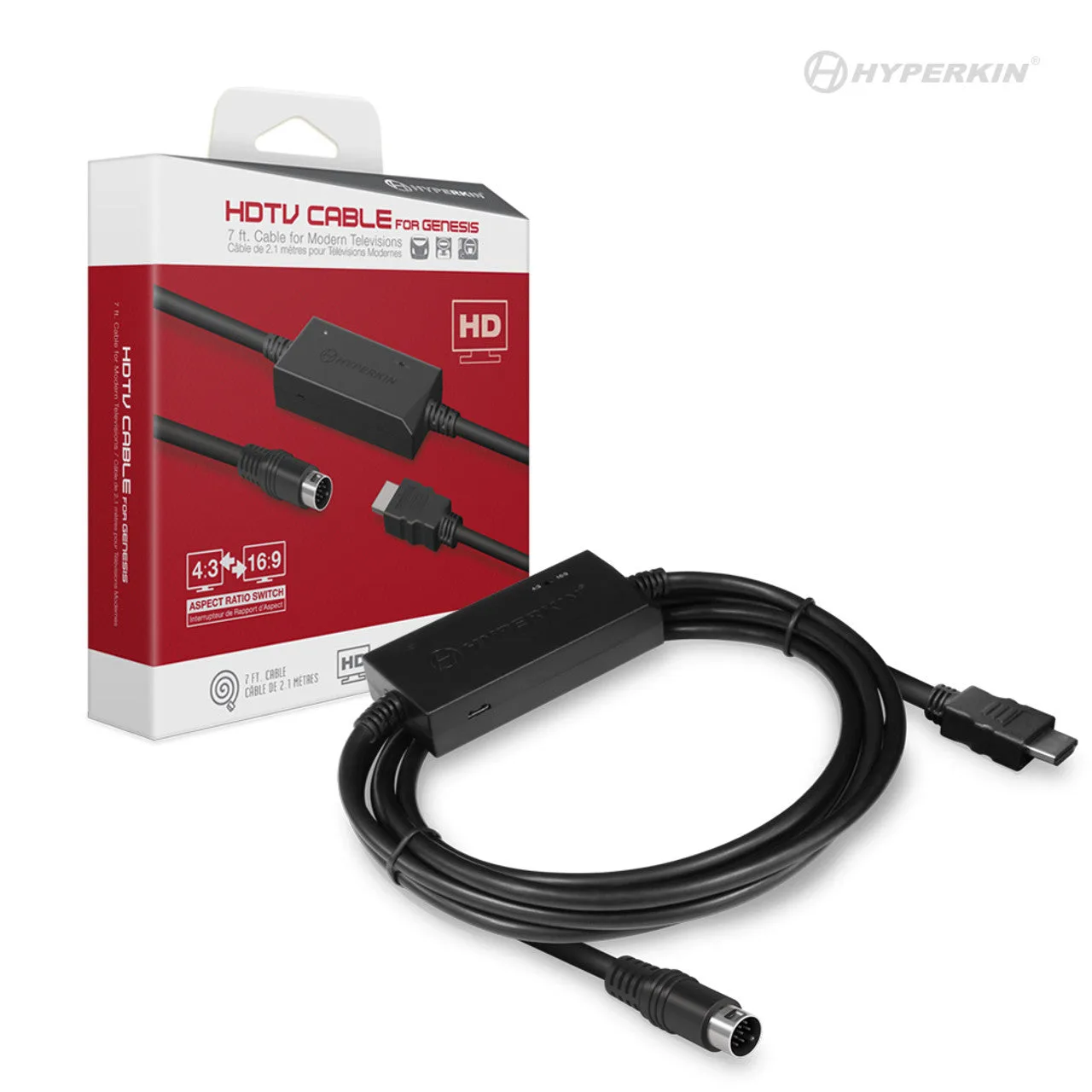
Hyperkin HDTV Cable
-
Hyperkin HDTV Cable: Switchable aspect ratios: 16:9 and 4:3 You can play in widescreen for a fuller picture or switch to 4:3 for the original square-pixel look that many retro gamers prefer.
-
Hyperkin HDTV Cable: Includes adapter for Genesis Model 1 and 6 ft. micro USB cable (optional power) The adapter ensures compatibility with both Genesis models, and the included USB cable lets you power the cable from any standard USB port if your TV doesn't supply enough voltage.
What to Consider Before Buying
The Hyperkin HDTV Cable is a plug-and-play solution — no extra power supply or software setup required. Just connect the cable to your Genesis, plug the other end into your TV's HDMI port, and power the cable via the included micro USB cable if needed.
This cable is designed specifically for the Sega Genesis (Mega Drive). It will not work with other retro consoles like the NES, SNES, or PlayStation unless you have an adapter that converts their video output to the same connector type. If you own multiple retro consoles, you may want a multi-console solution like the Hyperkin RetroN series instead.
The 6 ft. cable length is adequate for most setups but may be short if your console is far from your TV. The optional power cable adds a few extra feet of reach, but plan your layout accordingly.
Hyperkin HDTV Cable vs. Standard AV Cables
- Video Quality: Standard AV cables output composite video (480i) with visible blur and color bleeding. The Hyperkin HDTV Cable outputs 720p, which is much sharper and cleaner on modern screens.
- Audio: Standard cables carry mono audio through composite or stereo through separate RCA jacks. The Hyperkin cable delivers clear stereo audio through the same HDMI connection, reducing cable clutter.
- Setup: Standard cables plug directly into your TV's composite or component inputs. The Hyperkin cable requires an HDMI port and may need the optional USB power if your TV doesn't supply enough power through the console.
- Aspect Ratio Control: Standard cables force 4:3 on most TVs. The Hyperkin cable lets you switch between 16:9 and 4:3, giving you more control over how the image fills your screen.
Is This Cable Right for You?
The Hyperkin HDTV Cable is a great choice if you have a single Genesis console and want a clean, affordable way to play on a modern TV. It's also ideal if you prefer the original console hardware over an emulation box like the RetroN 3 HD, because it preserves the authentic feel of the original system while upgrading the video output.
If you need to connect multiple retro consoles or want features like save states or upscaling beyond 720p, consider a dedicated upscaler or a multi-console retro system. But for a simple, one-cable solution that gets your Genesis looking great on an HDTV, this cable delivers exactly what it promises.