Start with the paper on your easel
Ilford Multigrade RC Deluxe Glossy is a black and white darkroom paper that comes in 8x10-inch sheets and a glossy finish. That size is handy for contact sheets, work prints, and small final prints. Because it is RC (resin-coated), it is a practical choice for learning your way around contrast and exposure without jumping straight to fiber paper.
This guide focuses on the decisions you can actually make with the supplied product information: how to approach contrast filters, how to run a simple exposure test, and how to choose between the 25-sheet and 100-sheet options. It does not cover development times, chemistry, or safelight requirements, because those details are not confirmed in the supplied record.
What the Ilford Multigrade RC Deluxe record confirms
-
Ilford Multigrade RC Deluxe Paper - Glossy - 8x10: Ilford Multigrade RC Deluxe Paper, glossy finish, 8x10 inches. This is the base specification for every printing decision in this guide.
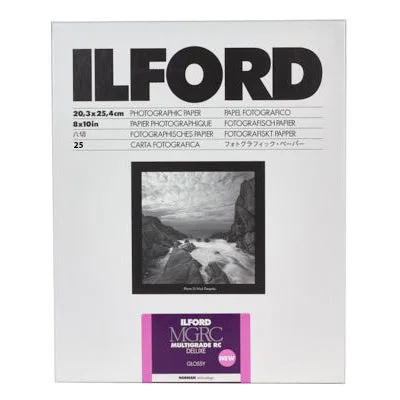
Ilford Multigrade RC Deluxe Paper - Glossy - 8x10
-
Ilford Multigrade RC Deluxe Paper - Glossy - 8x10: Available in 25-sheet or 100-sheet quantities. Your quantity choice affects how freely you can test and reprint.
A simple exposure and contrast workflow
The steps below assume you already have a working darkroom and an enlarger. They are written to help you make deliberate choices with Multigrade paper, not to replace your chemistry instructions.
- Make a test strip first: Cut a sheet of 8x10 paper into smaller strips or expose a full sheet in steps. This lets you see how the image responds before committing a whole sheet.
- Set a starting contrast: Multigrade paper is designed to work with contrast filters. If you are unsure where to begin, start with a middle filter grade and adjust after seeing the test strip.
- Adjust exposure before contrast: If the print is uniformly too light or too dark, change exposure time first. Then use a different contrast filter if shadows or highlights need more separation.
- Keep notes on the back of the print: Write down exposure time, filter grade, and any dodging or burning. This turns each sheet into a record you can repeat or refine.
- Move to a full 8x10 sheet: Once the test strip looks right, expose a full sheet. The glossy surface makes it easy to judge blacks and highlight detail under good light.
Contrast filter choices that affect your print
Multigrade paper responds to contrast filters, but the supplied record does not list specific filter grades or recommended settings. Use the following as a practical way to think about filters, not as manufacturer instructions.
- Lower-contrast filters: These reduce separation between tones. They can help when your negative has very bright highlights and dark shadows that are hard to hold together.
- Higher-contrast filters: These increase separation. They can add punch to a flat negative, but may block up shadows if overused.
- Middle grades: A middle grade is a reasonable starting point when you do not yet know how the negative will print.
Why glossy RC makes sense for learning
Glossy RC paper dries quickly and lies flat, which makes it convenient for repeated test prints. The glossy finish also gives a clear view of maximum black and highlight detail, so you can judge contrast changes without the texture of a matte surface getting in the way.
That said, the supplied record does not include washing times, drying temperatures, or toner compatibility. Treat those as questions for your chemistry documentation or a test print before you commit a full edition.
25 sheets or 100 sheets: which quantity fits your session
Both options use the same 8x10-inch glossy paper. The difference is how many sheets you have for testing and final prints.
- 25 sheets: A good fit for a first session, a single image, or a class where you expect to make several test strips before one final print.
- 100 sheets: Better when you plan to print multiple images, run a series of contrast tests, or share paper in a group darkroom.
Checkpoints before you expose a full sheet
- Confirm your paper size: This paper is 8x10 inches. Make sure your easel or contact frame matches that size before you trim sheets.
- Check your filter position: If you are using contrast filters, verify they are seated correctly before exposing. A misplaced filter can waste a sheet.
- Label your test strips: Write the filter grade and exposure on each strip. Without notes, it is easy to lose track of which setting produced the best result.
- Keep unused sheets dry: RC paper is still sensitive to moisture and light. Store unused sheets in their original packaging between sessions.
Where the supplied information stops
This guide sticks to what the product record confirms: Ilford Multigrade RC Deluxe, glossy, 8x10 inches, in 25- or 100-sheet quantities. It does not include development times, chemistry recommendations, safelight compatibility, or archival washing procedures for this specific paper. For those details, check the manufacturer's documentation or run a small test before a full printing session.