Quick Answer
Replace the OEM centering spring in your 11th Gen Civic shifter with the ACUITY shifter centering spring upgrade to increase centering force by about 50% and enjoy a more positive, sportier shift feel. This guide walks you through the install in about 30 minutes with basic hand tools.
Why Upgrade the Centering Spring?
The factory centering spring in the 11th Gen Civic shifter is tuned for comfort and fuel economy, which can feel vague or sloppy during spirited driving. The ACUITY upgrade increases centering force by roughly 50%, making each shift snap back to center more decisively. This is a popular first mod because it's inexpensive, reversible, and transforms the driving experience without altering the shifter's height or throw.
The spring is powder coated for corrosion resistance, so it will hold up in humid or salty environments. It also comes with a grease packet and a grooveless retaining ring, so you have everything needed for a clean install.
Installation Steps
- Gather tools and prep the car: You'll need a flathead screwdriver, a 10mm socket, a trim removal tool, and the ACUITY spring kit. Park on a level surface, engage the parking brake, and put the shifter in Neutral. Disconnect the negative battery terminal to avoid any electrical issues. Ensure the shifter is in Neutral before disassembly to avoid alignment issues.
- Remove the center console trim: Use the trim removal tool to gently pry up the console trim around the shifter. Unclip the wiring harness for the shift indicator if present. Set the trim aside carefully to avoid scratching. Work slowly and use a trim tool to prevent breaking clips.
- Access the shifter assembly: Remove the shift knob by pulling straight up (or unscrewing if aftermarket). Then remove the rubber boot and any retaining clips. You'll see the shifter assembly with the OEM centering spring visible near the base. Take a photo of the assembly before removal to help with reinstallation.
- Remove the OEM centering spring: Use a flathead screwdriver to carefully pry the OEM spring off its mounting post. Note the orientation and how it sits in the housing. Be gentle to avoid damaging the shifter assembly. Check that the spring is fully seated before moving on.
- Install the ACUITY centering spring: Apply a small amount of the included grease to the spring's contact points. Align the new spring in the same orientation as the OEM one and press it firmly onto the post. Ensure the grooveless retaining ring is seated properly to hold the spring in place. The grease reduces friction and prevents squeaks – don't skip it.
- Reassemble the console and test: Reinstall the rubber boot, shift knob, and console trim. Reconnect the battery. Start the car and test the shifter through all gears, feeling for the stronger centering action. If the shifter feels sticky or misaligned, double-check the spring installation. If the shifter doesn't return to center smoothly, re-check spring orientation and seating.
Product Facts
-
Shifter Centering Spring Upgrade for the 11th Gen Civic & 5th Gen Integra: Increases centering force on OEM shifter by approximately 50% A stronger centering spring makes the shifter return to neutral more positively, giving a sportier, more connected feel on every shift.
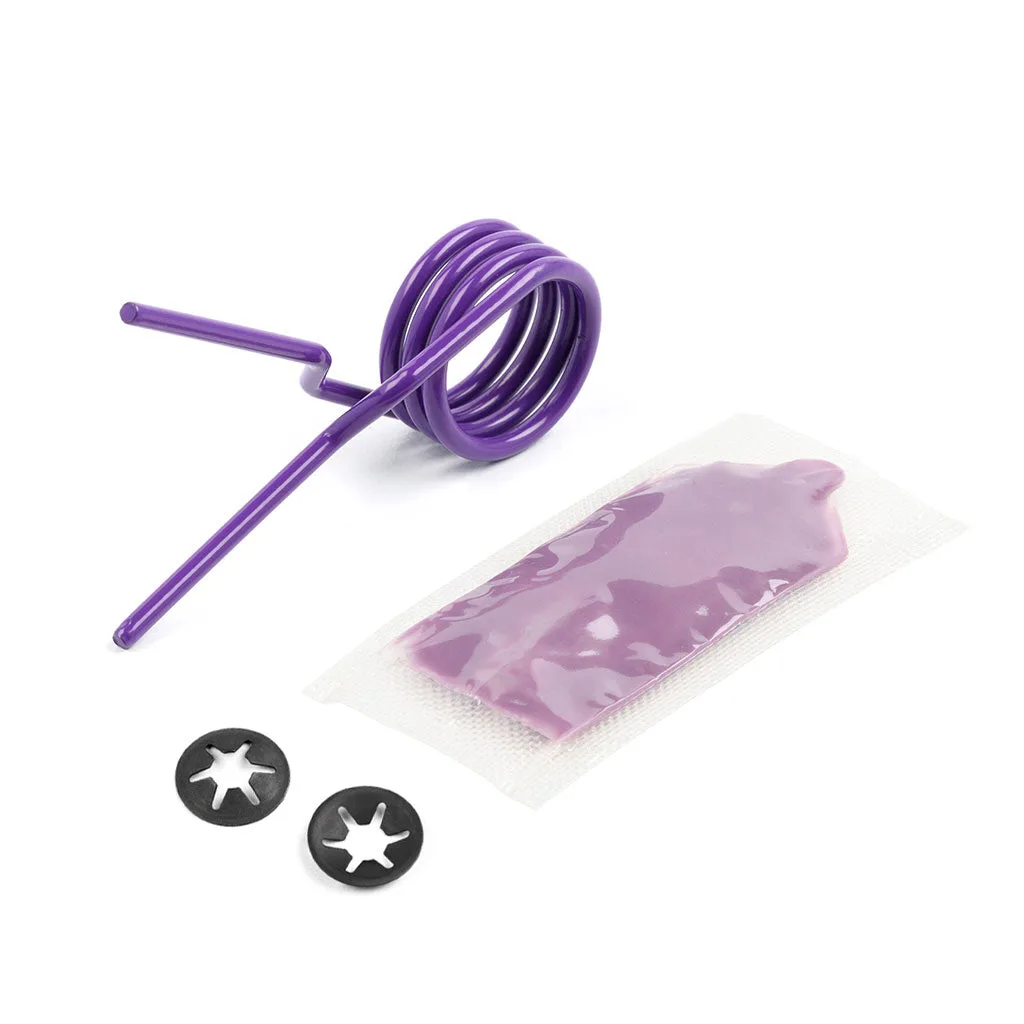
Shifter Centering Spring Upgrade for the 11th Gen Civic & 5th Gen Integra