Quick answer
Start with Background App Refresh and display settings—they deliver the biggest, most reliable gains. Then work through the ordered steps below, checking battery usage after each change so you know what actually helped.
Why the 12 Mini drains faster than you expect
The iPhone 12 Mini packs a full-featured iPhone into a smaller body, so its battery has less room to work with. That makes every background process and display setting more noticeable than on larger models. Before changing anything, open Settings > Battery and review the last 24 hours and 10 days. Look for apps with high background activity or unusual screen-on time—those are your first targets, not a blanket purge of every setting.
Settings that sound helpful but usually aren't
Low Power Mode is useful in a pinch, but leaving it on permanently limits background refresh and email fetch, which can make your phone feel sluggish. Similarly, turning off Wi-Fi or Bluetooth entirely often backfires: the phone may fall back to cellular, which drains more. And force-quitting apps you use regularly can increase drain because they reload from scratch. Focus on the steps below instead of aggressive toggling.
If you bought refurbished, check battery health first
A refurbished iPhone 12 Mini can be a smart buy, but battery condition varies. Go to Settings > Battery > Battery Health & Charging and note the maximum capacity. If it's significantly degraded, no setting will fully compensate—consider a battery service before chasing software fixes. Also check that the unit isn't stuck on an old iOS version, since updates often include efficiency improvements.
Step-by-step battery settings to change
- Trim Background App Refresh: Go to Settings > General > Background App Refresh. Switch it off for apps you don't need updating in the background (social media, shopping, news). Keep it on for messaging and navigation. Common mistake: turning it off for everything, which breaks timely notifications and forces more reloads. Recheck battery usage after a full day to confirm the change helped.
- Limit location tracking: Open Settings > Privacy & Security > Location Services. Set most apps to 'While Using' and turn off 'Precise Location' where it isn't needed. Review 'System Services' and disable unnecessary items like 'Significant Locations' or 'iPhone Analytics'. Checkpoint: avoid setting maps or ride-hailing apps to 'Never'—they need location to work.
- Tune display brightness and auto-lock: Enable Auto-Brightness in Settings > Accessibility > Display & Text Size, and set Auto-Lock to 30 seconds in Settings > Display & Brightness. Common mistake: leaving brightness manually maxed out, which is one of the biggest drains on a small battery. Dark Mode can help on OLED screens, but only if you prefer it—don't force it if readability suffers.
- Reduce motion and visual effects: In Settings > Accessibility > Motion, turn on Reduce Motion. This cuts animated transitions that keep the GPU busy. Checkpoint: some users find the change jarring; try it for a day before deciding.
- Manage email fetch and notifications: Go to Settings > Mail > Accounts > Fetch New Data and set Fetch to 'Manually' or 'Hourly' for accounts you don't need instantly. Then in Settings > Notifications, turn off lock-screen alerts for low-priority apps. Common mistake: leaving multiple email accounts on 'Push' when you rarely check them.
- Update iOS and check battery health: Install the latest iOS update (Settings > General > Software Update) for efficiency fixes. Then open Settings > Battery > Battery Health & Charging. If maximum capacity is below 80%, a battery replacement will do more than any setting. Checkpoint: on a refurbished phone, confirm the battery was serviced or plan for one. A healthy battery makes every other setting work better.
Product facts
-
iPhone 12 Mini – 256GB – White – Grade A: This iPhone 12 Mini comes in Grade A condition with 256GB storage and a generic box. Grade A means it should arrive in very good cosmetic shape, but you'll still want to verify battery health yourself since the listing doesn't specify capacity.
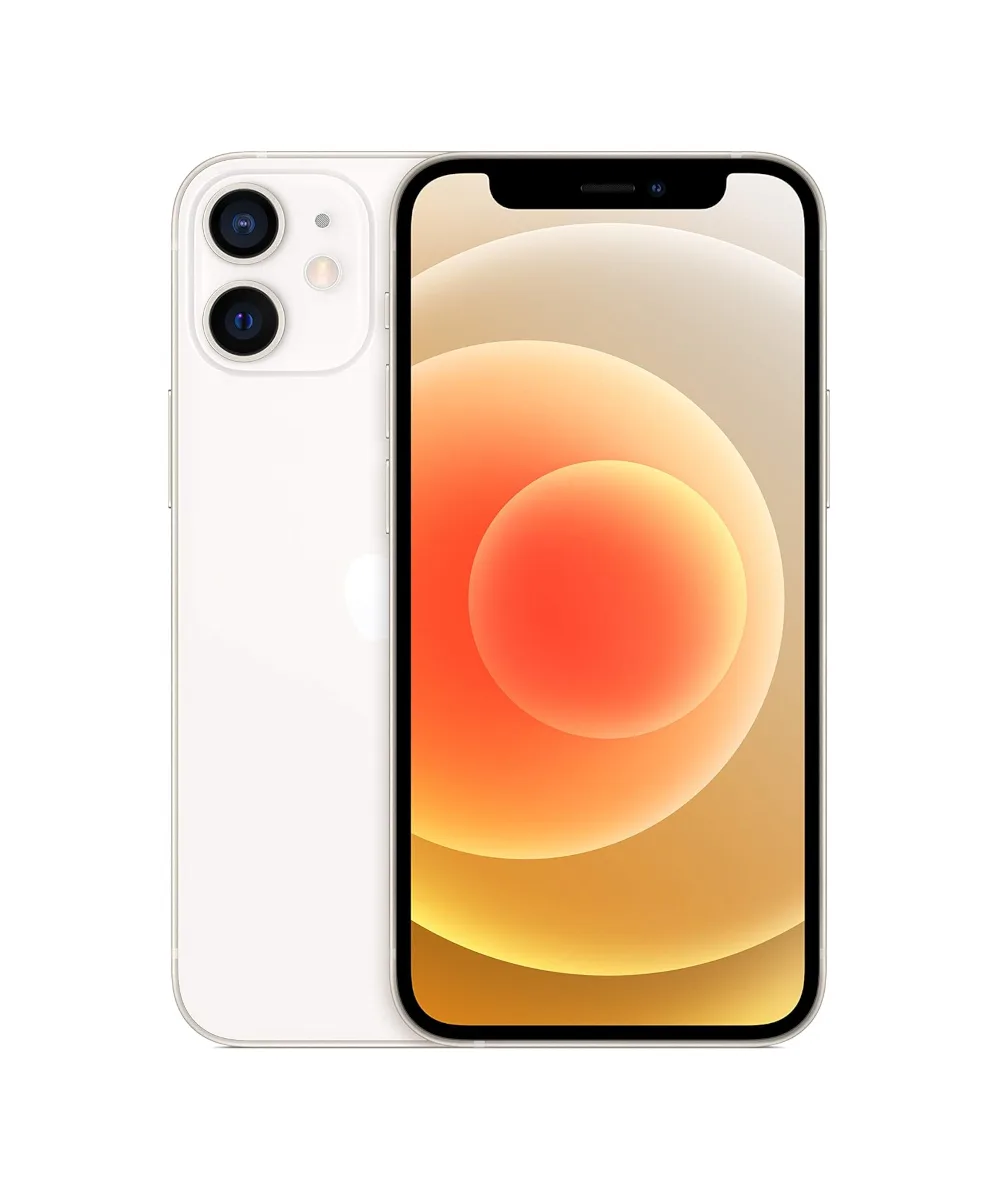
iPhone 12 Mini – 256GB – White – Grade A