Connectivity and Compatibility
How do I connect the B11 Pro to my laptop or tablet?
The B11 Pro supports three connection methods: 2.4 GHz wireless, Bluetooth, and a wired connection. For 2.4 GHz, plug the included receiver into your device. For Bluetooth, put the keyboard into pairing mode and select it from your device’s Bluetooth menu. A wired connection is also available via the keyboard’s port.
Can I use it with both Mac and Windows?
Yes. The keyboard uses an ANSI standard layout and works with both operating systems. The supplied information does not specify a dedicated OS switch, but the universal layout and multiple connectivity options make it suitable for cross-platform use.
Does it support simultaneous multi-device connection?
The catalog confirms Bluetooth and 2.4 GHz wireless support, but does not specify multi-device pairing or quick switching. For single-device use, either wireless method works reliably.
Battery and Power
What is the battery life of the B11 Pro?
The supplied catalog does not include battery capacity or estimated usage hours. Battery life depends on usage patterns, connection type, and backlight settings (if applicable). For precise numbers, refer to the product manual or Keychron support.
How do I charge the keyboard?
The keyboard supports a wired connection, which likely also charges the internal battery. Use the included cable to connect to a USB power source. The catalog does not specify charging time or indicator behavior.
Design and Portability
How portable is the B11 Pro?
The B11 Pro is ultra-slim and folds for easy carrying and storage. Its compact folded size makes it a good travel companion for laptops, tablets, or smartphones. The Space Gray finish resists visible fingerprints.
What keycap layout does it use?
It comes with ABS keycaps in an ANSI standard layout. This is the most common US-style key arrangement, suitable for most typists. The catalog does not mention ISO or other regional variants.
Care and Maintenance
How do I clean the foldable keyboard?
Use a soft, lint-free cloth slightly dampened with water or mild electronics cleaner. Avoid excessive moisture near the folding hinge and keycap edges. Do not use abrasive cleaners or submerge the keyboard. The supplied catalog does not include specific cleaning instructions.
Should I store it folded or flat?
The keyboard is designed to fold for storage, so folding it when not in use is safe and protects the keys and hinge. Keep it in a dry place away from extreme temperatures.
Key Product Details
-
Keychron B11 Pro Ultra-Slim Wireless Foldable Keyboard: Keychron B11 Pro supports 2.4 GHz, Bluetooth, and wired connection. You can choose the most reliable or convenient method for your device, whether it's a laptop, tablet, or smartphone.
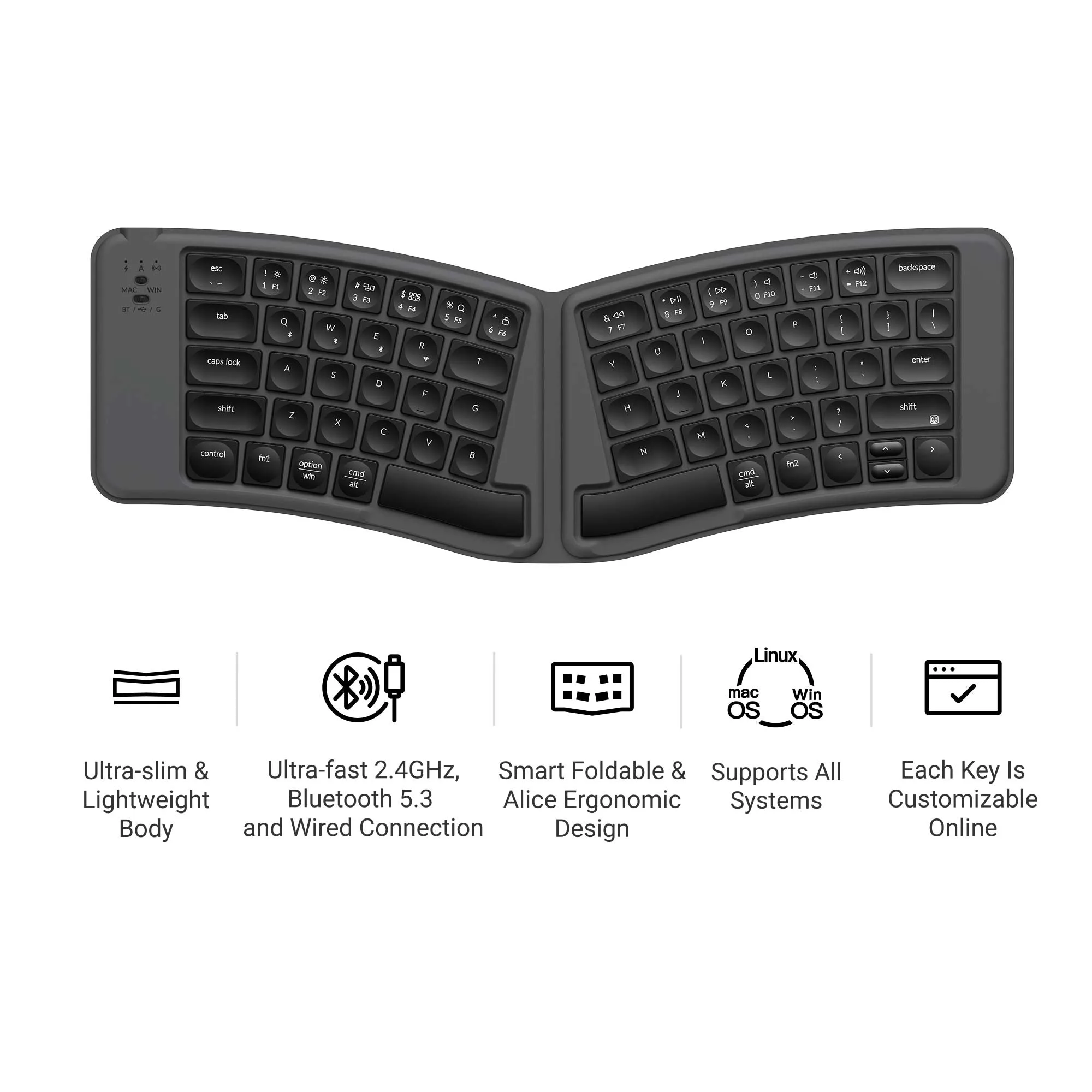
Keychron B11 Pro Ultra-Slim Wireless Foldable Keyboard
-
Keychron B11 Pro Ultra-Slim Wireless Foldable Keyboard: Ultra-slim, foldable design for easy carrying and storage. It fits into a bag or pocket without adding bulk, making it ideal for travel, commuting, or working from different locations.
-
Keychron B11 Pro Ultra-Slim Wireless Foldable Keyboard: ABS keycaps with ANSI standard layout. The familiar key arrangement reduces the learning curve, and ABS keycaps offer a smooth feel suitable for everyday typing.