Quick answer
The Keychron Q16 HE 8K is a premium magnetic switch keyboard with a ceramic body, 8K polling, and Launcher-based customization. It suits enthusiasts who want a distinctive build and fast input, but it is not a budget option.
What the ceramic build means for daily use
The Q16 HE 8K is described as the world's first ceramic keyboard, with a ceramic body and keycaps. That construction gives it a solid, premium feel and a look that stands out from plastic or aluminum cases. However, ceramic is heavier and more brittle than metal, so treat it as a desktop centerpiece rather than a board you toss into a bag. If you need a lightweight travel keyboard, this is not the right choice.
Magnetic switches and 8K polling: what they change
Magnetic switches with TMR sensors enable adjustable actuation and rapid trigger features through software, which can improve responsiveness for gaming and fast typing. The 8K polling rate means the keyboard reports to the computer up to 8,000 times per second, reducing input delay. These benefits are most noticeable in competitive games; for everyday typing, the difference is subtle. Also, the 8K rate may require a capable USB port and can increase power draw, so it is worth checking your setup.
Customization limits and switch swapping
You can customize the Q16 HE 8K via the Keychron Launcher web app, which handles key remapping, actuation settings, and more. The keyboard supports hot-swapping with Keychron Lime and Gateron Jade magnetic switches. However, it does not accept standard mechanical switches, so your switch choices are limited to compatible magnetic models. This is a deliberate trade-off for Hall effect functionality.
Common questions about the Q16 HE 8K
How do I set up the Q16 HE 8K?
Connect the keyboard to your computer, then open the Keychron Launcher web app. Use the Switch Type Setting to configure the magnetic switches, and adjust key mappings and actuation points as needed. Always use Launcher for setup; it's required for switch calibration.
Can I use any magnetic switch with this keyboard?
The Q16 HE 8K supports hot-swapping with Keychron Lime and Gateron Jade magnetic switches. Other magnetic switches may not be compatible, so stick to these recommended models. Check switch compatibility before buying replacements.
Is the 8K polling rate worth it?
If you play fast-paced games or want the lowest possible input lag, the 8K polling rate can provide a measurable advantage. For general use, the difference is minimal, and it may increase power consumption. Consider your primary use case before prioritizing 8K polling.
What are the trade-offs of the ceramic body?
The ceramic construction offers a unique look and solid feel, but it adds weight and is more prone to chipping or cracking if dropped. It's best suited for a permanent desk setup. Handle with care and avoid traveling with it.
Key product facts
-
Keychron Q16 HE 8K Magnetic Switch Keyboard: The Q16 HE 8K features a ceramic body and keycaps, making it the world's first ceramic keyboard. This gives it a unique, premium aesthetic and feel, but also makes it heavier and more fragile than typical keyboards.
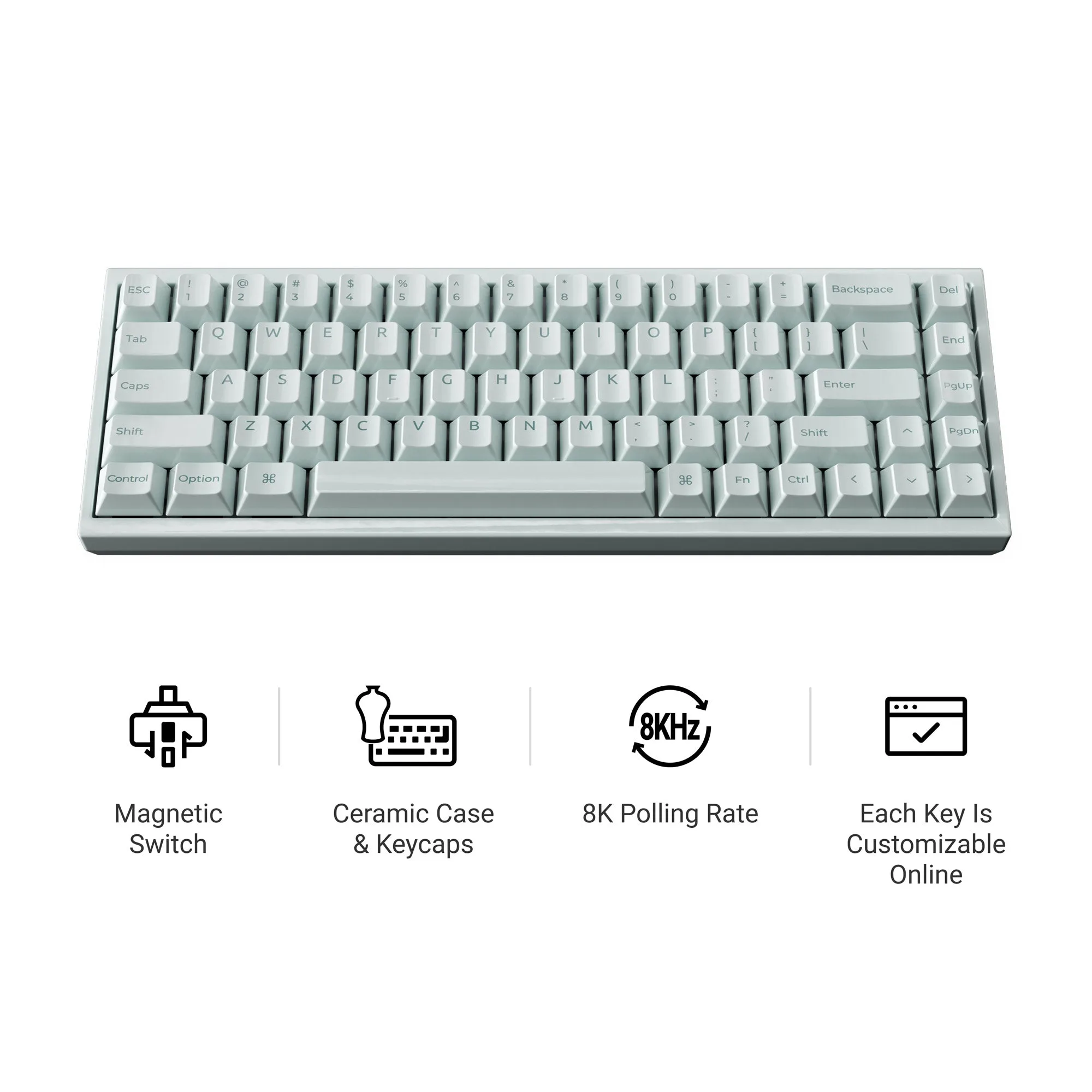
Keychron Q16 HE 8K Magnetic Switch Keyboard
-
Keychron Q16 HE 8K Magnetic Switch Keyboard: It uses magnetic switches with TMR sensors and supports an 8K polling rate. These features enable adjustable actuation and ultra-low latency, which benefit competitive gaming and fast typists.
-
Keychron Q16 HE 8K Magnetic Switch Keyboard: Hot-swapping is supported with Keychron Lime and Gateron Jade magnetic switches. You can change switch feel without soldering, but you must use compatible magnetic switches—standard mechanical switches won't work.