Quick answer
Choose the Keychron Q2 Max if you want a compact 65% layout that saves desk space; pick the Q6 Max if you need a full-size keyboard with a number pad. Both support QMK/VIA customization and wireless connectivity.
Layout and desk space
The most obvious difference is size. The Q2 Max is a 65% keyboard, so it keeps the arrow keys and a few navigation clusters but drops the number pad and function row. That makes it a good fit for smaller desks or for people who carry their keyboard between home and office.
The Q6 Max is a full-size keyboard with a number pad and function row. It takes up more room but gives you direct access to every key you might need for data entry or spreadsheet work without reaching for layers.
ISO layout options and included parts
Both keyboards are available in ISO layouts, but the Q2 Max specifically offers German, UK, Nordic, and Swiss layout versions. If you type in one of these regional layouts, that's a clear advantage for the Q2 Max.
When you buy the Fully Assembled version of either board, you get the PCB, case, PC plate, keycaps (including Mac and Windows keycaps), and switches. The Barebone version of the Q6 Max omits keycaps and switches, so you'll need to supply your own. That's a useful way to save money if you already have keycaps and switches you prefer.
Trade-offs at a glance
- Compact vs full-size: Choose the Q2 Max if you prefer a smaller footprint and don't need a number pad. Choose the Q6 Max if you need a number pad and function row for data entry or productivity. Measure your desk space before deciding.
- ISO layout options: The Q2 Max offers German, UK, Nordic, and Swiss ISO layouts. The Q6 Max does not list these specific options in its catalog facts. If you need a specific ISO layout, verify availability before ordering.
- Barebone vs Fully Assembled: The Q6 Max offers a Barebone version without keycaps and switches, which is cheaper if you already own them. The Q2 Max is listed only as Fully Assembled in the catalog. Compare your existing parts to the included set to see which version saves you money.
Product facts
-
Keychron Q6 Max QMK/VIA Wireless Custom Mechanical Keyboard: The Fully Assembled Q6 Max includes the PCB, case, PC plate, keycaps (Mac & Windows), and switches; the Barebone version does not include keycaps and switches. If you already own keycaps and switches, the Barebone version saves money; if you want a ready-to-type keyboard, choose Fully Assembled.
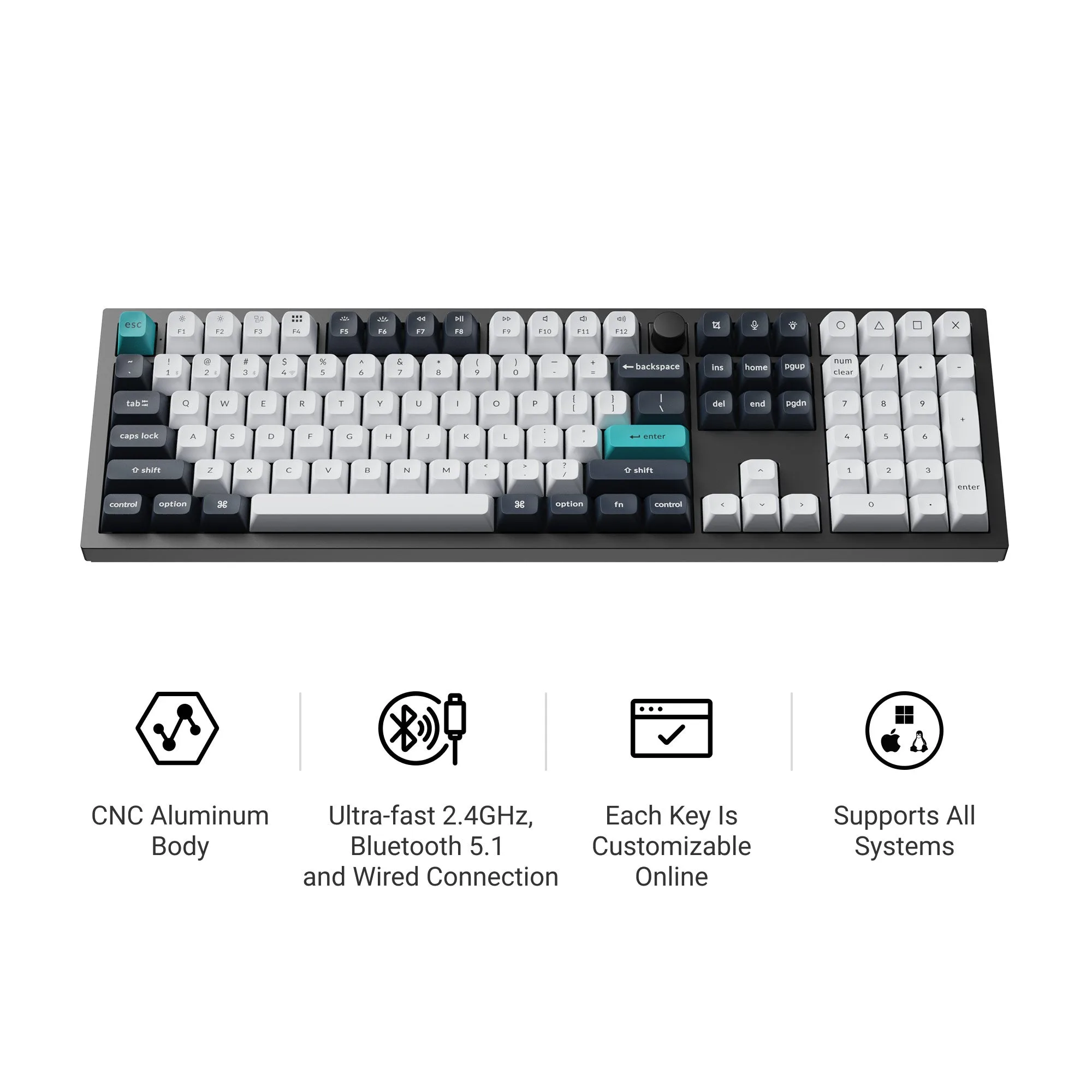
Keychron Q6 Max QMK/VIA Wireless Custom Mechanical Keyboard
-
Keychron Q2 Max QMK/VIA Wireless Custom Mechanical Keyboard ISO Layout Collection: The Q2 Max is available in ISO layouts: German, UK, Nordic, and Swiss. If you need a specific regional ISO layout, the Q2 Max gives you that option without needing to buy separate keycaps.
Keychron Q2 Max QMK/VIA Wireless Custom Mechanical Keyboard ISO Layout Collection
Keychron Q2 Max QMK/VIA Wireless Custom Mechanical Keyboard ISO Layout Collection
Which keyboard fits you?
Best for
- Users who want a compact wireless QMK keyboard that saves desk space
- Typists who need a specific ISO layout like German, UK, Nordic, or Swiss
Not for
- People who need a number pad and function row for data-heavy work
- Budget builders who want a barebone option to reuse their own keycaps and switches

