What the Keychron R5 Offers
The Keychron R5 is a wireless custom mechanical keyboard that balances a compact footprint with full functionality. Its 96% layout packs 98 keys into a frame that saves desk space while keeping the number pad and navigation cluster. This makes it a practical choice if you want a full typing experience without the width of a traditional full-size board.
Connectivity is versatile: you can use 2.4 GHz wireless, Bluetooth, or a wired USB connection. The wireless modes let you switch between devices easily, while the wired option ensures zero latency for gaming or critical tasks. The keyboard also supports hot-swappable Keychron Super mechanical switches, so you can change switch types without soldering.
Key Specifications at a Glance
-
Keychron R5 QMK Wireless Mechanical Keyboard: 96% layout (98 keys) with included keycaps for both Windows and macOS. You get a complete typing and navigation set in a space-saving design, and the dual-OS keycaps mean no extra purchase for switching systems.
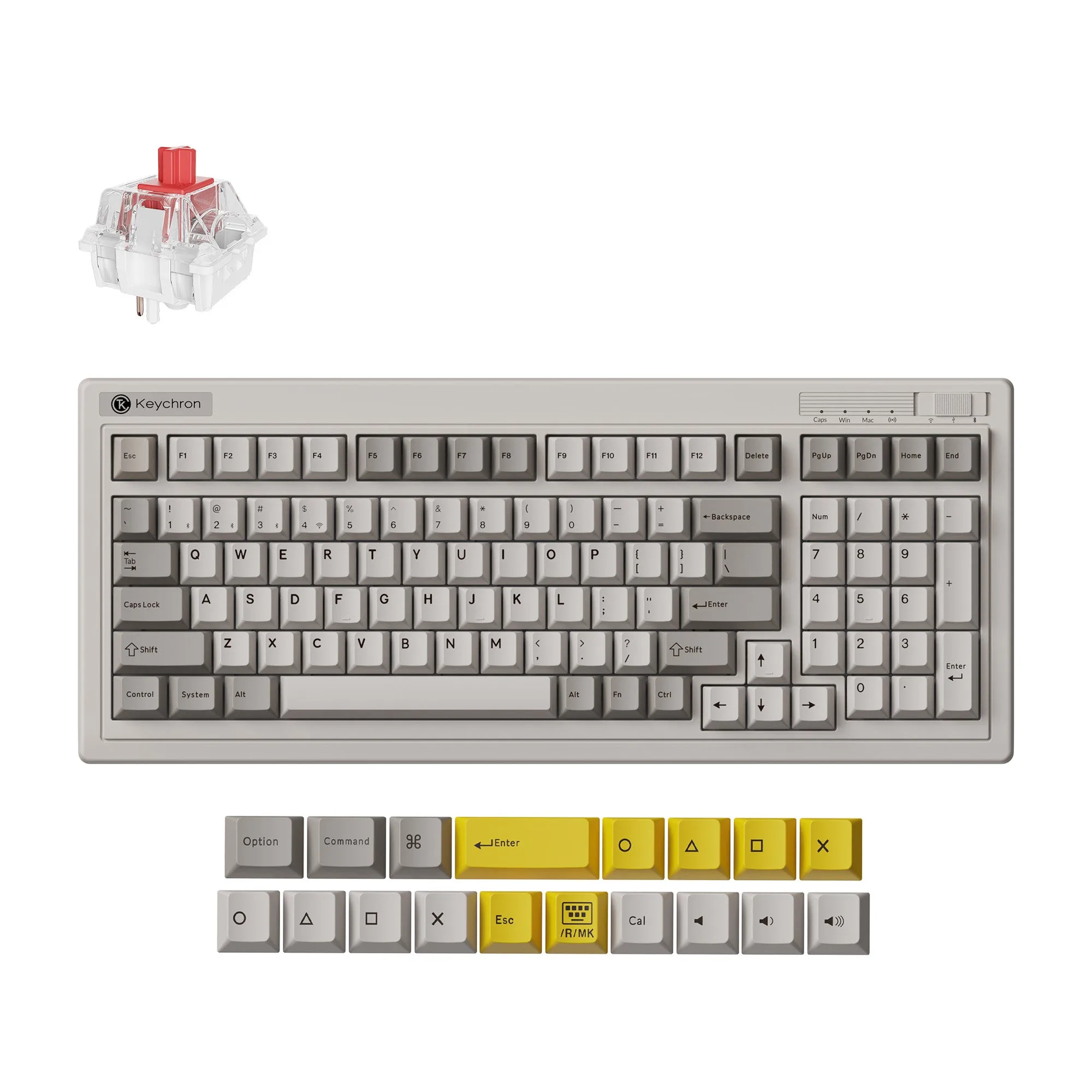
Keychron R5 QMK Wireless Mechanical Keyboard
-
Keychron R5 QMK Wireless Mechanical Keyboard: Supports 2.4 GHz, Bluetooth, and wired connection. Triple connectivity gives you flexibility: low-latency wireless for gaming, Bluetooth for multi-device productivity, and wired for reliability.
-
Keychron R5 QMK Wireless Mechanical Keyboard: Hot-swappable with Keychron Super mechanical switch; available in Red, Brown, and Banana variants. You can customize the feel without soldering. Choose a linear, tactile, or clicky switch based on your typing preference.
-
Keychron R5 QMK Wireless Mechanical Keyboard: Customizable via Keychron Launcher web app for key remapping and macros. The Launcher lets you tailor keys and commands without installing software, making setup quick and accessible.
Choosing Your Version
The Keychron R5 is available in three switch variants: Keychron Super Red (linear), Super Brown (tactile), and Super Banana (tactile with a sharper bump). All come with RGB backlighting and a hot-swappable PCB. The Retro color option gives the keyboard a classic look. If you're unsure, consider your typical use: linear switches are smooth for fast typing and gaming, while tactile switches provide feedback that can reduce typos during long sessions.
Note that no discount code can be used for the R5, and if your preferred model is out of stock, you'll need to sign up for notifications. There is no barebone kit option in the current catalog, so you buy a fully assembled keyboard with switches and keycaps included.
Setup and Customization Steps
Getting started with the Keychron R5 is straightforward. Here's what you can expect:
- Connect your keyboard: Use the included USB cable for wired mode, or switch to 2.4 GHz or Bluetooth via the mode selector. Pair with your computer or device following the quick start guide.
- Configure with Keychron Launcher: Open the Keychron Launcher web app in a browser. It allows you to remap any key, create macros, and adjust lighting. The process is similar to QMK but requires no local software installation.
- Swap switches (optional): If you want a different feel, use the included switch puller to remove the current switches and insert new Keychron Super switches. The hot-swap socket supports the standard 3-pin and 5-pin MX-style switches.
What the Catalog Doesn't Cover
The product record confirms the keyboard's layout, connectivity, and hot-swap capability, but it doesn't specify battery life, keycap material, or detailed installation instructions. If you need precise power specs or step-by-step assembly guidance, check the official Keychron support page or user manual. For most buyers, the supplied information is enough to make an informed purchase decision.